Python for AI in 2026: What You Need to Learn (and What You Can Skip)
AI assistants can now write a working Python script in seconds. If you are deciding whether to learn Python for AI, that raises a fair question: is it still worth ten months of your evenings?
It has a clearer answer than most people give you.
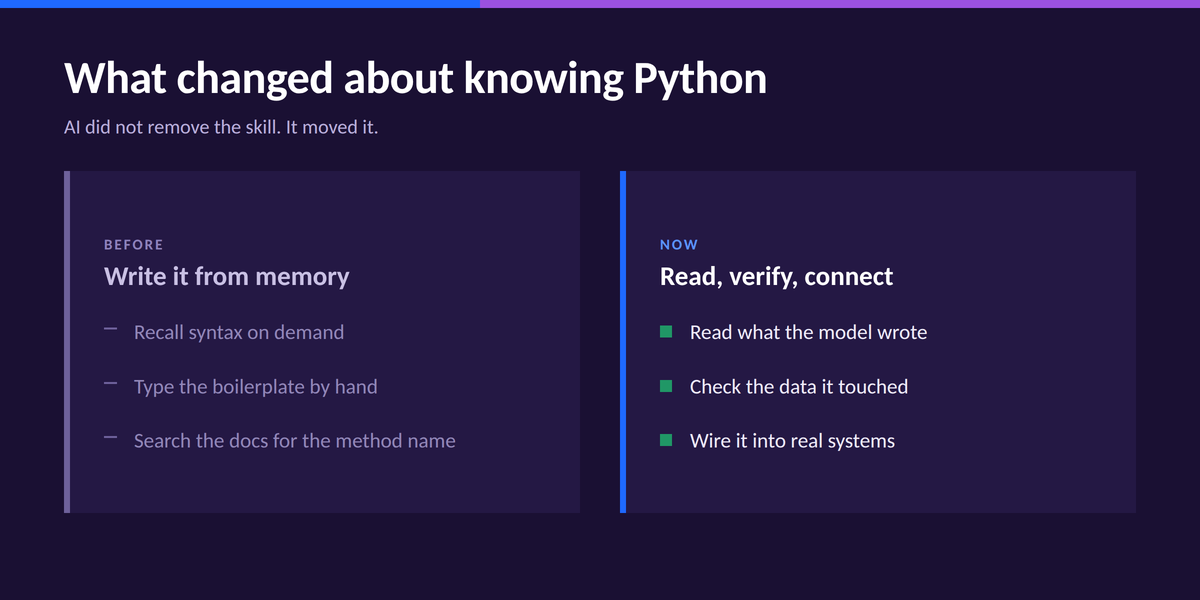
AI has not removed the need for Python. It has changed what knowing Python means.
Producing syntax from memory matters less than it used to. What matters more is understanding the code well enough to adapt it, spot where it went wrong, and connect it to real data and real systems.
This article covers the Python you actually need for AI work in 2026, and the parts you can leave for later.
Table of Contents
- Does AI mean you can skip Python?
- What Python do you actually need for AI?
- What can wait until later
- Python is the foundation, not the destination
- Frequently asked questions
Does AI mean you can skip Python?
The job market says no, and it is clear about why that's the case.
PwC's 2026 Global AI Jobs Barometer found that AI-specific jobs are growing roughly eight times faster than the overall job market. Workers with AI skills earn a wage premium of about 62% over workers in the same occupation without them.
Entry-level roles in the most AI-exposed jobs are also about seven times more likely than the least-exposed ones to ask for skills that used to be senior-level, including strategic decision making and stakeholder management.
The demand is real, and Python is still one of the main ways into it. An analysis of more than 1,000 AI engineer job descriptions published in March 2026 found Python mentioned in approximately 82.5% of them, ahead of every other named technology.
What has changed is what the job increasingly requires from you. Generating code is getting cheaper and easier. What still matters is being able to tell whether that code is correct, whether it fits the problem, and what can go wrong.
Generating a function is now the easy part. Knowing that the function silently dropped 4,000 rows, and knowing to check for it, is the part that still takes engineering judgment.
Python is where much of that work happens. It is the language most AI libraries expose, the language the models write most readily, and the language you will be reading when something breaks in production.
What Python do you actually need for AI?
Before the AI-specific material makes sense, you need a working base in Python and the software practices around it. These five areas are that base.
They are not AI engineering itself. They are what lets you start it without getting stuck on the first error message. Of all the AI engineer skills you could invest in right now, these pay off first.
| Foundation | Why it matters for AI work | Our estimate at 5 hrs/week |
|---|---|---|
| Core Python logic and data structures | You cannot read or fix generated code without it | 2 to 3 weeks |
| APIs and structured responses | Most applied AI work involves APIs and structured responses | 1 to 2 weeks |
| Testing and validation | AI systems can fail in quiet, specific ways | Ongoing |
| Developer tooling | Git, the command line, environments, then FastAPI and Docker | 1 to 2 weeks |
| pandas and NumPy (domain-dependent) | Needed when your AI work runs on data you have to inspect and clean | 2 to 3 weeks |
These are our estimates, not measured averages, and they assume the 5 hours per week our paths are built around.
The order above is roughly how much each one blocks you at the start, not the order you will meet them in a path.
Core Python logic and data structures
Variables, loops, functions, lists, and dictionaries. This is the smallest set you can get away with, and it is genuinely small.
You need it because every AI response you get back is a nested structure you have to walk through. If a dictionary lookup raises a KeyError and you do not know what a dictionary is, you are stuck on a one-line fix.
If you are starting from nothing, our Generative AI Fundamentals in Python path covers this ground and then puts it to work, across 8 courses and 4 projects. No prior coding experience assumed.
APIs and structured responses
Applied AI engineering is mostly wiring. You send a request to a model, you get a structured response back, and you pull the useful part out of it.
from openai import OpenAI

client = OpenAI(api_key=YOUR_KEY)

response = client.responses.create(
    model=MODEL_NAME,
    input=prompt
)
answer = response.output_text
Look at those last few lines. Each one assumes you are comfortable with keyword arguments, attribute access, and reading an object you did not design. That is the whole point about foundations.
Testing and validation
AI systems can fail in quiet, specific ways. The code runs, the output looks plausible, and the answer is wrong.
So you need a habit of checking rather than trusting. Confirm the row count after a merge. Assert that a field exists before you index into it. Run a handful of known inputs through the system and check the outputs against what you expect.
A practical version of this habit:
- Read the last line of a traceback first, then work upward
- Inspect the data at the point of failure, not at the end
- Change one thing at a time
- Write a small test that reproduces the failure before you fix it
Targeted Python practice exercises build the fluency this depends on. Finding the source of an error becomes much easier when reading Python becomes automatic.
Developer tooling
Git, the command line, and virtual environments come first. They are unglamorous, and they are the reason your project runs on someone else's machine.
After that, FastAPI turns your Python into an API other software can call, and Docker makes it portable. In that same analysis of more than 1,000 job descriptions, Docker appeared in roughly a third of listings and FastAPI in about one in ten. Treat them as useful rather than mandatory.
pandas and NumPy, if your work needs them
This one depends on what you are building. Plenty of applied AI work is API calls and text, with no dataframe in sight.
But if your AI application runs on data you have to load, inspect, and clean, pandas and NumPy are how you do it. They are also where the quiet failures live, including a merge that duplicates rows or a column that arrived as text instead of numbers.
Both sit inside the AI Engineer in Python path, which spends roughly 13 hours on them before any modelling work begins.
What can wait until later
Three things consume a lot of beginner time and return very little early on.
- Advanced language features. Metaclasses, descriptors, and deep metaprogramming are interesting. They are not on the path to your first AI project.
- Every AI framework. LangChain, LlamaIndex, and the rest change fast. Learn the underlying API calls first, then pick a framework when a project needs one.
- Training models from scratch. Most applied AI roles use existing models. Understanding how training works matters eventually. Implementing backpropagation by hand does not.
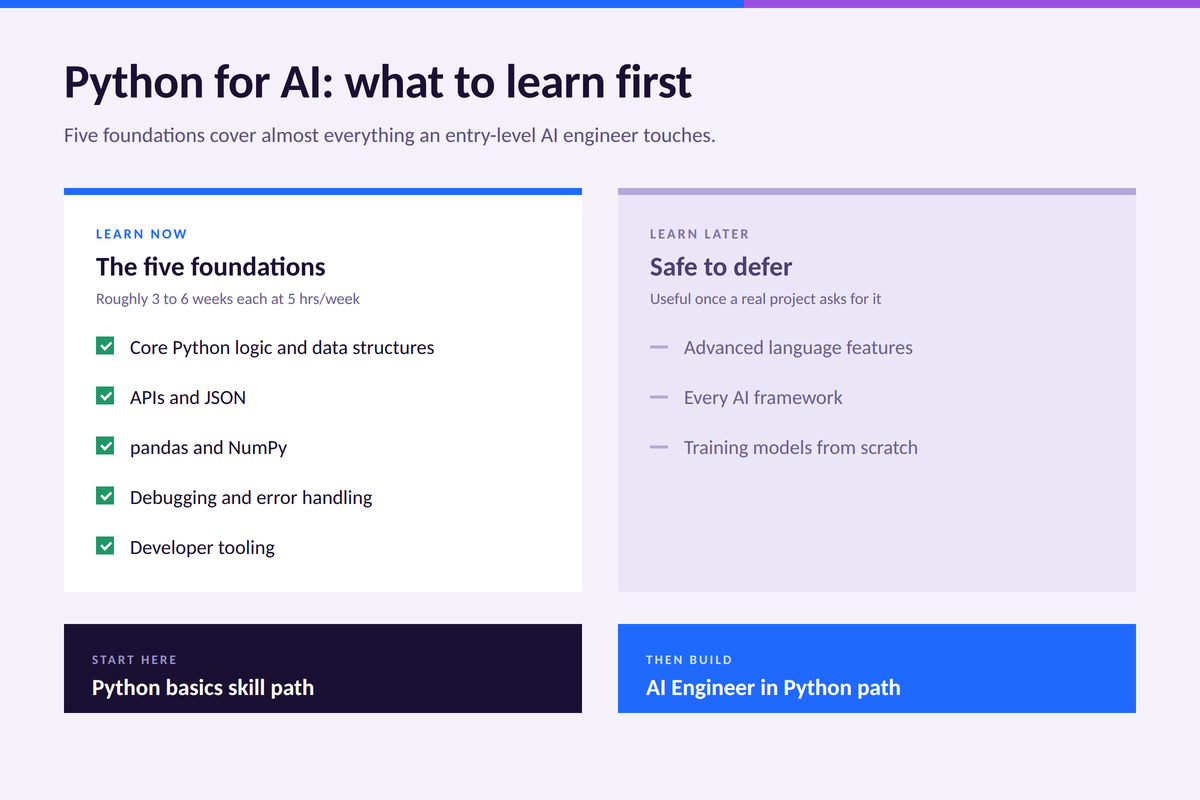
You will notice these are deferrals, not dismissals. Advanced Python becomes useful once you have something real to optimize.
Python is the foundation, not the destination
The point of learning Python for AI is to stop thinking about Python, and start thinking about what you want to build with AI.
Once the foundations are in place, the interesting work opens up. You start calling LLM APIs, designing prompts, and giving models access to tools.
From there you move into building applications that serve real requests, evaluating whether the output is any good, and connecting models to your own documents through embeddings, vector databases, and retrieval-augmented generation.
That sequence is how our AI Engineer in Python path is built. It opens with Python fundamentals and tooling, moves into LLM APIs and prompting, then FastAPI and Docker, then pandas and NumPy, statistics, machine learning, PyTorch, embeddings, vector databases, and RAG, across 20 guided projects.
The full sequence takes about 10 months at a steady part-time pace. If you want the wider view of the role before committing, the AI engineer roadmap covers what the job involves day to day.
Conclusion
AI getting good at writing Python has not made Python irrelevant. It can make implementation faster, but you still need to know what the code should do, whether it actually does it, and what to do when it doesn't.
Start with the foundations, leave the rest until a project asks for it, and build something small as soon as you can read code confidently.
If you are starting from zero, the Generative AI Fundamentals in Python path takes you from your first line of Python to a working AI application, in about two months at 5 hours a week.
When you are ready for the full sequence, the AI Engineer in Python path takes you from that same starting point through RAG systems, with 20 projects along the way.
Frequently asked questions
Do you need Python for AI, or can you use another language?
You can build AI products in JavaScript, Go, or Rust, and plenty of teams do. Python is still where most model libraries, research code, and official SDKs land first, so it remains the shortest path in.
How long does it take to learn Python for AI?
On our AI Engineer in Python path, the Python and tooling foundations run to roughly 28 hours. At 5 hours a week, that is under 6 weeks before you reach the LLM application material. Becoming job-ready for an AI engineering role is closer to 10 months.
Can AI just write the Python for me?
It can write a lot of it. You still need to specify the task precisely, judge whether the result is correct, and fix it when it is not. All three require reading Python fluently.
Is Python for AI different from Python for data science?
The foundation is identical. AI work leans harder on APIs, asynchronous calls, and deployment tooling. Data science leans harder on statistics and modelling.
What should I build first?
A small chatbot, or a question-answering tool over your own documents. It exercises API calls, data handling, and error handling at once, and it is genuinely useful.