40+ Python Interview Questions and Answers for Data Roles (2026)
This article covers 40+ Python interview questions written specifically for data roles. Every answer includes a working code example, an explanation of the underlying concept, and a note on what the interviewer is actually evaluating. Questions are organized by role so you can focus your study time where it matters most.
Python currently holds the #1 spot on the TIOBE index, and the U.S. Bureau of Labor Statistics projects data scientist employment will grow 34% through 2034. The interview pipeline is active, and the questions below are what’s waiting on the other side.
If you want to practice the skills behind these questions, Dataquest’s Python Basics for Data Analysis walks you through everything from fundamentals to data manipulation in a hands-on environment.
What’s in this article
- What Python topics come up in data role interviews (and a topic-to-role mapping table)
- Core Python questions every data professional should know
- Python questions for data analyst roles (pandas, wrangling, visualization)
- Python questions for data scientist roles (NumPy, performance, ML workflows)
- Python questions for data engineer roles (pipelines, memory, systems-level Python)
- Practical coding challenges modeled on real technical screens
- How to prepare for a Python interview in a data role
- Frequently asked questions
What Python topics come up in data role interviews
Not all Python interviews are the same. A software engineering interview will lean into system design, algorithms, and web frameworks. A data role interview is a different test entirely.
Data role interviews tend to focus on practical Python fluency:
- Can you load, clean, and manipulate a dataset?
- Do you understand how pandas and NumPy work under the hood?
- Can you write efficient code that won’t grind to a halt on a million-row DataFrame?
These are the questions hiring managers for data teams care about most.
The table below maps the most common Python interview topics to the roles where they’re most likely to appear. Use it to prioritize your prep based on the role you’re targeting.
| Topic | Data Analyst | Data Scientist | Data Engineer |
|---|---|---|---|
| Core Python fundamentals | ● | ● | ● |
| pandas & data wrangling | ● | ● | ○ |
| NumPy & vectorization | ○ | ● | ○ |
| OOP concepts | ○ | ○ | ● |
| Generators & iterators | — | ○ | ● |
| Memory management | — | ○ | ● |
| ETL / data pipelines | — | ○ | ● |
| Testing (pytest) | — | ○ | ● |
| Algorithms & data structures | ○ | ○ | ● |
| Virtual environments | ○ | ○ | ● |
● Core topic ○ Nice to know — Rarely tested in this role
Core Python interview questions every data professional should know
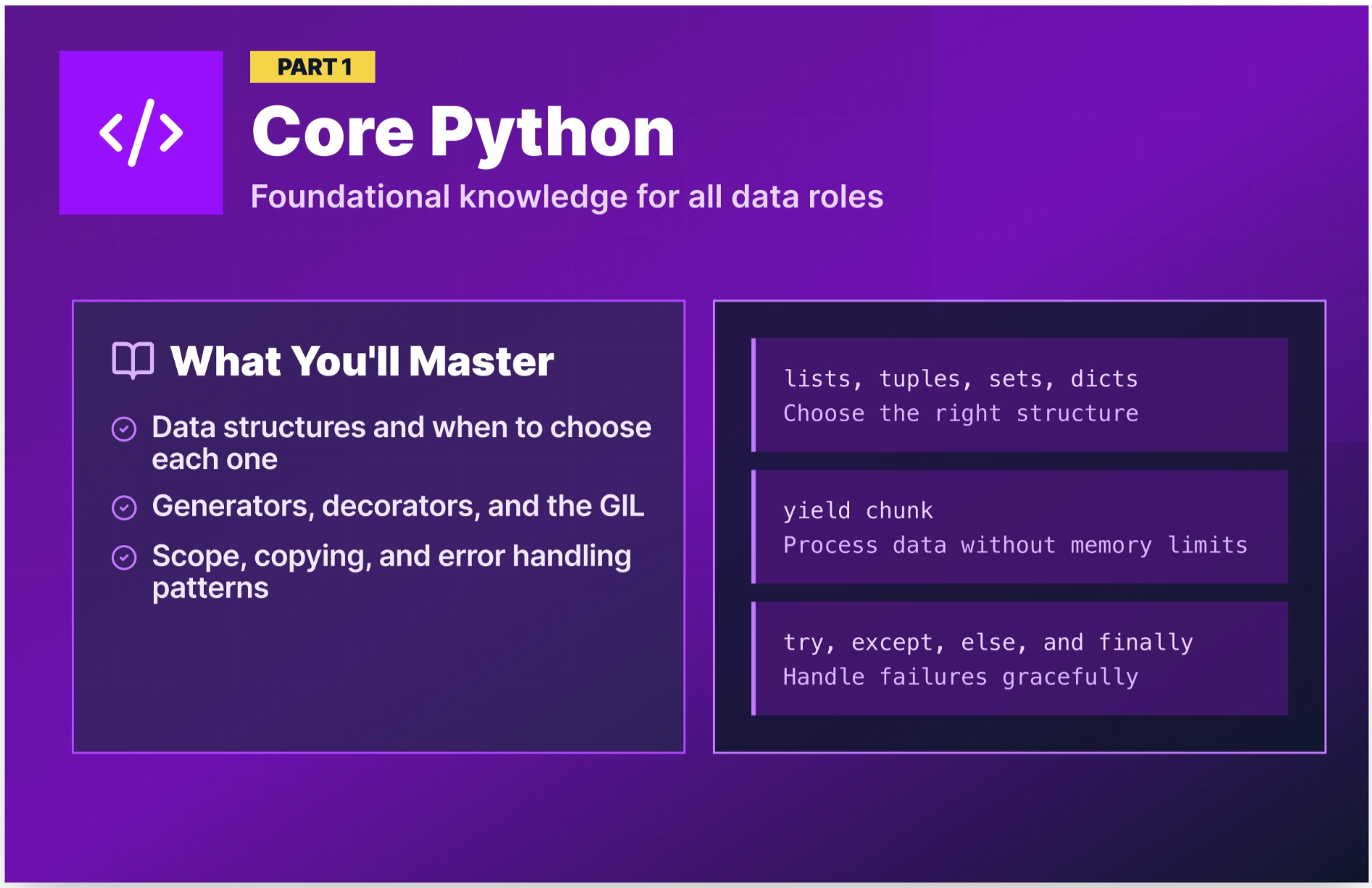
These questions appear in virtually every Python interview, regardless of the data role you’re targeting. They test your grasp of how Python actually works, not just that you can write a script, but that you understand the language’s behavior. Nail these before moving to the role-specific sections.
Q1. What is the difference between a list, a tuple, a set, and a dictionary?
These four are Python’s core built-in data structures, and interviewers ask this question to see whether you choose the right tool for the job.
- List = ordered, mutable, allows duplicates. Use when you need a sequence you’ll modify.
- Tuple = ordered, immutable, allows duplicates. Use when the data shouldn’t change (e.g., coordinate pairs, database records).
- Set = unordered, mutable, no duplicates. Use when you need uniqueness or fast membership testing.
- Dictionary = key-value pairs, ordered (Python 3.7+), mutable. Use when you need to look up values by a label.
sales_regions = ["North", "South", "East", "West"]       # list — can add/remove
coordinates = (40.7128, -74.0060)                         # tuple — fixed location
unique_categories = {"Electronics", "Clothing", "Food"}   # set — no duplicates
product_prices = {"laptop": 999, "phone": 699}            # dict — key-value lookup
💡 Why interviewers ask this: Choosing the wrong data structure is one of the most common sources of slow, buggy data code. This question reveals whether you think about data before you write code.
Q2. What is the difference between mutable and immutable objects in Python?
A mutable object can be changed after it’s created. An immutable object cannot because any operation that appears to change it actually creates a new object.
Mutable types: lists, dictionaries, sets.
Immutable types: integers, floats, strings, tuples.
# Mutable — the same object is modified in place
prices = [100, 200, 300]
prices.append(400)
print(prices)  # [100, 200, 300, 400]

# Immutable — a new object is created
name = "dataquest"
name = name.upper()
print(name)  # "DATAQUEST" — original string is unchanged, 'name' points to a new object
💡 Why interviewers ask this: Mutability affects how objects behave when passed to functions and when used as dictionary keys. Misunderstanding this leads to subtle, hard-to-debug errors in data pipelines.
Q3. What are list comprehensions, and when should you use them?
A list comprehension is a concise way to create a list from an iterable in a single line of code. The general syntax for creating one is: [expression for item in iterable if condition].
# Standard loop approach
squared = []
for x in range(1, 6):
    squared.append(x ** 2)
print(squared)  # [1, 4, 9, 16, 25]

# List comprehension — same result, cleaner code
squared = [x ** 2 for x in range(1, 6)]
print(squared)  # [1, 4, 9, 16, 25]

# With a condition — filter even numbers from a sales list
sales = [120, 450, 230, 670, 80, 910]
high_sales = [s for s in sales if s > 300]
print(high_sales)  # [450, 670, 910]
Use list comprehensions for simple transformations and filters. For complex logic with multiple steps or side effects, a regular loop is more readable.
💡 Why interviewers ask this: List comprehensions are idiomatic Python. Using them appropriately signals that you write clean Pythonic code, which matters in collaborative data teams.
Q4. What is a dictionary comprehension?
A dictionary comprehension builds a dictionary from an iterable using the general syntax: {key: value for item in iterable}. Many candidates know list comprehensions cold, but stumble on the dict variant.
products = ["laptop", "phone", "tablet"]
prices = [999, 699, 499]

# Build a price lookup dictionary from two lists
price_lookup = {product: price for product, price in zip(products, prices)}
print(price_lookup)  # {'laptop': 999, 'phone': 699, 'tablet': 499}

# Filter: only products over $600
premium = {k: v for k, v in price_lookup.items() if v > 600}
print(premium)  # {'laptop': 999, 'phone': 699}
💡 Why interviewers ask this: Dict comprehensions show up constantly in data work, particularly when building lookup maps, inverting dictionaries, and transforming JSON-like structures. Fluency here signals real-world Python experience.
Q5. What are *args and **kwargs?
*args collects extra positional arguments into a tuple. **kwargs collects extra keyword arguments into a dictionary. Both let you write functions that accept a flexible number of inputs.
def summarize_sales(*regions, **metrics):
    print(f"Regions: {regions}")
    print(f"Metrics: {metrics}")

summarize_sales("North", "South", revenue=150000, units=420)
# Regions: ('North', 'South')
# Metrics: {'revenue': 150000, 'units': 420}
💡 Why interviewers ask this: You’ll use
*argsand**kwargswhen writing wrapper functions, decorators, and flexible utility functions in data pipelines. Fumbling the syntax here can give interviewers the impression you haven't written many Python functions beyond simple scripts.
Q6. What is the difference between shallow copy and deep copy?
A shallow copy creates a new outer object, but the objects nested inside it are not duplicated. The copy and the original both reference the same inner objects. A deep copy creates a new outer object and recursively duplicates every object inside it, so nothing is shared.
This distinction only matters when your data has nested structures (lists of lists, dictionaries containing dictionaries). For flat structures, shallow and deep copies behave identically.
import copy

original = [[1, 2], [3, 4], [5, 6]]

shallow = copy.copy(original)
deep = copy.deepcopy(original)

original[0][0] = 99

print(shallow[0][0])  # 99 — shallow copy shares the inner list
print(deep[0][0])     # 1  — deep copy is fully independent
💡 Why interviewers ask this: In data work, you often need to transform DataFrames or nested structures without modifying the original. Getting this wrong causes unpredictable bugs that are painful to trace.
Q7. Explain the LEGB rule for variable scope in Python.
LEGB stands for Local → Enclosing → Global → Built-in. This is the order Python searches for a variable name when it’s referenced in code.
- Local: Inside the current function
- Enclosing: Inside any enclosing functions (for nested functions)
- Global: At the module (file) level
- Built-in: Python’s built-in names like
len,print,range
x = "global"

def outer():
    x = "enclosing"
    def inner():
        x = "local"
        print(x)  # "local" — finds x in local scope first
    inner()
    print(x)      # "enclosing"

outer()
print(x)          # "global"
💡 Why interviewers ask this: Scope errors are a common source of bugs, especially in scripts that use global variables alongside functions. This question checks that you understand Python’s name resolution order.
Q8. What is the difference between == and is in Python?
== compares value (are the contents equal?). is compares identity (are they the same object in memory?).
a = [1, 2, 3]
b = [1, 2, 3]
c = a

print(a == b)   # True  — same values
print(a is b)   # False — different objects in memory
print(a is c)   # True  — c points to the same object as a in memory
💡 Why interviewers ask this: Using
isto compare values (especially strings or numbers) is a common beginner mistake that leads to unpredictable bugs. Interviewers use this to check whether you understand Python’s object model.
Q9. What are lambda functions? When would you use one?
A lambda function is an anonymous (no name), one-line function defined with the lambda keyword. It takes any number of arguments and returns the result of a single expression.
# Standard function
def square(x):
    return x ** 2

# Equivalent lambda
square = lambda x: x ** 2

# Common use: sorting a list of dictionaries by a specific key
employees = [{"name": "Alice", "salary": 92000}, {"name": "Bob", "salary": 78000}]
sorted_employees = sorted(employees, key=lambda e: e["salary"])
print(sorted_employees[0]["name"])  # Bob
Use lambdas for short throwaway functions, especially as arguments to sorted(), map(), filter(), and pandas apply(). For anything longer than one expression, write a named function.
💡 Why interviewers ask this: Lambdas appear throughout pandas workflows. A candidate who can use them naturally is signaling day-one productivity.
Q10. How does exception handling work in Python?
Python uses try, except, else, and finally blocks to handle errors gracefully.
def load_sales_data(filepath):
    try:
        with open(filepath, "r") as f:
            data = f.read()
    except FileNotFoundError:
        print(f"File not found: {filepath}")
        data = None
    except PermissionError:
        print("Permission denied.")
        data = None
    else:
        print("File loaded successfully.")
    finally:
        print("Attempted file load.")
return datatry— the code that might failexcept— what to do if a specific error occurselse— runs only if no exception was raisedfinally— runs no matter what (good for cleanup)
💡 Why interviewers ask this: Data pipelines fail. Files go missing. APIs return unexpected responses. How you approach error handling tells interviewers a lot about whether you've worked with production code before.
Q11. What is a Python decorator?
A decorator is a function that wraps another function to extend its behavior without modifying it directly. They’re applied using the @ syntax.
import time

def timer(func):
    def wrapper(*args, **kwargs):
        start = time.time()
        result = func(*args, **kwargs)
        end = time.time()
        print(f"{func.__name__} ran in {end - start:.4f}s")
        return result
    return wrapper

@timer
def process_large_dataset(n):
    return sum(range(n))

process_large_dataset(10_000_000)
# process_large_dataset ran in 0.3241s
💡 Why interviewers ask this: Decorators are used in many production Python codebases for logging, authentication, caching, and timing. Understanding them signals that you can read and maintain production-grade code.
Q12. What is a Python generator? How is it different from a list?
A generator produces items one at a time, on demand, rather than loading everything into memory at once. You create one with the yield keyword or a generator expression.
# List — stores all 1M numbers in memory at once
million_list = [x for x in range(1_000_000)]

# Generator — produces one number at a time, uses almost no memory
million_gen = (x for x in range(1_000_000))

# Generator function — reads a large CSV in chunks instead of all at once
def read_in_chunks(filepath, chunksize=1000):
    with open(filepath, "r") as f:
        chunk = []
        for line in f:
            chunk.append(line)
            if len(chunk) == chunksize:
                yield chunk
                chunk = []
        if chunk:
            yield chunk
💡 Why interviewers ask this: Generators are essential for processing large datasets without running into memory errors. This question is one of the clearest ways interviewers gauge whether you can write code that handles real-world data volumes.
Q13. What is the Global Interpreter Lock (GIL)?
The GIL is a mutex (a lock) in CPython that allows only one thread to execute Python bytecode at a time, even on multi-core machines. This means Python threads don’t achieve true parallelism for CPU-bound tasks.
The practical workaround: use multiprocessing (separate processes, bypass GIL) for CPU-heavy computation, or use threading for I/O-bound tasks (reading files, making API calls) where threads spend time waiting rather than computing.
from multiprocessing import Pool

def process_chunk(data_chunk):
    # CPU-heavy transformation — runs in parallel across processes
    return [x ** 2 for x in data_chunk]

if __name__ == "__main__":
    data = list(range(1_000_000))
    chunks = [data[i:i+250000] for i in range(0, len(data), 250000)]
    with Pool(4) as p:
        results = p.map(process_chunk, chunks)
💡 Why interviewers ask this: The GIL is a favorite question for data engineer roles. It tests whether you understand Python’s performance limitations and know how to work around them.
Q14. What is the with statement, and what does it do?
The with statement is a context manager. It ensures that setup and cleanup code runs reliably, even if an error occurs. The most common use is when opening files.
# Without context manager — file may not close if an error occurs
f = open("sales.csv", "r")
data = f.read()
f.close()  # might be skipped if an exception is raised above

# With context manager — file closes automatically no matter what
with open("sales.csv", "r") as f:
    data = f.read()
You can write custom context managers using __enter__ and __exit__ methods, or the @contextmanager decorator from the contextlib module.
💡 Why interviewers ask this: In data engineering, resource management (database connections, file handles, network sockets) is critical. Using
withproperly prevents resource leaks in production pipelines.
Q15. What is PEP 8, and why does it matter?
PEP 8 is Python’s official style guide. It covers naming conventions, indentation (4 spaces, not tabs), line length (79 characters), spacing around operators, and comment formatting.
It matters in a professional context because a consistent style makes code readable across a team. A data pipeline written by three people should look like it was written by one. Tools like flake8 and black enforce PEP 8 automatically.
💡 Why interviewers ask this: Consistent code style matters for team collaboration. Modern tools like
flake8andblackhandle most of the enforcement, but interviewers want to see that you understand why style conventions exist and that you've worked in an environment where they're expected.
Q16. What is a virtual environment, and why do you use one?
A virtual environment is an isolated Python installation for a specific project. It has its own packages and dependencies, separate from your system Python and other projects.
# Create a virtual environment
python -m venv myproject-env

# Activate it (macOS/Linux)
source myproject-env/bin/activate

# Activate it (Windows)
myproject-env\Scripts\activate

# Install packages into the environment
pip install pandas numpy scikit-learn

# Freeze dependencies for reproducibility
pip freeze > requirements.txt
Without virtual environments, installing packages globally leads to version conflicts, which is a common source of “it works on my machine” problems in collaborative data projects.
💡 Why interviewers ask this: Virtual environments are standard practice on collaborative data teams. Knowing how to set one up signals that you've worked beyond single-file scripts and are comfortable with real project workflows.
Python interview questions for data analyst roles
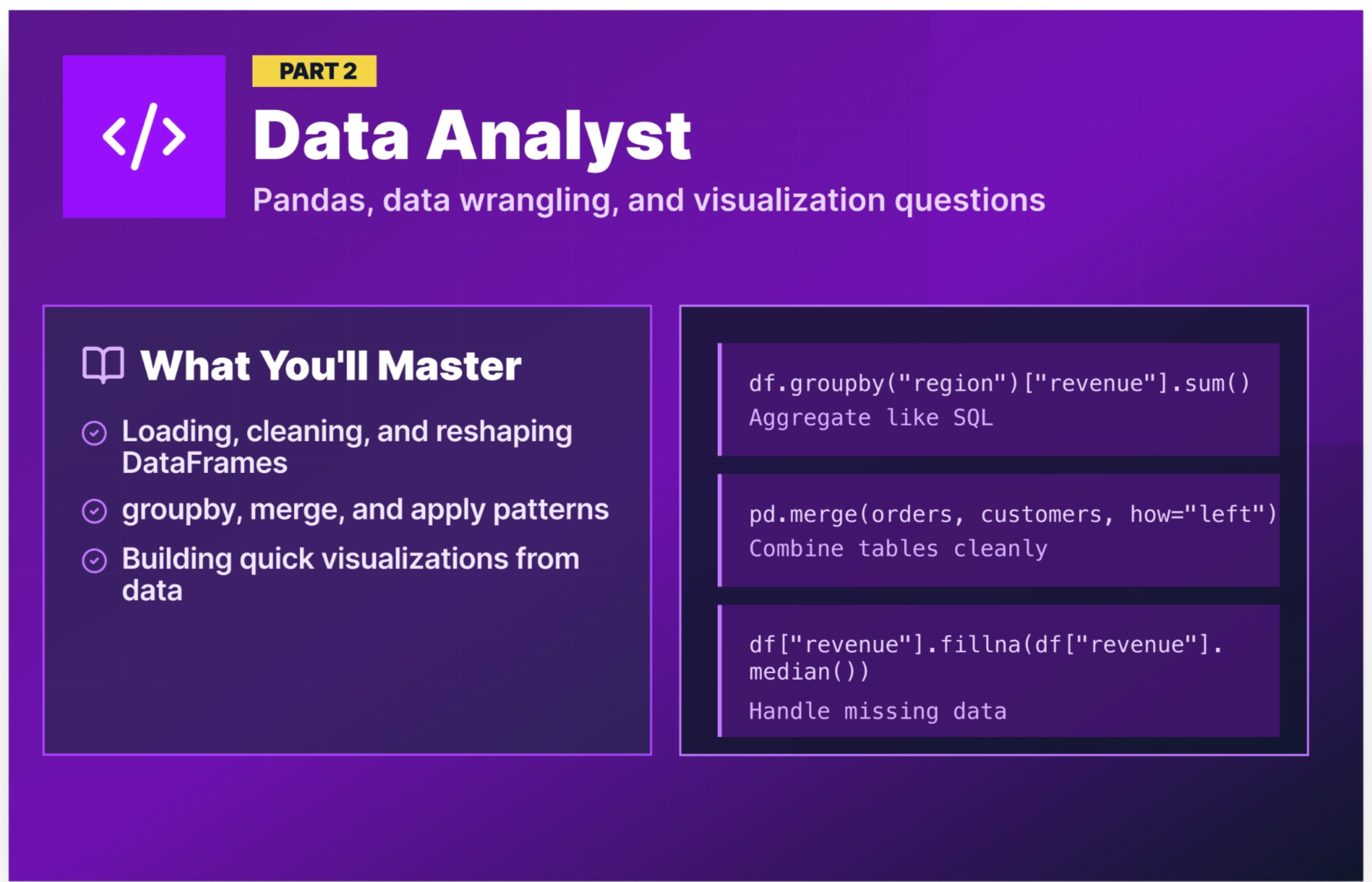
Data analyst interviews are the most pandas-heavy of the three roles. You’ll be expected to load data, clean it, reshape it, and summarize it fluently. The questions below reflect what hiring managers for analyst roles actually test. (For a broader look at data analyst interview preparation, including SQL, behavioral questions, and statistics — see our Data Analyst Interview Questions and Answers post.)
Q17. How do you read a CSV file into a pandas DataFrame?
The primary method is pd.read_csv(), which reads a CSV file into a DataFrame. In its simplest form it only requires a file path, but it accepts a range of parameters for parsing dates, setting an index, selecting columns, and specifying character encoding.
import pandas as pd

# Basic read
df = pd.read_csv("sales_data.csv")

# Common options
df = pd.read_csv(
    "sales_data.csv",
    parse_dates=["order_date"],   # parse date columns automatically
    index_col="order_id",         # set a column as the index
    usecols=["order_id", "product", "revenue", "order_date"],  # load only needed columns
    encoding="utf-8"              # handle character encoding explicitly
)

print(df.head())
print(df.dtypes)
💡 Why interviewers ask this: Many candidates who put pandas on their resume have only worked with pre-cleaned DataFrames. Loading raw data with the right options (e.g., date parsing, setting an index, selecting columns, handling encodings) is a day-one analyst task.
Q18. How do you handle missing values in a pandas DataFrame?
Missing values show up as NaN in pandas. The first step is always to detect where they are and how many you're dealing with. From there, you have two main strategies: drop the rows or columns that contain them, or fill them with a substitute value.
import pandas as pd
import numpy as np

df = pd.DataFrame({
"product": ["Laptop", "Phone", None, "Tablet"],
"revenue": [999, np.nan, 499, np.nan],
"units": [10, 15, np.nan, 8]
})

# Detect missing values
print(df.isna().sum())  # product: 1, revenue: 2, units: 1

# Option A: Drop rows with any missing value
df_drop_rows = df.dropna()  # keeps only the 1 complete row

# Option B: Drop columns with any missing value
df_drop_columns = df.dropna(axis=1)  # drops all 3 columns here — every column has a NaN

# Option C: Fill missing values with substitutes
df_filled = df.copy()
df_filled["revenue"] = df_filled["revenue"].fillna(df_filled["revenue"].median())
df_filled["product"] = df_filled["product"].fillna("Unknown")
The right approach depends on the data because dropping rows makes sense when missingness is random and sparse, while filling (imputation) makes sense when you’d lose too much data by dropping.
💡 Why interviewers ask this: Dirty data is the norm, not the exception. How you handle missing values directly impacts the accuracy of any analysis or model built on top.
Q19. How do you select rows and columns in a pandas DataFrame?
There are several ways to select data in pandas. The simplest is bracket notation, which works for selecting columns and filtering rows by condition. For more precise control, pandas provides two dedicated indexers: .loc[] for label-based selection and .iloc[] for integer position-based selection.
import pandas as pd

df = pd.read_csv("sales_data.csv")

# Bracket notation — select columns
revenue = df["revenue"]                           # single column
subset = df[["product", "revenue", "region"]]     # multiple columns

# Bracket notation — filter rows by condition
high_value = df[df["revenue"] > 500]

# .loc — select by label (row condition + column names)
north_sales = df.loc[df["region"] == "North", ["product", "revenue"]]

# .iloc — select by integer position (first 5 rows, first 3 columns)
sample = df.iloc[:5, :3]
Bracket notation is fine for quick column grabs and simple filters. .loc is more powerful when you need to filter rows and select specific columns in a single operation. .iloc is useful when you're working with positional slicing rather than column names.
💡 Why interviewers ask this: Confusing
.locand.ilocis one of the most common pandas mistakes. Interviewers use this question to confirm you can navigate a DataFrame deliberately rather than guessing at which method to use.
Q20. How does groupby() work in pandas?
Grouping data in pandas follows a three-step pattern called Split → Apply → Combine. First, groupby() splits the DataFrame into groups based on one or more columns. From there, you chain an aggregation method like sum(), mean(), or agg() to apply a calculation to each group independently. Finally, pandas recombines the per-group results back into a single DataFrame automatically.
import pandas as pd

df = pd.read_csv("sales_data.csv")

# Total revenue by region
revenue_by_region = df.groupby("region")["revenue"].sum()

# Multiple aggregations at once
summary = df.groupby("region")["revenue"].agg(
    total_revenue="sum",
    avg_revenue="mean",
    order_count="count"
).reset_index()

print(summary)
region total_revenue avg_revenue order_count
0 East 145320.0 965.432432 150
1 North 198450.0 1102.500000 180
2 South 112890.0 803.474026 140
3 West 167230.0 974.592650 172💡 Why interviewers ask this:
groupby()is the pandas equivalent of SQL’sGROUP BY. If you’re going to work with data, you need to use it fluently. This is one of the highest-frequency analyst interview questions.
Q21. What is the difference between merge() and join() in pandas?
Both combine DataFrames, but they differ in their defaults and use cases.
merge() is the more flexible, SQL-like option. It joins on specific columns and supports all join types (inner, left, right, outer).
join() is a shorthand that joins on the index by default. It’s useful when your DataFrames share a meaningful index.
import pandas as pd

orders = pd.DataFrame({"order_id": [1, 2, 3],
                       "customer_id": [101, 102, 103],
                       "revenue": [500, 750, 300]
})

customers = pd.DataFrame({"customer_id": [101, 102, 104],
                          "name": ["Alice", "Bob", "Carol"]
})

# merge() — join on customer_id (like SQL JOIN)
result = pd.merge(orders, customers, on="customer_id", how="left")
print(result)
order_id customer_id revenue name
0 1 101 500 Alice
1 2 102 750 Bob
2 3 103 300 NaNCustomer 103 has no name because there’s no match in the customers table, which is expected behavior for a left join.
💡 Why interviewers ask this: Data analysis always involves combining tables. Understanding join types and when data can go missing during a join is fundamental to an analyst's competency.
Q22. How do you use the apply() function in pandas?
apply() lets you run a custom function across rows or columns of a DataFrame. It’s flexible but slower than built-in vectorized operations. Use it when no built-in function handles your logic.
import pandas as pd

df = pd.DataFrame({
    "product": ["Laptop Pro", "Phone Mini", "Tablet Air"],
    "revenue": [999, 399, 549],
    "cost": [700, 200, 300]
})

# Calculate profit margin with apply()
df["margin"] = df.apply(lambda row: (row["revenue"] - row["cost"]) / row["revenue"], axis=1)

# Categorize revenue with a custom function
def categorize_revenue(rev):
    if rev >= 800:
        return "Premium"
    elif rev >= 400:
        return "Mid-range"
    else:
        return "Budget"

df["tier"] = df["revenue"].apply(categorize_revenue)
print(df)
💡 Why interviewers ask this:
apply()is the analyst’s escape hatch for logic that pandas can’t handle natively. Knowing when to use it and when to reach for vectorized alternatives instead shows analytical maturity.
Q23. How do you sort a DataFrame? How do you find the top or bottom N rows?
There are two common approaches. The first is to sort the full DataFrame with sort_values() and then slice with head() or tail() to grab the rows you need. The second is to use nlargest() or nsmallest(), which skips the full sort and goes straight to the rows you care about.
import pandas as pd

df = pd.read_csv("sales_data.csv")

# Approach 1: Sort then slice
df_sorted = df.sort_values("revenue", ascending=False)
top_5_revenue = df_sorted.head(5)        # top 5 orders by revenue
bottom_3_revenue = df_sorted.tail(3)     # bottom 3 orders by revenue

# Approach 2: nlargest / nsmallest — more concise for this use case
top_5_revenue = df.nlargest(5, "revenue")
bottom_3_revenue = df.nsmallest(3, "revenue")
💡 Why interviewers ask this: Ranking and filtering are among the most common operations in analyst workflows. Starting with
sort_values()and following up withhead()ortail()is a perfectly valid answer, but candidates who also suggestnlargest()ornsmallest()as a more direct alternative, show that they're thinking about efficiency and know their way around the pandas API beyond the basics. Interviewers notice that kind of initiative.
Q24. How do you handle duplicate rows in pandas?
Duplicate rows in pandas can be detected with duplicated(), which returns a boolean Series flagging repeated rows. To remove them, drop_duplicates() drops repeated rows either across all columns or based on a subset of columns you specify. The keep parameter controls which occurrence to retain.
import pandas as pd

df = pd.read_csv("orders.csv")

# Check for duplicates
print(df.duplicated().sum())

# View duplicate rows
print(df[df.duplicated()])

# Drop duplicates across all columns (default behavior)
df_deduped = df.drop_duplicates()  # removes rows where every column matches

# Drop duplicates based on a subset of columns and which instance to keep
df_keep_first = df.drop_duplicates(subset=["order_id"], keep="first")
df_keep_last = df.drop_duplicates(subset=["order_id"], keep="last")
df_drop_all = df.drop_duplicates(subset=["order_id"], keep=False)
💡 Why interviewers ask this: Duplicate data silently inflates totals and skews analysis. Analysts who don’t check for duplicates produce reports that don’t match reality, which could lead to a credibility-damaging mistake.
Q25. How would you create a basic visualization from a pandas DataFrame?
Pandas has built-in plotting methods that wrap matplotlib, making it the fastest way to go from DataFrame to chart. For simple exploratory visuals, calling plot() directly on a Series or DataFrame object is usually all you need. When you want more control over layout, labels, or styling, you can drop down to matplotlib directly.
import pandas as pd
import matplotlib.pyplot as plt

df = pd.read_csv("sales_data.csv")
region_revenue = df.groupby("region")["revenue"].sum()

# Approach 1: Pandas built-in plotting — quick and minimal code
region_revenue.plot(kind="bar", title="Revenue by Region", ylabel="Revenue ($)")
plt.tight_layout()
plt.show()

# Approach 2: Matplotlib directly — more control over the output
fig, ax = plt.subplots(figsize=(8, 5))
ax.bar(region_revenue.index, region_revenue.values)
ax.set_title("Revenue by Region")
ax.set_ylabel("Revenue ($)")
ax.set_xlabel("Region")
plt.tight_layout()
plt.show()
Both produce a bar chart, but the matplotlib version gives you explicit control over figure size, axis objects, and layout. In an interview, starting with the pandas approach and mentioning that you'd reach for matplotlib when you need finer control is a strong answer.
💡 Why interviewers ask this: Data analysts are expected to translate numbers into visuals. Showing that you know the quick approach and when to reach for something more customizable tells the interviewer you can adapt to different situations, whether it's a quick check during analysis or a polished chart for a stakeholder report.
Python interview questions for data scientist roles
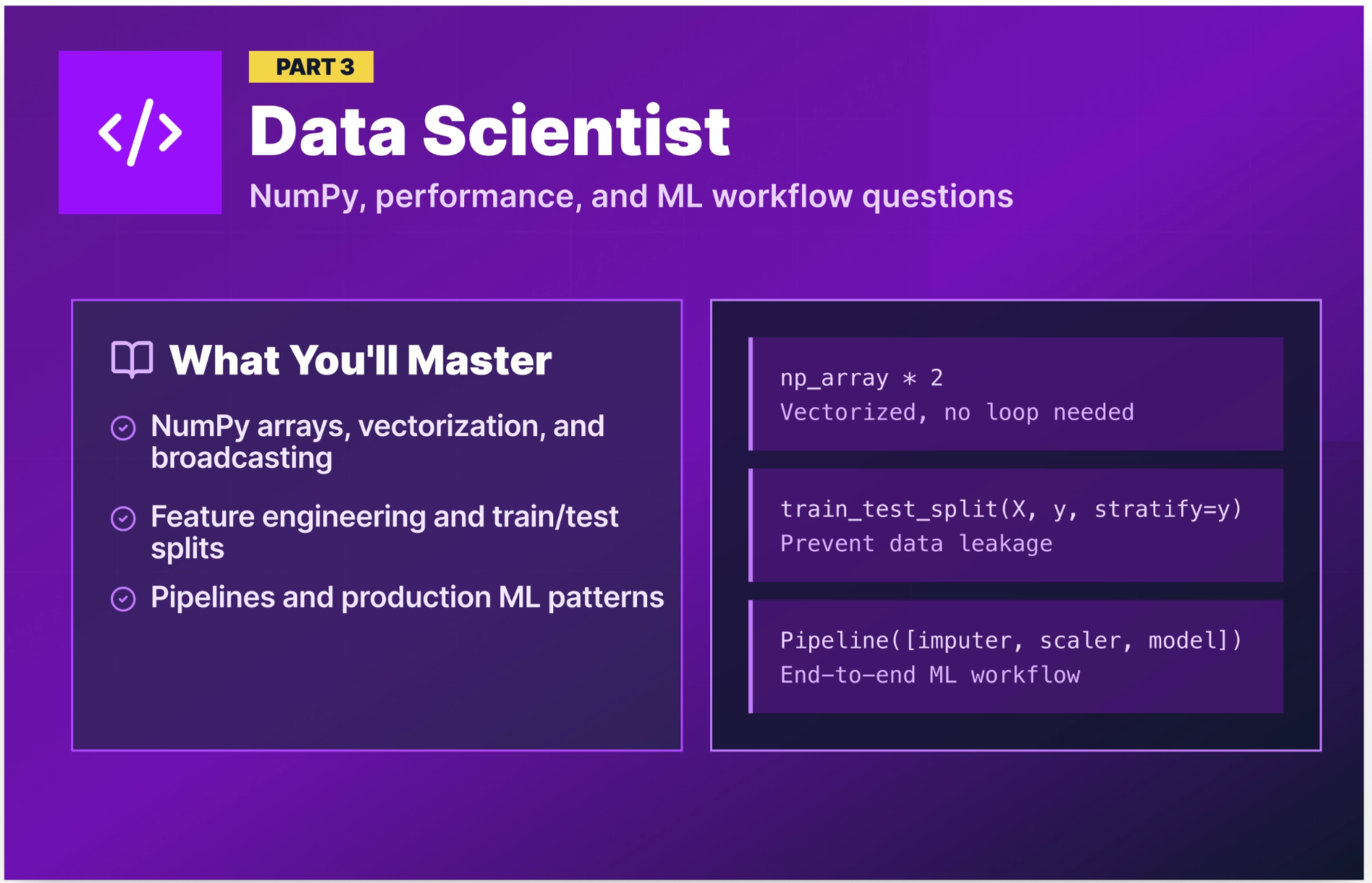
Data scientist interviews build on the analyst foundation and add NumPy, performance optimization, and machine learning workflow questions. The emphasis shifts from “can you wrangle data?” to “can you write code that scales and supports modeling?”
Q26. What is a NumPy array, and how is it different from a Python list?
A NumPy array (ndarray) is a grid of values, all of the same type, stored in contiguous memory. Python lists can hold mixed types and store references to objects scattered across memory.
The key difference: NumPy operations run in optimized C code and apply to entire arrays at once (vectorized), making them orders of magnitude faster for numerical computation.
import numpy as np
import time

# Python list — loop required for element-wise operations
py_list = list(range(1_000_000))
start = time.time()
result = [x * 2 for x in py_list]
print(f"List: {time.time() - start:.4f}s")

# NumPy array — vectorized, no loop needed
np_array = np.arange(1_000_000)
start = time.time()
result = np_array * 2
print(f"NumPy: {time.time() - start:.4f}s")

# NumPy is noticeably faster for numerical operations
💡 Why interviewers ask this: Understanding why NumPy is fast, not just that it is, signals the depth of understanding needed to write efficient data science code.
Q27. What is vectorization in NumPy, and why does it matter?
Vectorization means applying an operation to an entire array without writing an explicit Python loop. NumPy implements these operations in compiled C code, which is dramatically faster than equivalent Python loops.
import numpy as np
import pandas as pd

# Slow — Python loop over DataFrame column
df = pd.DataFrame({"price": np.random.uniform(10, 500, 500_000)})

# Slow approach
df["discounted"] = df["price"].apply(lambda x: x * 0.9)

# Fast approach — vectorized operation (NumPy under the hood)
df["discounted"] = df["price"] * 0.9
The vectorized version runs the multiplication in a single optimized C operation. At 500,000 rows, the speed difference is noticeable. At 50 million rows, this kind of choice can have a major impact on runtime.
💡 Why interviewers ask this: Writing vectorized code vs. using
apply()loops is one of the most impactful performance decisions a data scientist makes daily.
Q28. Explain NumPy broadcasting.
Broadcasting is NumPy's mechanism for performing arithmetic operations on arrays of different shapes without copying data. Instead of requiring arrays to be the same size, NumPy stretches the smaller array across the larger one to make the shapes compatible, all without actually duplicating anything in memory.
This is useful because the alternative is manually reshaping or tiling arrays to match dimensions before operating on them, which wastes memory and adds unnecessary code. Broadcasting lets you write clean, concise expressions that NumPy executes efficiently under the hood.
import numpy as np

# A (3x3) matrix and a (3,) vector
sales_matrix = np.array([[100, 200, 300],
                          [150, 250, 350],
                          [120, 220, 320]])

discount_rates = np.array([0.9, 0.85, 0.95])  # per-column discounts

# Broadcasting applies discount_rates across each row automatically
discounted = sales_matrix * discount_rates
print(discounted)
# [[ 90.  170.  285. ]
#  [135.  212.5 332.5]
#  [108.  187.  304. ]]
Without broadcasting, you'd need to manually expand discount_rates into a (3x3) matrix before multiplying. Broadcasting handles that alignment automatically, which keeps your code concise and avoids allocating a larger array in memory.
💡 Why interviewers ask this: Broadcasting eliminates nested loops in matrix operations, which are everywhere in ML workflows like feature scaling, loss calculations, and weight updates. This is a test of whether you understand NumPy at a conceptual level, not just as a syntax library.
Q29. How do you work with datetime data in pandas?
Datetime data in pandas is handled through the datetime64 type and the .dt accessor, which gives you access to components like year, month, and day of the week. You can parse date strings on load with the parse_dates parameter in read_csv(), calculate time differences between columns, filter by date ranges, and resample time series data into different frequencies.
import pandas as pd

df = pd.read_csv("sales_data.csv", parse_dates=["order_date", "ship_date"])

# Extract components
df["year"] = df["order_date"].dt.year
df["month"] = df["order_date"].dt.month
df["day_of_week"] = df["order_date"].dt.day_name()

# Calculate time differences
df["days_to_ship"] = (df["ship_date"] - df["order_date"]).dt.days

# Filter for a date range
q1 = df[(df["order_date"] >= "2025-01-01") & (df["order_date"] <= "2025-03-31")]

# Resample — monthly revenue totals
monthly_revenue = df.set_index("order_date")["revenue"].resample("ME").sum()
💡 Why interviewers ask this: Time series analysis, cohort analysis, and trend reporting all depend on datetime fluency. This is a near-universal data scientist task.
Q30. What is feature engineering, and how does it fit into an ML workflow in Python?
Feature engineering is the process of transforming raw data into features that improve model performance. This typically happens in pandas before the data is passed to a scikit-learn model. Common techniques include deriving new columns from existing ones, computing ratios or time-based metrics, and encoding categorical variables into numeric representations.
import pandas as pd

df = pd.read_csv("customer_orders.csv", parse_dates=["order_date", "last_purchase_date"])

# Derived features
df["days_since_last_purchase"] = (pd.Timestamp.today() - df["last_purchase_date"]).dt.days
df["revenue_per_order"] = df["total_revenue"] / df["order_count"]
df["is_high_value"] = (df["total_revenue"] > df["total_revenue"].quantile(0.75)).astype(int)

# Encoding categorical variables
df = pd.get_dummies(df, columns=["region", "product_category"], drop_first=True)
💡 Why interviewers ask this: In data science interviews, this demonstrates you understand the full ML workflow, not just fitting a model, but preparing the data that makes the model useful. Candidates who jump straight to
model.fit()without discussing feature preparation are signaling that they've only worked with pre-cleaned datasets.
Q31. How would you split a dataset into training and test sets in Python?
The standard approach is to use the train_test_split() function from scikit-learn, which randomly divides your data into separate training and test sets. The key parameters are test_size (the proportion held out for testing), random_state (for reproducibility), and stratify (to maintain class balance across both sets, which is important for imbalanced datasets).
from sklearn.model_selection import train_test_split
import pandas as pd

df = pd.read_csv("customer_churn.csv")

X = df.drop("churn", axis=1)
y = df["churn"]

X_train, X_test, y_train, y_test = train_test_split(
    X, y,
    test_size=0.2,       # 80% train, 20% test
    random_state=42,     # reproducible split
    stratify=y           # maintain class balance in both sets
)

print(f"Training set: {X_train.shape[0]} rows")
print(f"Test set: {X_test.shape[0]} rows")
💡 Why interviewers ask this: Data leakage from the test set to the training set is one of the most common ways to build a model that looks great in development but fails in production. This question checks your ML workflow hygiene.
Q32. What is a Python decorator, and how might a data scientist use one?
You covered decorators in the core section — but for a data science interview, the practical use cases matter most. Data scientists use decorators for timing functions, caching expensive computations, and logging model runs.
import functools
import time

def log_runtime(func):
    @functools.wraps(func)
    def wrapper(*args, **kwargs):
        start = time.time()
        result = func(*args, **kwargs)
        elapsed = time.time() - start
        print(f"[{func.__name__}] completed in {elapsed:.2f}s")
        return result
    return wrapper

@log_runtime
def train_model(X_train, y_train):
    from sklearn.ensemble import RandomForestClassifier
    model = RandomForestClassifier(n_estimators=100, random_state=42)
    model.fit(X_train, y_train)
    return model
💡 Why interviewers ask this: Production data science code involves repetitive cross-cutting concerns like logging, timing, and caching. Decorators are the clean solution. Demonstrating comfort with them signals that you've worked with Python beyond notebooks and can contribute to production codebases.
Q33. How does a scikit-learn Pipeline work, and why would you use one?
A scikit-learn Pipeline chains preprocessing steps and a model into a single object. This ensures the same transformations are applied consistently to training and test data, thereby preventing a common source of data leakage.
from sklearn.pipeline import Pipeline
from sklearn.preprocessing import StandardScaler
from sklearn.impute import SimpleImputer
from sklearn.ensemble import RandomForestClassifier

pipeline = Pipeline([
    ("imputer", SimpleImputer(strategy="median")),
    ("scaler", StandardScaler()),
    ("model", RandomForestClassifier(n_estimators=100, random_state=42))
])

pipeline.fit(X_train, y_train)
predictions = pipeline.predict(X_test)
The pipeline handles scaling and imputation in a single fit() call, and automatically applies the same transformations when calling predict() with no risk of applying scaling to test data using training statistics computed separately.
💡 Why interviewers ask this: Pipelines are a mark of production-quality data science code. Using them ensures that preprocessing and modeling stay in sync, which prevents subtle data leakage bugs that can be difficult to catch before deployment. Showing that you reach for pipelines by default tells interviewers you're thinking about reliability, not just accuracy.
Python interview questions for data engineer roles
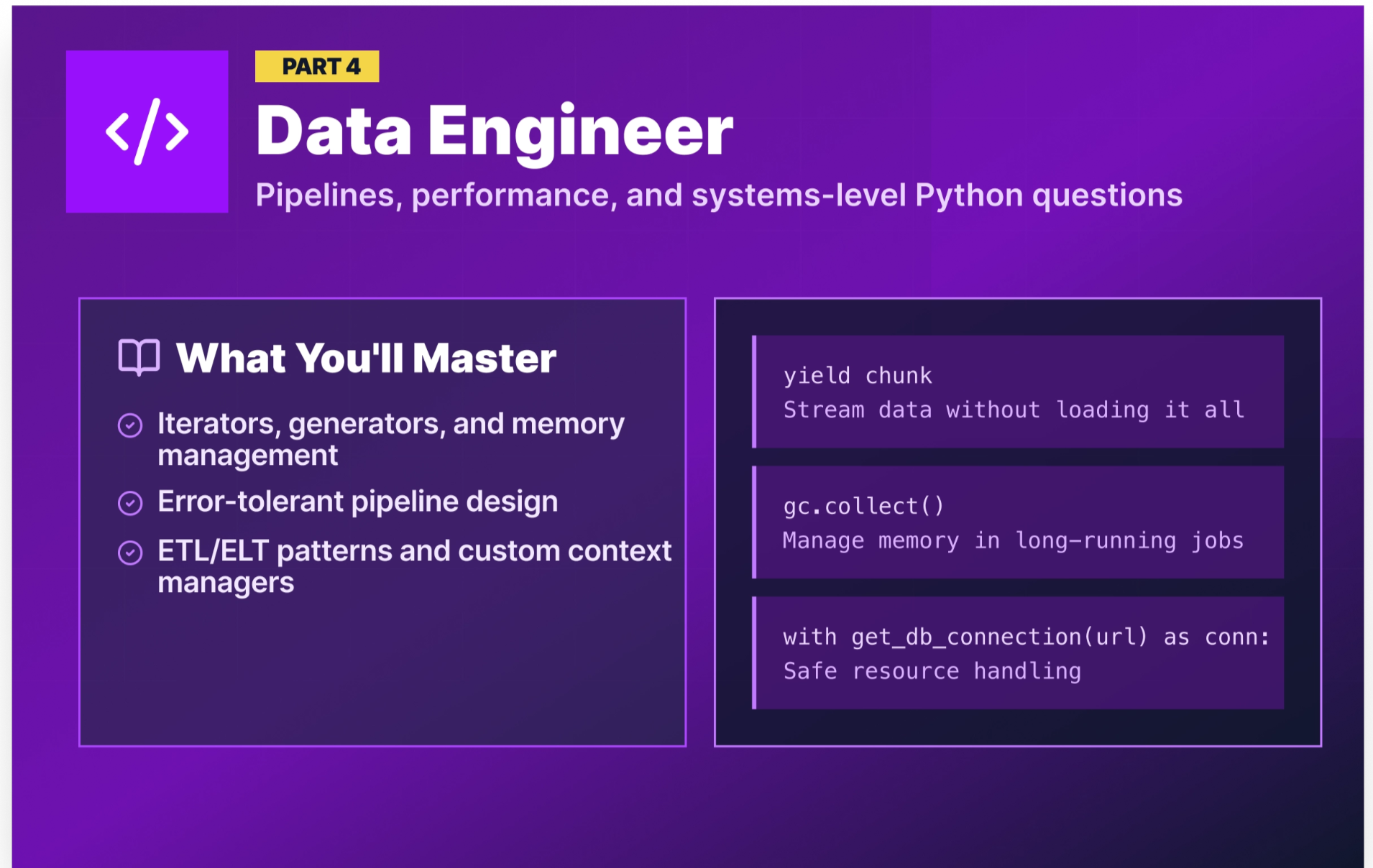
Data engineer interviews go the deepest into Python’s internal mechanics. You’ll be expected to understand memory management, write efficient iterators, design error-tolerant pipelines, and reason about performance at scale.
The questions below reflect what real data engineers reported facing in technical interviews. (For data engineering interview prep beyond Python, see Data Engineering Interview Questions).
Q34. What is the difference between an iterator and a generator?
An iterator is any object that implements __iter__() and __next__(). When __next__() is called, it returns the next value and advances its internal state. When there are no more values, it raises StopIteration.
A generator is a special function that automatically creates an iterator using yield. It pauses at each yield, remembers its state, and resumes from that point on the next call.
# Custom iterator class
class CountUp:
    def __init__(self, limit):
        self.limit = limit
        self.current = 0

    def __iter__(self):
        return self

    def __next__(self):
        if self.current >= self.limit:
            raise StopIteration
        self.current += 1
        return self.current

# Equivalent generator function
def count_up(limit):
    current = 0
    while current < limit:
        current += 1
        yield current

# Both produce the same output
for n in count_up(3):
    print(n)  # 1, 2, 3
Generators are almost always the preferred choice because they’re more concise, and Python handles all the iterator protocol boilerplate automatically.
💡 Why interviewers ask this: Data engineers reported this question directly in the r/dataengineering thread on Reddit. Generators are the standard pattern for processing large files and streaming data without loading everything into memory.
Q35. Why can only immutable objects be used as dictionary keys?
Dictionary keys must be hashable because they need a consistent hash value so Python can store and retrieve them efficiently in a hash table. Immutable objects (strings, numbers, tuples) have stable content and therefore stable hash values. Mutable objects (lists, dictionaries) can change after creation, which would invalidate their hash.
# Valid dictionary keys
lookup = {
    "product_id": "P001",    # string — immutable ✓
    42: "answer",            # int — immutable ✓
    (1, 2): "coordinate"     # tuple — immutable ✓
}

# Invalid key — will raise TypeError
try:
    bad = {[1, 2]: "list key"}
except TypeError as e:
    print(e)  # unhashable type: 'list'
💡 Why interviewers ask this: This question directly appeared in real DE interviews (from the Reddit thread). It tests whether you understand Python’s data model, not just its syntax.
Q36. How does Python manage memory? What is garbage collection?
Python manages memory primarily through reference counting. Every object tracks how many references point to it. When that count reaches zero, the memory is freed immediately.
Garbage collection is the process of reclaiming memory that is no longer in use. Python's garbage collector specifically targets reference cycles, which are situations where two or more objects reference each other, keeping all of their reference counts above zero even when nothing else in the program points to any of them. The gc module exposes this collector, letting you trigger a collection cycle manually or inspect what it finds.
import gc
import sys

# Reference counting in action
x = [1, 2, 3]
print(sys.getrefcount(x))  # 2 (variable + getrefcount's own reference)
y = x
print(sys.getrefcount(x))  # 3
del y
print(sys.getrefcount(x))  # 2

# Circular reference — reference counting alone can't free these
class Node:
    def __init__(self):
        self.ref = None

a = Node()
b = Node()
a.ref = b
b.ref = a  # circular reference: a → b → a
del a
del b      # refcount never hits 0 — the cyclic GC handles this

gc.collect()  # forces the cyclic garbage collector to clean up

# Practical pattern: free memory between pipeline stages
import pandas as pd

raw = pd.read_csv("raw_transactions.csv")
cleaned = raw.dropna(subset=["revenue"])
del raw              # drop the reference to the large original DataFrame
gc.collect()         # reclaim memory before the next stage
💡 Why interviewers ask this: This question checks whether you understand what's happening beneath Python's abstractions. Data engineers who can reason about memory behavior are better equipped to debug pipeline failures that don't produce obvious error messages.
Q37. How do you read a large file efficiently in Python?
Reading a large file all at once can exhaust available memory. The efficient approach is to read it line by line or in chunks.
# Approach 1: Read line by line — constant memory usage
def process_large_log(filepath):
    with open(filepath, "r") as f:
        for line in f:             # file object is an iterator — reads one line at a time
            process_line(line)

# Approach 2: Read a large CSV in chunks with pandas
import pandas as pd

chunk_results = []
for chunk in pd.read_csv("10gb_transactions.csv", chunksize=100_000):
    # Process each 100K-row chunk independently
    result = chunk.groupby("product_id")["revenue"].sum()
    chunk_results.append(result)

# Combine chunk results
final = pd.concat(chunk_results).groupby(level=0).sum()
💡 Why interviewers ask this: Processing files that don’t fit in RAM is a core data engineering task. Candidates who can only read files with
pd.read_csv("file.csv")are limited to toy-sized datasets.
Q38. How would you handle errors in a data pipeline?
Error handling in a data pipeline is more nuanced than in application code. You often can’t just crash, so you need to log the failure, skip the problematic record, and continue processing.
import logging

logging.basicConfig(level=logging.INFO, format="%(asctime)s%(levelname)s%(message)s")

def process_record(record):
    try:
        # Transformation logic
        return {
            "id": record["id"],
            "revenue": float(record["revenue"]),
            "processed": True
        }
    except (KeyError, ValueError) as e:
        logging.warning(f"Failed to process record {record.get('id', 'UNKNOWN')}:{e}")
        return None

def run_pipeline(records):
    results = []
    failed = 0
    for record in records:
        result = process_record(record)
        if result:
            results.append(result)
        else:
            failed += 1
    logging.info(f"Pipeline complete. Processed: {len(results)}, Failed: {failed}")
    return results
💡 Why interviewers ask this: In production, data pipelines encounter bad records constantly. Interviewers want to see that you can write code that handles failures gracefully instead of crashing on the first unexpected value.
Q39. What are ETL and ELT patterns in Python?
ETL (Extract, Transform, Load) extracts data from a source, transforms it in memory or in a staging area, then loads the clean data into the destination. This is the traditional approach, where transformations happen in Python before loading.
ELT (Extract, Load, Transform) loads raw data into the destination first, then transforms it using the destination’s compute power (usually SQL in a data warehouse). This is the modern cloud approach, where transformation happens in the warehouse, not in Python.
# Simplified ETL in Python
import pandas as pd
import sqlalchemy

def etl_pipeline(source_path, target_db_url):
    # Extract
    df = pd.read_csv(source_path)

    # Transform
    df = df.dropna(subset=["revenue", "order_id"])
    df["revenue"] = df["revenue"].astype(float)
    df["loaded_at"] = pd.Timestamp.now()

    # Load
    engine = sqlalchemy.create_engine(target_db_url)
    df.to_sql("clean_orders", engine, if_exists="append", index=False)
    print(f"Loaded {len(df)} records.")

etl_pipeline("raw_orders.csv", "postgresql://user:pass@localhost/datawarehouse")
💡 Why interviewers ask this: ETL vs. ELT is a foundational architectural decision in data engineering. Understanding both (and when to use each) is expected knowledge for any DE role.
Q40. What is a Python context manager and how do you create a custom one?
A context manager is an object that handles setup and cleanup for a block of code, ensuring resources are properly managed even if an error occurs. The built-in open() function is the most common example, but in data engineering you'll often need to write your own for database connections, temporary files, or resource locks. One clean approach is to wrap a transactional database connection in a custom context manager using @contextmanager.
from contextlib import contextmanager
import sqlalchemy
from sqlalchemy import text

@contextmanager
def get_db_connection(db_url):
    engine = sqlalchemy.create_engine(db_url)
    # Begin a transaction automatically: commit on success, rollback on error
    with engine.begin() as connection:
        yield connection

# Usage
with get_db_connection("postgresql://user:pass@localhost/db") as conn:
    conn.execute(text("INSERT INTO orders VALUES (1, 'Laptop', 999)"))
💡 Why interviewers ask this: Database connections are precious resources. Engineers who don't close connections properly can exhaust connection pools and take down production systems. This is a direct test of resource management discipline.
Python coding challenges for data interviews
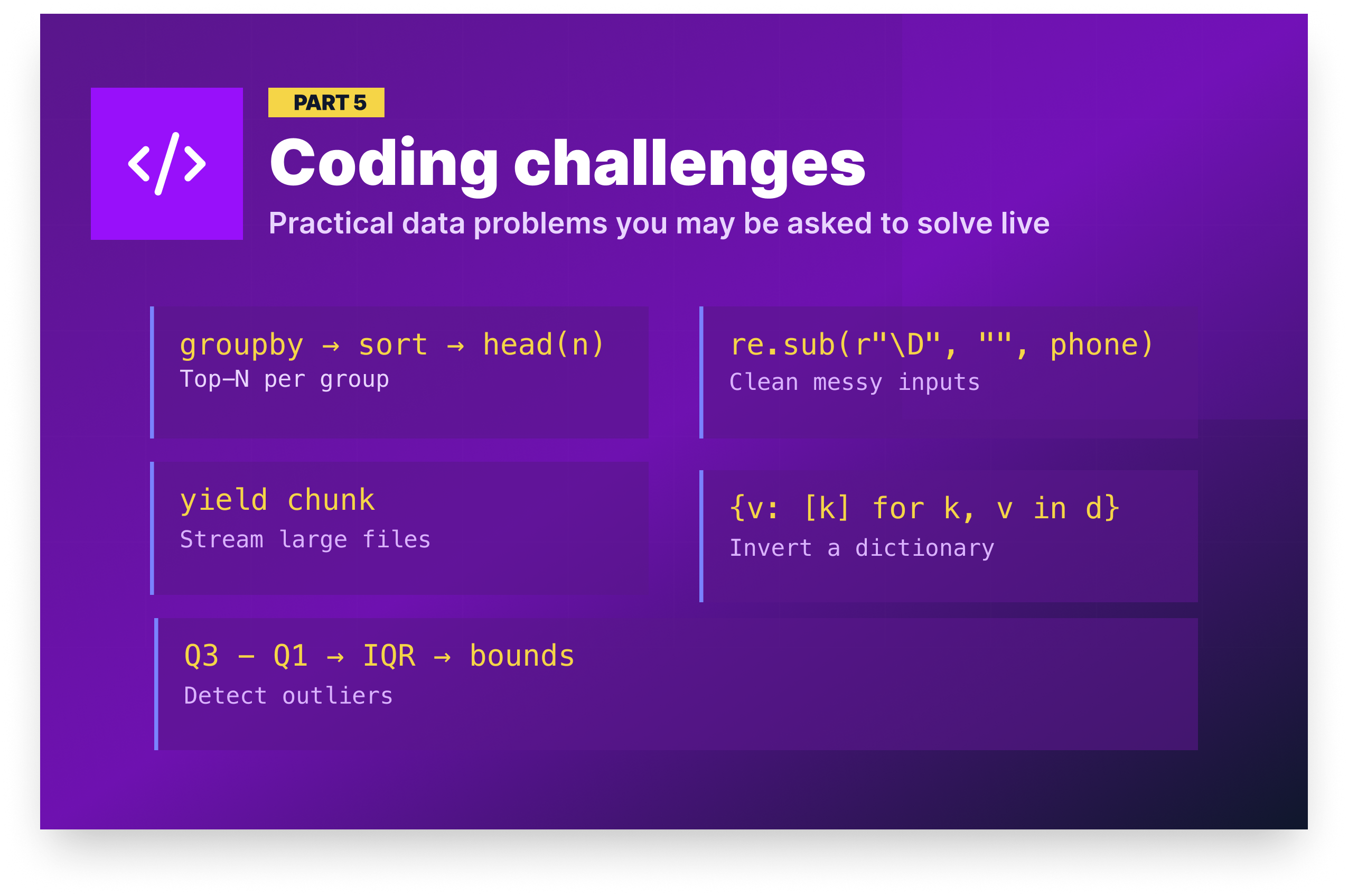
Data coding challenges are often more practical than classic algorithm interviews, especially for analyst roles. They’re typically practical data tasks, such as cleaning a dataset, aggregating a table, or finding outliers. The problems below are representative of the kinds of questions real data teams ask in technical screens.
Challenge 1: Find the top 3 products by revenue per region
Problem: Given a DataFrame of orders with columns product, region, and revenue, write a function that returns the top 3 revenue-generating products within each region.
Approach: Group by region and product to get totals, sort descending by revenue within each region, then use groupby().head(n) to take the top N per group.
import pandas as pd

def top_products_by_region(df, n=3):
    return (
        df.groupby(["region", "product"])["revenue"]
        .sum()
        .reset_index()
        .sort_values(["region", "revenue"], ascending=[True, False])
        .groupby("region")
        .head(n)
        .reset_index(drop=True)
    )

# Test with sample data
orders = pd.DataFrame({
    "product": ["Laptop", "Phone", "Tablet", "Laptop", "Phone", "Monitor", "Tablet", "Laptop"],
    "region":  ["North", "North", "North", "South", "South", "South", "North", "South"],
    "revenue": [999, 399, 249, 1099, 449, 349, 499, 899]
})

print(top_products_by_region(orders))
region product revenue
0 North Laptop 999
1 North Tablet 748
2 North Phone 399
3 South Laptop 1998
4 South Phone 449
5 South Monitor 349💡 What interviewers look for: Fluent method chaining, knowing that
groupby().head(n)is the idiomatic way to slice within groups, and writing a reusable function with a default parameter rather than a one-off script.
Challenge 2: Clean and standardize a column of phone numbers
Problem: A customer table has a phone column with inconsistently formatted phone numbers. Standardize them all to the format (XXX) XXX-XXXX. Invalid numbers should return None.
Approach: Strip all non-digit characters, handle the optional country code prefix, validate that exactly 10 digits remain, then format the output. Anything that doesn't meet the criteria returns None.
import pandas as pd
import re

def standardize_phone(phone):
    if pd.isna(phone):
        return None
    digits = re.sub(r"\D", "", str(phone))  # keep only digits
    if len(digits) == 11 and digits[0] == "1":
        digits = digits[1:]  # remove country code
    if len(digits) != 10:
        return None
    return f"({digits[:3]}) {digits[3:6]}-{digits[6:]}"

df = pd.DataFrame({
    "customer": ["Alice", "Bob", "Carol", "Dave"],
    "phone": ["555-123-4567", "(555) 987 6543", "1-555-246-8101", "not-a-phone"]
})

df["phone_clean"] = df["phone"].apply(standardize_phone)
print(df)
customer phone phone_clean
0 Alice 555-123-4567 (555) 123-4567
1 Bob (555) 987 6543 (555) 987-6543
2 Carol 1-555-246-8101 (555) 246-8101
3 Dave not-a-phone None💡 What interviewers look for: Defensive handling of messy real-world input, using regex appropriately for stripping rather than pattern matching every possible format, and returning
Nonefor invalid data instead of crashing or silently passing bad values through.
Challenge 3: Write a generator to read a large CSV in chunks
Problem: A transaction log file is 8GB. You can't load it into memory at once. Write a generator that yields one chunk of N rows at a time for processing.
Approach: Use pd.read_csv() with the chunksize parameter, which returns an iterator rather than a DataFrame. Wrapping it in a generator function makes the chunking logic reusable and the intent explicit.
import pandas as pd

def csv_chunker(filepath, chunksize=50_000):
    reader = pd.read_csv(filepath, chunksize=chunksize)
    for chunk in reader:
        yield chunk

# Usage — process each chunk independently
total_revenue = 0
for chunk in csv_chunker("transactions.csv", chunksize=50_000):
    total_revenue += chunk["revenue"].sum()

print(f"Total revenue: ${total_revenue:,.2f}")
# Output will vary based on data
Total revenue: $8,432,719.50💡 What interviewers look for: Understanding that
pd.read_csv()withchunksizereturns an iterator, usingyieldto keep memory usage constant regardless of file size, and demonstrating that you can aggregate results across chunks without loading everything at once.
Challenge 4: Reverse a dictionary and handle duplicate values
Problem: Given a dictionary, swap the keys and values. If multiple keys have the same value, map that value to a list of the original keys.
Approach: Use defaultdict(list) to collect original keys under each value. This avoids manual key-checking logic and ensures every value in the inverted dictionary is consistently a list.
from collections import defaultdict

def invert_dict(d):
    inverted = defaultdict(list)
    for key, value in d.items():
        inverted[value].append(key)
    return dict(inverted)

# Test
category_map = {"laptop": "electronics", "phone": "electronics", "shirt": "clothing", "desk": "furniture"}
print(invert_dict(category_map))
{'electronics': ['laptop', 'phone'], 'clothing': ['shirt'], 'furniture': ['desk']}💡 What interviewers look for: Using
defaultdictto avoid verbose key-checking logic, ensuring consistent output types (every value is a list regardless of how many keys mapped to it), and converting back to a standarddictbefore returning.
Challenge 5: Detect and remove outliers from a DataFrame column
Problem: Write a function that removes rows where a given column falls outside 1.5× the interquartile range (IQR), a standard outlier detection method.
Approach: Calculate Q1 and Q3 for the column, derive the IQR, then define lower and upper bounds as Q1 - (1.5 × IQR) and Q3 + (1.5 × IQR), respectively. Filter the DataFrame to keep only rows within those bounds.
import pandas as pd

def remove_outliers(df, column):
    Q1 = df[column].quantile(0.25)
    Q3 = df[column].quantile(0.75)
    IQR = Q3 - Q1
    lower = Q1 - 1.5 * IQR
    upper = Q3 + 1.5 * IQR
    return df[(df[column] >= lower) & (df[column] <= upper)]

# Test
orders = pd.DataFrame({"revenue": [200, 250, 300, 280, 310, 5000, 270, 290, 255, -100]})
clean = remove_outliers(orders, "revenue")
print(f"Before: {len(orders)} rows, After: {len(clean)} rows")
Before: 10 rows, After: 8 rows💡 What interviewers look for: Knowing the IQR method as a standard statistical approach to outlier detection, writing a reusable function that accepts any column name rather than hardcoding values, and using boolean filtering to return a clean DataFrame without modifying the original.
How to prepare for a Python interview in a data role
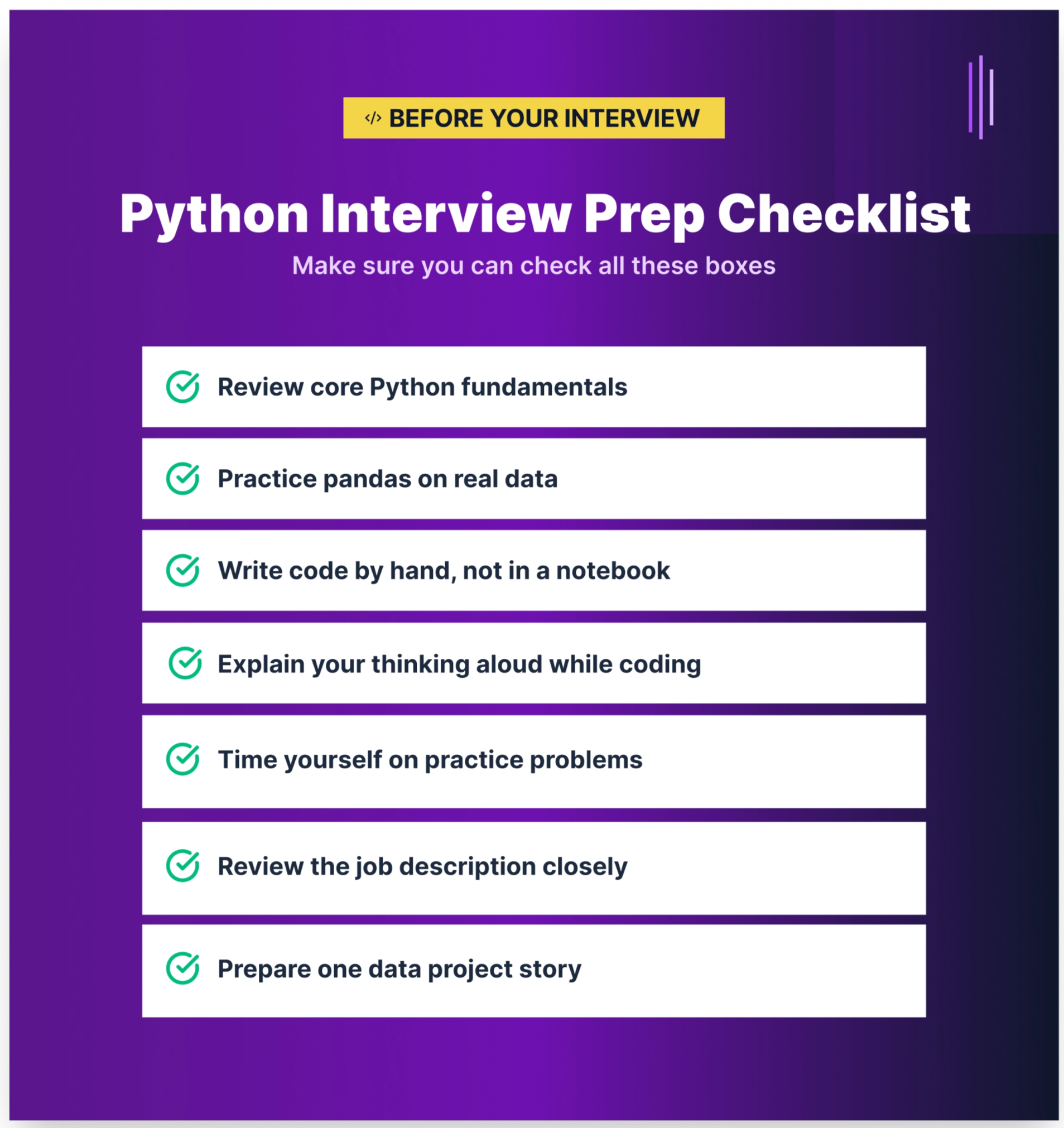
The questions in this article give you a strong foundation, but reading answers and delivering them live are two different skills. Here's how to close that gap:
- Study the concepts, not just the code. Memorizing answers without understanding them will fail you in interviews. If an interviewer changes the question slightly by asking: “What if the file has 10 billion rows?”, having a memorized answer won’t help. Understanding why generators exist, or why NumPy is faster than a list, means you can adapt.
- Practice writing code by hand. Notebooks autocomplete everything. Whiteboards and live coding screens don’t. Practice writing pandas operations, class definitions, and generator functions without assistance, even if it’s just in a plain text editor.
- Talk through your thinking. Most technical interviewers aren’t just checking whether you get the right answer. What they really want to see is how you reason. Practice narrating your approach as you code: “I’m going to use
groupbyhere because I need to aggregate by region…that’s the pandas equivalent of SQL’s GROUP BY.” - Review the job description closely. Python roles in data vary. A data analyst role at a small startup may test mostly pandas. A data engineering role at a larger company may test ETL design, memory management, and testing patterns. Match your prep to the role.
- Tackle questions you don’t know with honesty. If you don’t know the answer to a question, say so and reason through it. “I haven’t used this specifically, but based on how Python handles X, I’d expect Y” is a stronger answer than silence or bluffing. Interviewers can tell the difference.
Dataquest's learning paths are built around the same skills tested in the questions above, and every path teaches through projects with real datasets rather than passive reading:
- Python Basics for Data Analysis builds the core Python fluency behind Q1 through Q16, from data structures and functions to error handling and virtual environments.
- Data Analyst in Python covers the pandas, data wrangling, and visualization skills tested in Q17 through Q25.
- Data Scientist in Python adds NumPy, ML workflows, and performance optimization, the focus of Q26 through Q33.
- Data Engineer in Python goes deeper into pipelines, memory management, and systems-level Python covered in Q34 through Q40.
Pick the path that matches the role you're targeting and start building the skills behind these questions.
Frequently asked questions
How are Python interviews different for data roles vs. software engineering roles?
Software engineering interviews typically focus on algorithms, system design, web frameworks, and concurrency.
Data role interviews emphasize data manipulation, pandas and NumPy fluency, pipeline reliability, and practical problem-solving with real datasets.
You’re unlikely to be asked to implement a binary search tree for a data analyst role, but you should expect pandas groupby and merge questions. For data engineer roles, the gap narrows somewhat — performance, memory management, and pipeline design become shared territory.
What Python libraries should I know for a data analyst interview?
The must-know stack includes:
- pandas — data manipulation
- NumPy — numerical operations
- matplotlib or seaborn — visualization
These libraries cover the vast majority of analyst interview questions. Nice-to-know additions include scikit-learn (basic machine learning), SQLAlchemy (database connections), and requests (API data retrieval).
You don’t need deep expertise in every library, but you should be fluent in pandas.
For a broader look at data analyst interview preparation, including SQL, behavioral questions, and statistics, see our Data Analyst Interview Questions and Answers guide.
How do I prepare for a Python coding interview if I’m self-taught or a career changer?
Start with strong fundamentals, then build one or two portfolio projects that involve loading, cleaning, and analyzing a real dataset from scratch rather than relying on pre-cleaned tutorial data.
When you can walk an interviewer through a project you built and explain every decision you made, you demonstrate far more than memorized answers ever could.
Dataquest’s Intermediate Python for Data Science course is designed to help you reach that level of confidence.
What is the difference between pandas and PySpark? Do I need to know both?
Pandas runs on a single machine and loads data into memory, making it ideal for datasets up to a few gigabytes.
PySpark is a distributed computing framework that processes data across a cluster of machines, allowing you to handle datasets too large for a single server.
For junior data analyst and data scientist roles, pandas fluency is essential, while PySpark knowledge is rarely required.
For senior data engineer roles at companies with large-scale data pipelines, PySpark becomes relevant. Most entry-level job descriptions clearly indicate whether PySpark is expected.
Do data science interviewers expect you to write Python from memory, or can you use documentation?
For common operations like creating a DataFrame, using groupby, or writing list comprehensions, interviewers generally expect you to code from memory.
For more specialized functions with complex parameters, most interviewers allow quick reference checks.
The real test isn’t perfect recall — it’s understanding the approach and implementing it correctly. Saying, “I’d use pd.merge() with a left join here — let me confirm the syntax,” is acceptable. Saying, “I don’t know how to combine DataFrames,” is not.
What are the most common Python interview mistakes?
The most frequently cited mistakes include:
- Jumping into coding without clarifying the problem or asking about edge cases
- Over-engineering simple solutions
- Failing to handle edge cases such as empty inputs,
Nonevalues, or type mismatches - Being unable to clearly explain what your code does
For data role interviews specifically, using explicit Python loops where a vectorized pandas or NumPy solution is expected is a common red flag.
How has Python interviewing changed with AI tools like ChatGPT?
Many interview processes now emphasize deeper understanding rather than memorization.
Since AI tools can generate boilerplate code instantly, interviews increasingly focus on your ability to debug code, explain why a solution works, identify performance issues, and design scalable solutions.
Employers want to see genuine understanding, not perfect syntax recall. The ability to read, critique, and improve code — including AI-generated code — is now more valuable than writing everything from scratch.