DataCamp Alternatives: Compare The Best Platforms Side By Side
If you're here, you're probably weighing your options for learning data skills online. Maybe you've heard about DataCamp and want to know what else is out there. Maybe you're already using it but wondering if there's a better fit. Either way, you're in the right place.
DataCamp has built a solid reputation: 4.4 on Course Report, 4.6 on TrustPilot. It's affordable compared to bootcamps, and you can start learning directly in your browser without any setup.
But no single platform works for everyone. Maybe you want more hands-on problem-solving instead of video lessons. Maybe you need tools DataCamp doesn't cover in depth, like Power BI or Snowflake. Maybe you just want to see all your options before committing.
This guide breaks down 11 DataCamp alternatives, comparing their teaching styles, pricing, and course coverage. By the end, you'll know which ones are worth your time and which fits your goals best.
About DataCamp
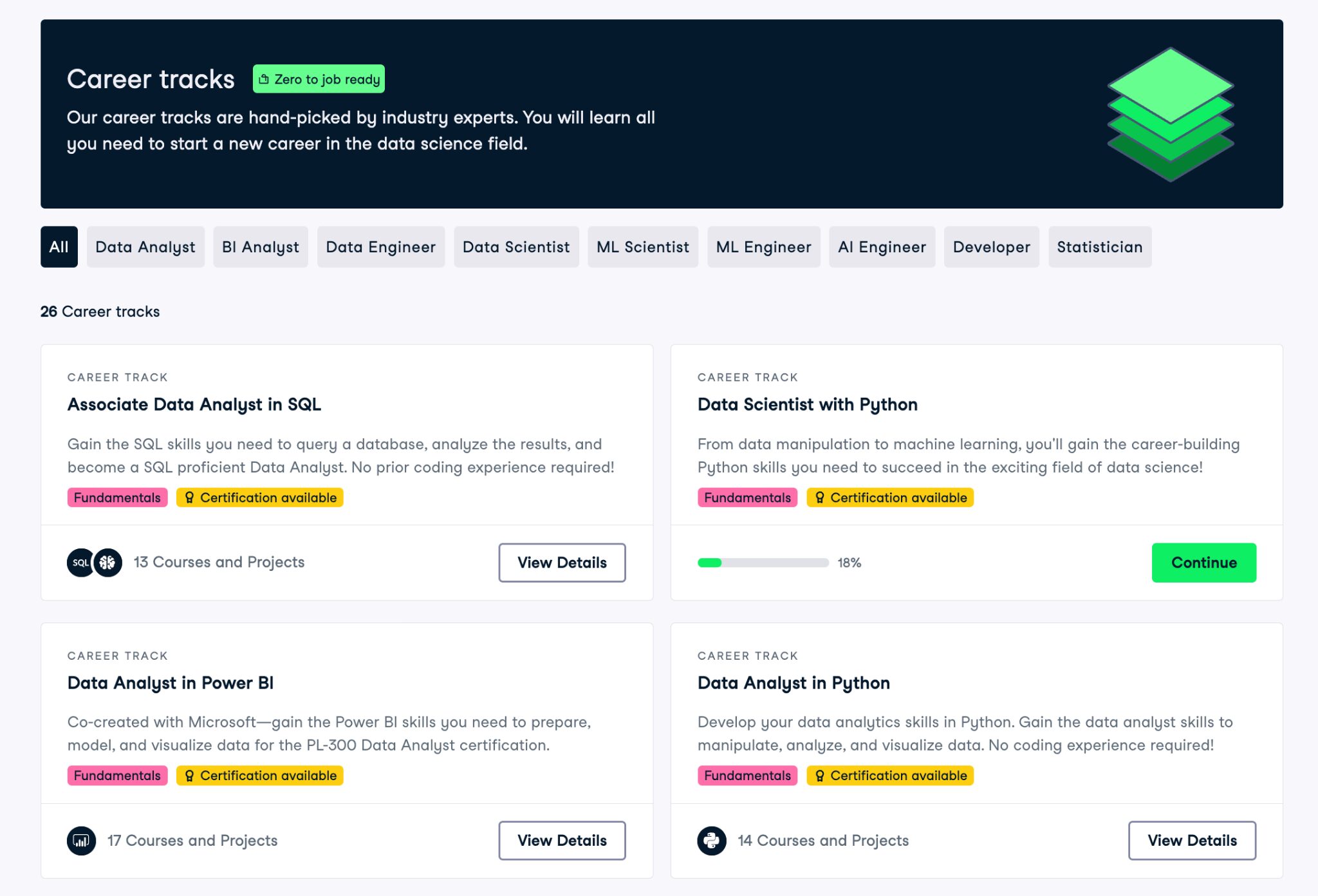
Before we dive into alternatives, let's quickly cover what DataCamp actually offers. That way, you know what we're comparing against.
DataCamp is built for data learners. It covers Python, SQL, R, data analysis, visualization, machine learning, and newer AI topics. Courses are organized into Skill Tracks and Career Tracks, so you always know what to learn next.
Lessons are simple. Watch a quick explanation, then jump into coding right in your browser. You get instant feedback. No setting up tools. No technical headaches.
The pricing is a monthly subscription. The full plan usually costs about \$21 per month, with cheaper annual plans and student discounts. There is also a free tier. You get the first chapter of every course for free, plus a basic skills assessment.
You can also learn on their mobile app whenever you feel like it. This is great for people who are busy or get random bursts of motivation.
How We Chose These Alternatives
The platforms below aren't random picks. Each one either offers something DataCamp doesn't, does something DataCamp does but differently, or costs less (or nothing at all).
Some focus purely on data careers, just like DataCamp. Others mix data skills with broader programming or professional development. A few are completely free. We've organized them so you can scan quickly and find what matches your learning style, budget, and goals.
Let's start with the closest comparison.
1. Dataquest

Rating: 4.79/5.
Dataquest is one of the best alternatives to DataCamp because the two platforms are quite similar. Both are fully focused on data skills, and their pricing sits in a similar range.
The biggest difference is in teaching style. Dataquest is more project-focused, while DataCamp leans more on step-by-step video lessons and short exercises.
Pricing
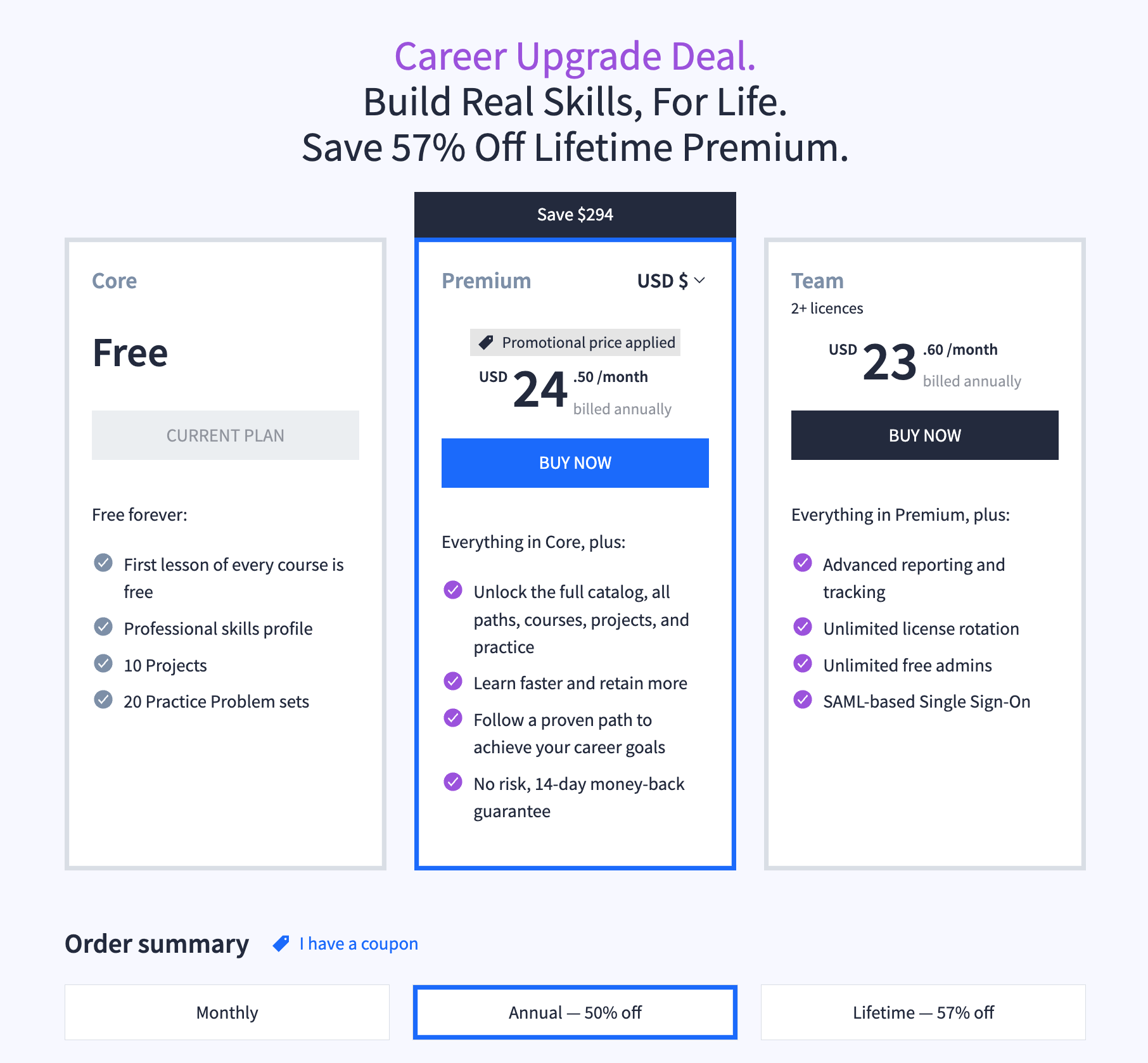
Both platforms run on monthly subscriptions, with cheaper yearly plans. Dataquest also offers a lifetime plan if you prefer paying once and being done.
| Plan | Dataquest | DataCamp |
|---|---|---|
| Monthly | $49 | $21 |
| Annually | $294 | $132 |
| Lifetime | $505 | Not offered |
| Team discounts | Yes | Yes |
Similar to DataCamp, Dataquest lets you try the platform properly for free. You get the first lesson of every course, a skills profile, and access to projects and practice problems. So you can explore how it feels before committing.
Topics
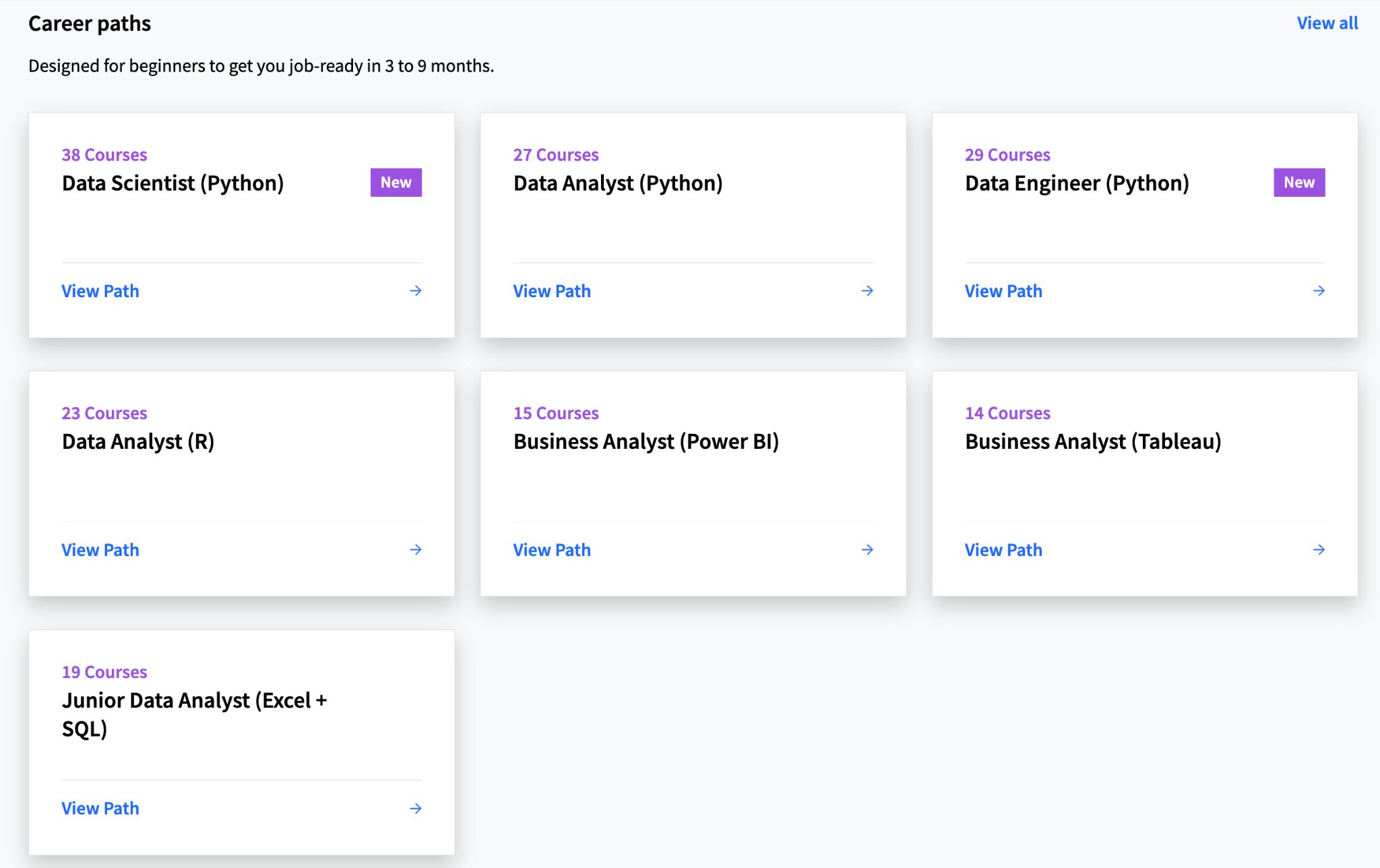
Dataquest sticks to data careers. It covers Python, SQL, analytics, stats, visualization, and machine learning. You also get BI tools like Excel, Power BI, and Tableau, plus some GenAI. Courses are organized into career paths (Data Analyst, Data Scientist, Data Engineer) and shorter skill paths for specific topics.
DataCamp covers the same core topics, but it offers more variety in how you can explore them. It has a bigger catalog of short courses across different tools and workflows, so it’s easier to hop around and try new things.
So the difference is simple. Dataquest is focused and career-driven. DataCamp is broader and more exploratory.
| Topic Area | Dataquest | DataCamp |
|---|---|---|
| Python | Yes | Yes |
| SQL | Yes | Yes |
| R | Yes | Yes |
| Data analysis | Yes | Yes |
| Visualization | Yes | Yes |
| Machine learning | Yes | Yes |
| BI tools (Excel, Power BI, Tableau) | Yes | Yes |
| GenAI topics | Yes | Yes |
Teaching style
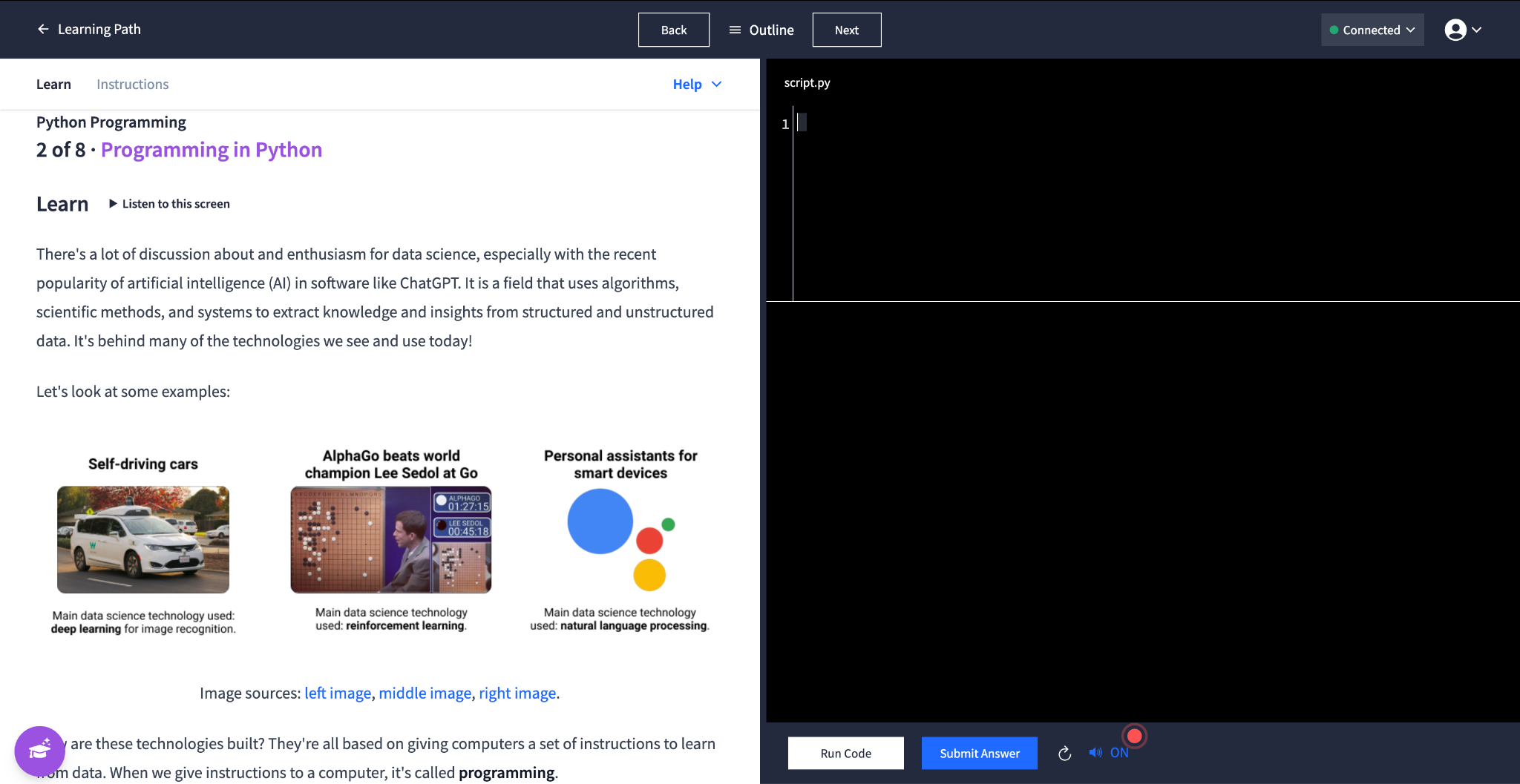
This is where Dataquest and DataCamp feel different.
Dataquest drops you into practice fast. Short explanations, clear diagrams, then hands-on coding with real datasets. The exercises make you think. You're not just filling in blanks, you're applying what you just learned to solve real problems. Projects are part of the learning flow, not something saved for the end. You learn by doing the work.
DataCamp takes a more hand-held approach. You watch short videos, then complete exercises where most of the code is already written for you. You're often just filling in a line or two. It feels easier and less intimidating upfront, which helps if you prefer a gentler pace.
So it comes down to how you learn best. Dataquest pushes you to think critically and write more code yourself. DataCamp provides more hand-holding and requires less problem-solving. That difference might seem small, but it affects how much you actually retain and whether you can apply what you learn without the platform guiding you.
| If you prefer… | Choose |
|---|---|
| Writing code and solving problems yourself | Dataquest |
| Watching videos with fill-in-the-blank exercises | DataCamp |
| Project-based, hands-on learning | Dataquest |
| Quick video explanations | DataCamp |
Reviews
In reviews about Dataquest, the tone is usually “practical and effective.” People like that it pushes you to actually do the work, not just consume content. It’s a good fit if you learn best by building.
The learning paths on Dataquest are incredible. You don’t have to guess what you should learn next.
— Otávio Silveira, coach to a data analyst
Dataquest's platform is amazing. Cannot stress this enough, it's nice. There are a lot of guided exercises, as well as Jupyter Notebooks for further development. I have learned a lot in my month with Dataquest and look forward to completing it!
2. 365 Data Science
Rating: 4.54/5.
365 Data Science is another platform built for people learning data skills. It is structured, role-focused, and feels more “course-like” than DataCamp. If you like having a clear order to follow, it can be a comfy place to start.
Pricing
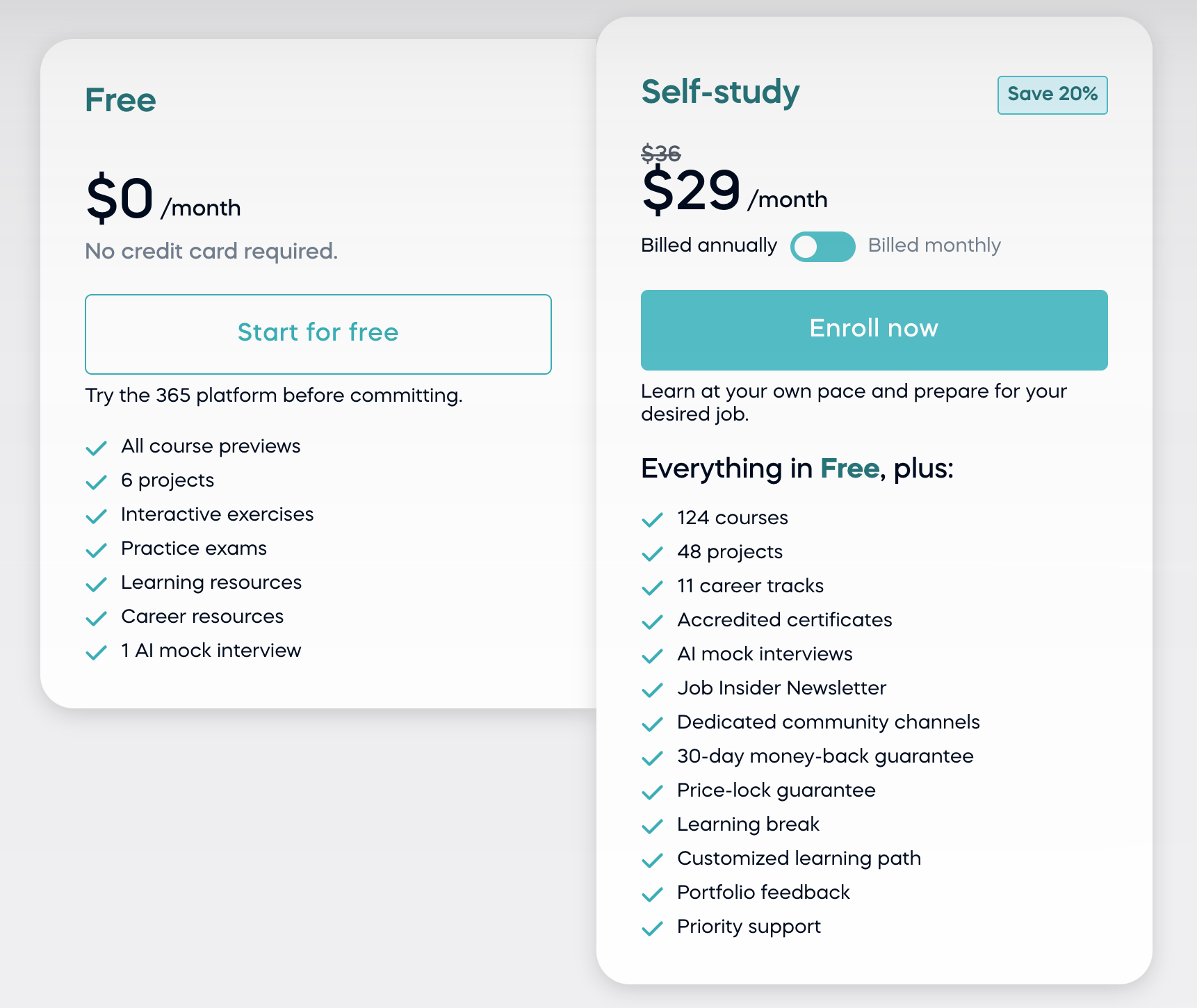
365 Data Science uses a subscription model. You can pay monthly, quarterly, or yearly, depending on how committed you feel. The quarterly option is a nice middle ground that Dataquest and DataCamp do not offer.
| Plan | 365 Data Science | DataCamp |
|---|---|---|
| Monthly | $36 | $21 |
| Quarterly | $388 | No |
| Annual | $348 | $132 |
| Free option | Yes | Yes |
| Lifetime plan | Not offered | Not offered |
365 Data Science also lets you try the platform before paying. The free plan gives you access to enough content and features to get a real feel for how the courses work. It’s an easy way to explore the style before committing
Topics
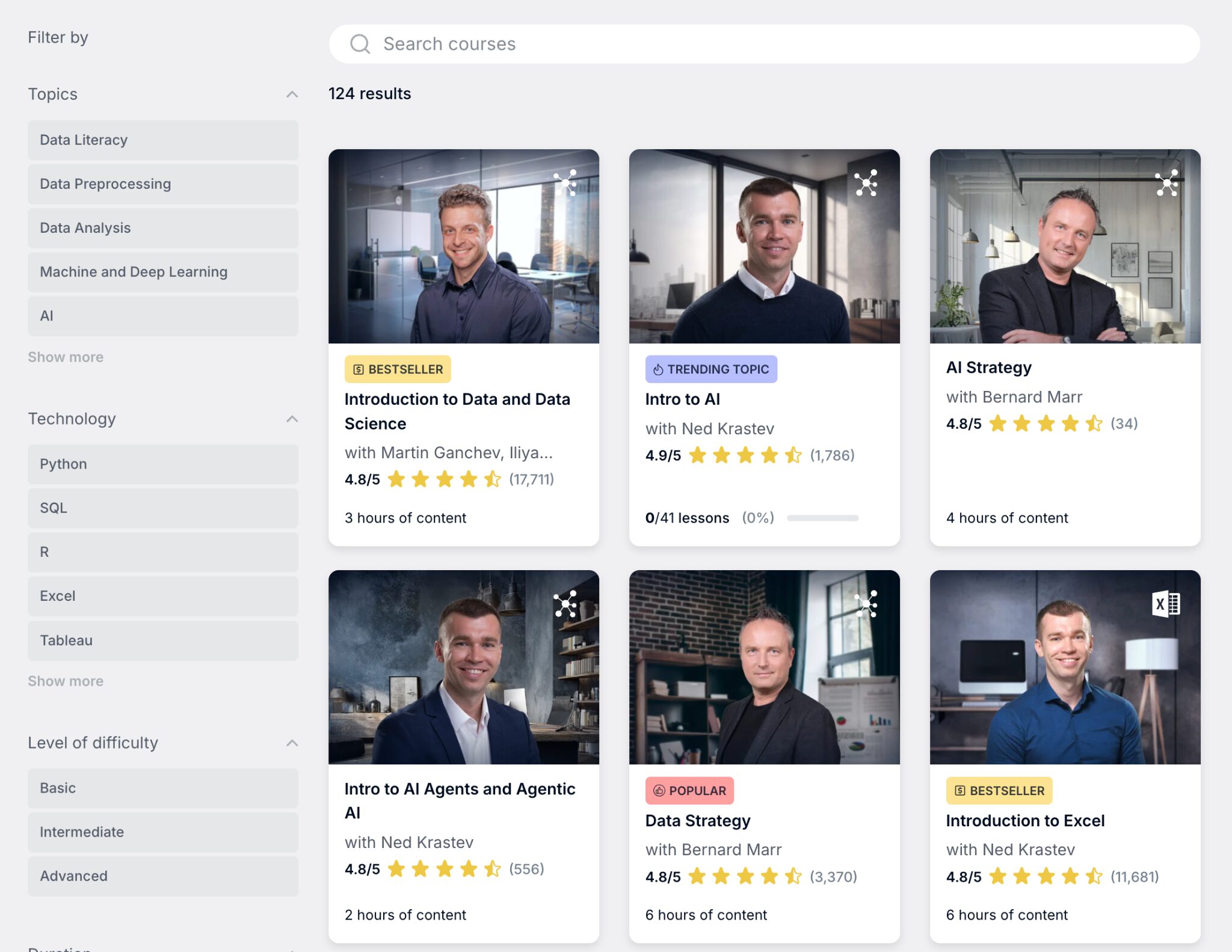
365 Data Science covers the same core data topics you’d expect from this category of platforms. Python, SQL, data analysis, statistics, visualization, and machine learning are the foundations. You’ll also see practical job tools like Excel, Power BI, and Tableau, plus AI-focused content.
| Focus | 365 Data Science | DataCamp |
|---|---|---|
| Core data careers | Yes | Yes |
| Business and analytics skills | Yes | Limited |
| Broad tool ecosystem | Limited | Yes |
| Structured learning paths | Yes | Yes |
| Interactive coding | Not offered | Yes |
Teaching style
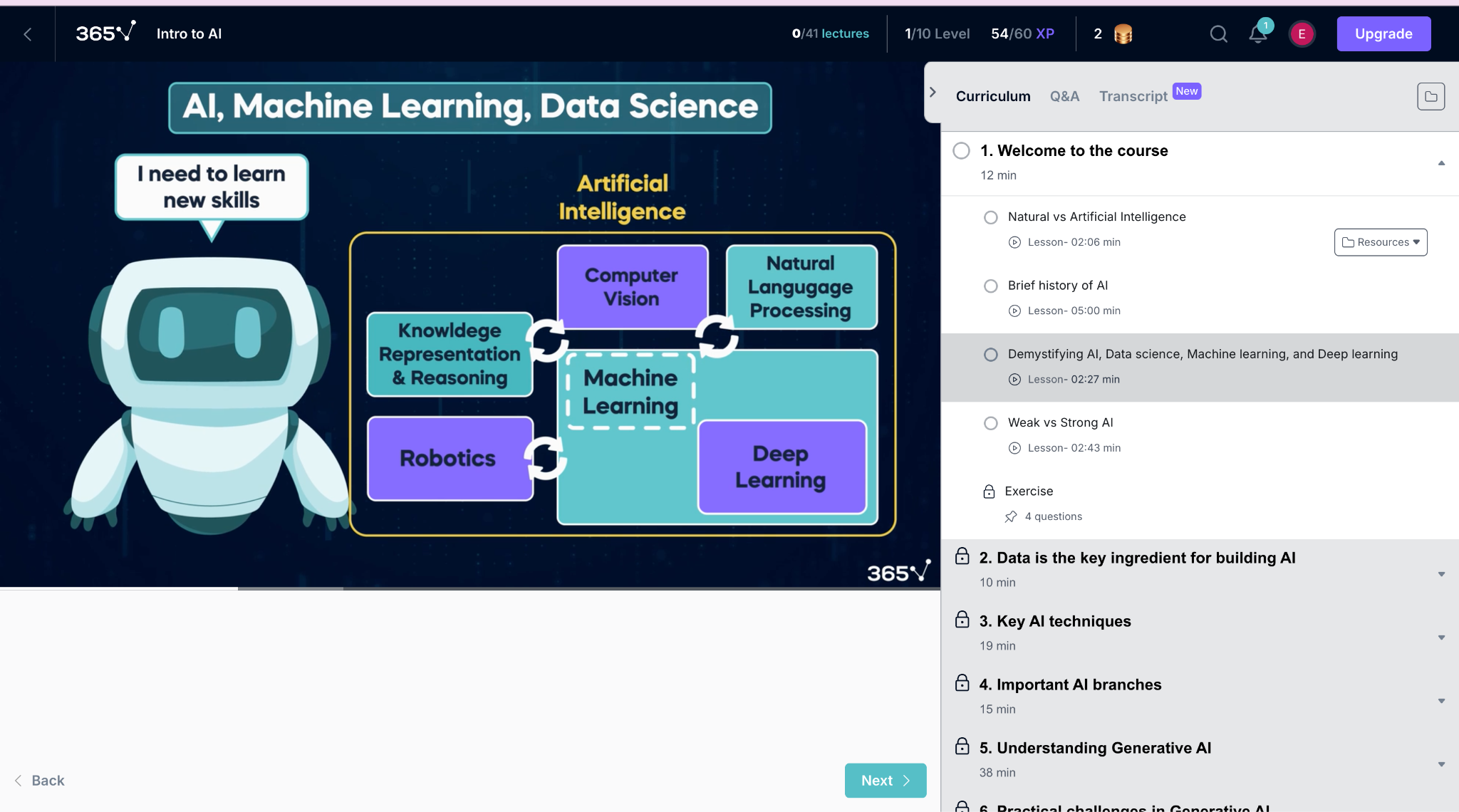
So topic-wise, it overlaps a lot with both DataCamp and Dataquest. The difference is less about “what” they teach, and more about “how” they teach it. 365 Data Science leans heavily on video lessons. You watch an instructor explain a concept, go through examples, and then check your understanding with quizzes.
There’s no in-browser coding here. So if you enjoy typing code directly into lessons and learning by doing immediately, you might miss that. But if you prefer sitting back, listening, and absorbing the material first, this style can feel very comfortable.
Different instructors teach different courses, so if one teaching style doesn’t click, the next one might. You also get extra resources like notes, flashcards, and supporting materials to help everything stick.
| If you prefer… | Better choice |
|---|---|
| Watching and learning | 365 Data Science |
| Typing code as you learn | DataCamp |
| Quizzes to check knowledge | 365 Data Science |
| Instant feedback from code | DataCamp |
| Guided steps then practice | DataCamp |
Reviews
Reviews are mostly very positive, especially from beginners. People praise the clear explanations and the “step-by-step” feel. The recurring negative theme is not the teaching, it’s admin stuff like subscriptions and refunds, so just be a little careful there.
I found the platform really easy to follow and learn the skills I needed to apply to my job. I highly recommend 365 Data Science to anyone wanting to learn programming and data science.
— Meghan V.
I completed the Data Science 2024-2025 program and was delighted with it. The courses are very high quality and really intensive, so you have to work hard, but you come out with real skills that are validated through the project you present at the end of the program.
— Rita Verissimo
3. Kaggle Learn

Rating: 3.7/5.
Kaggle is one of the most popular places to practice data science. You can explore datasets, study other people’s notebooks, and join competitions to test your skills. Kaggle Learn adds free micro-courses, so you can pick up the basics and start practicing fast.
Pricing
Kaggle and Kaggle Learn are completely free. There are no subscriptions, paid plans, or locked features. You can access datasets, notebooks, competitions, and all Kaggle Learn courses without paying anything.
If you want more computing power for heavy models, Kaggle offers optional paid notebook upgrades. But for learning and practicing, the free tier is enough for most beginners.
Topics
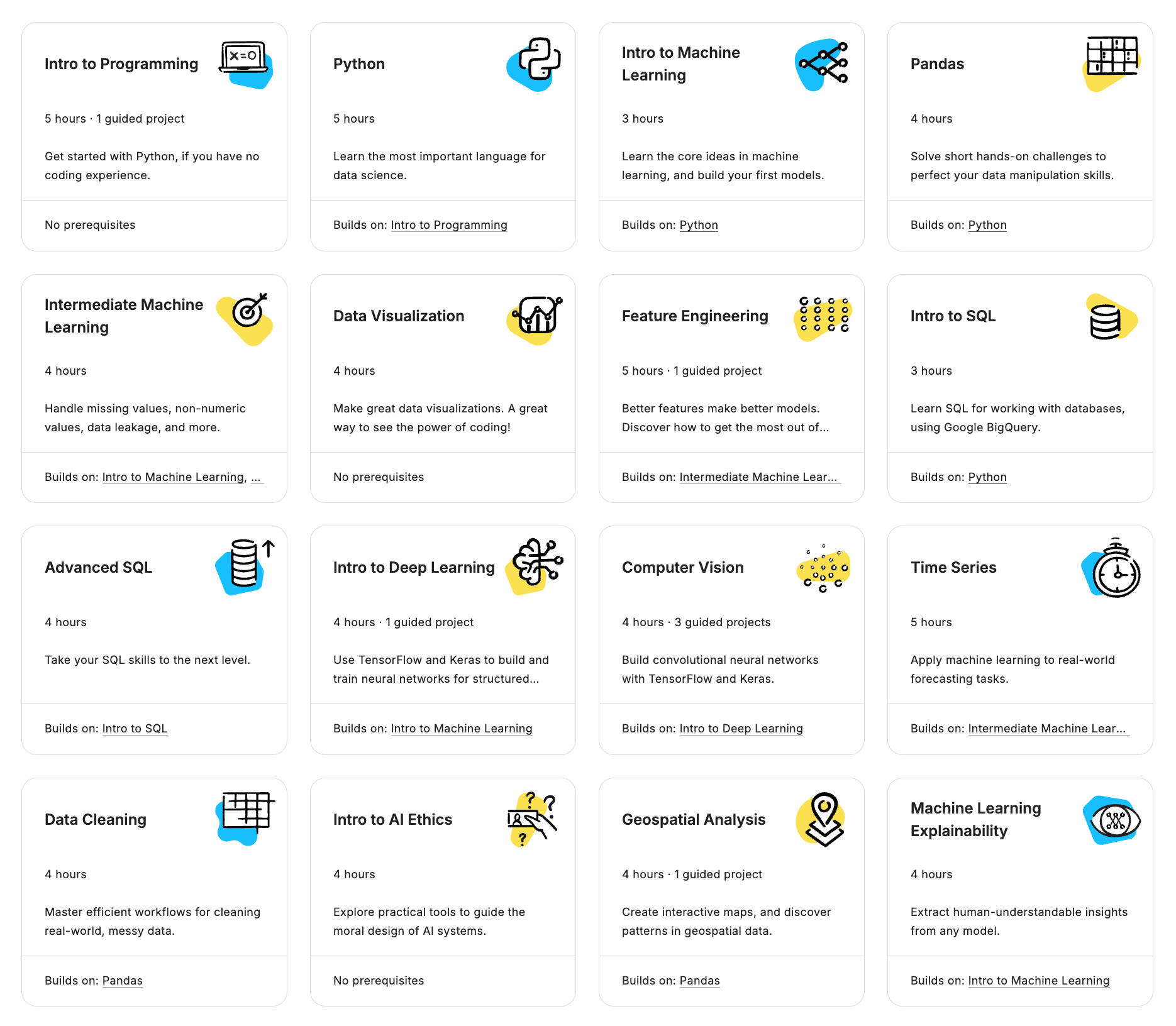
Kaggle is built around real data work. You will find datasets, public notebooks, and competitions covering topics like data analysis, predictive modeling, deep learning, NLP, and computer vision.
Kaggle Learn is the structured learning side. It offers free micro-courses in Python, pandas, data visualization, data cleaning, SQL, and machine learning. Lessons are short and focused on practical exercises.
Instead of long course paths, Kaggle encourages learning by exploring real projects and community examples.
| Topics | Kaggle | DataCamp |
|---|---|---|
| Python & SQL | Yes | Yes |
| Data analysis & visualization | Yes | Yes |
| Statistics | Yes | Yes |
| Machine learning & AI | Yes | Yes |
Teaching style
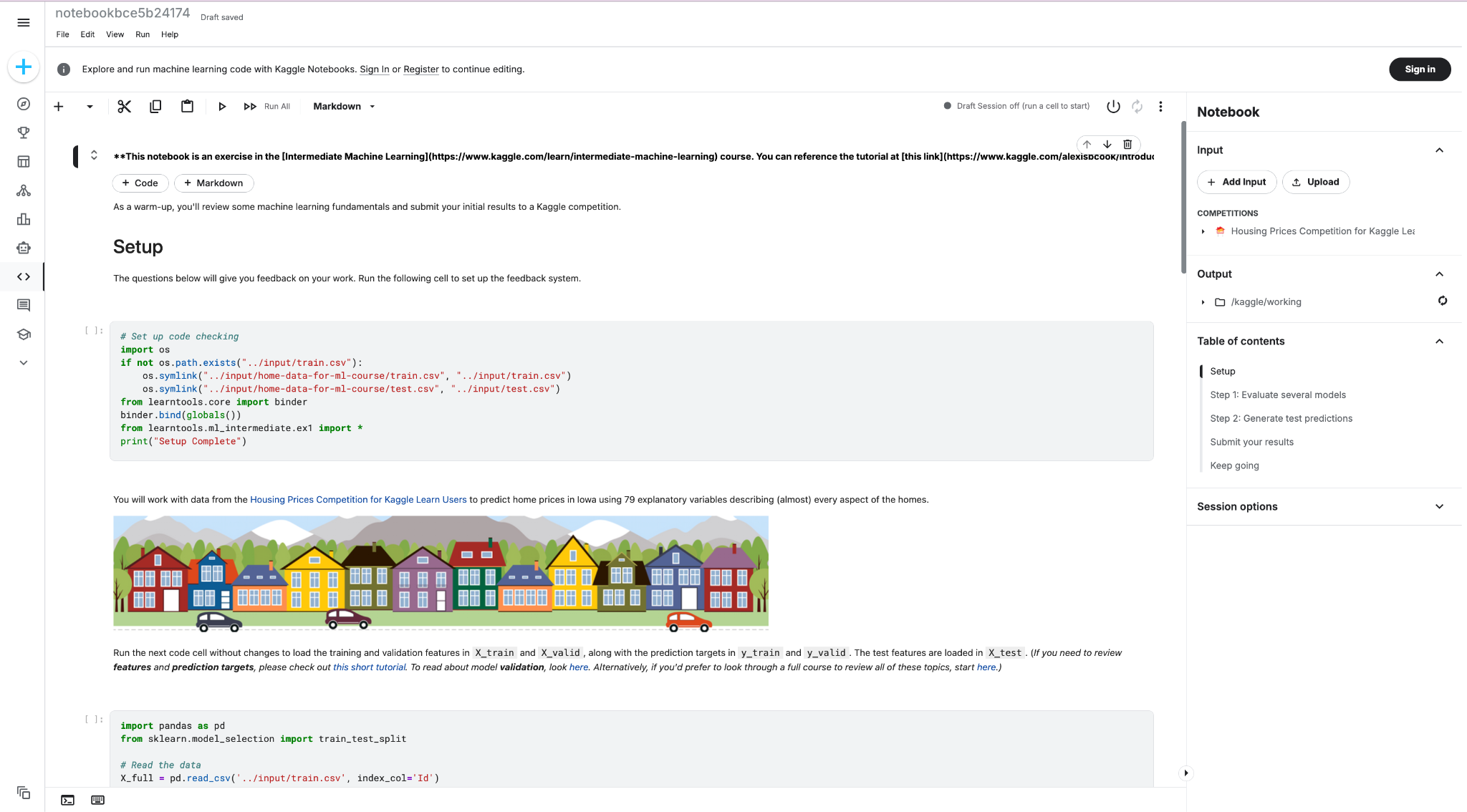
Kaggle Learn’s lessons are quick and practical. Each micro-course gives you a concept, shows code examples, and then lets you type and run code in a notebook-like environment. The emphasis is on doing tasks with real data rather than long video lectures. After the courses, you can use Kaggle’s datasets and community notebooks to explore and practice further.
| Kaggle | DataCamp | |
|---|---|---|
| Short guided lessons | Yes | Yes |
| Video explanations | Not offered | Yes |
| In-browser coding | Yes | Yes |
| Real-world practice | Yes | Limited |
| Structured paths | Not offered | Yes |
| Certificates | Not offered | Yes |
| Community notebooks | Yes | No |
Reviews
Learners usually praise Kaggle for being “real.” You get to learn from actual examples instead of only platform exercises. The tradeoff is structure. Kaggle Learn is great for a jumpstart, but most people still use another platform or roadmap if they want a full beginner-to-job-ready plan.
Excellent website to learn and practice Machine Learning and Deep Learning. Free courses available with an excellent level, Competitions and datasets to apply knowledge and solve real-world challenges.
— Arthur Mathorel
Surprised to see only a few reviews for Kaggle. Kaggle.com is the best place for finding datasets and learn solving ML problems. Competitions are great too, you can learn from other's notebook. Really helped me in my preparation.
— Kavana H.
4. Codecademy
Rating: 3.15/5.
If you want to get better at coding, Codecademy is a solid pick. It teaches Python, SQL, and other programming skills through short lessons where you type code right in your browser. It is less “data career” focused than DataCamp, but it is great for fundamentals.
Pricing
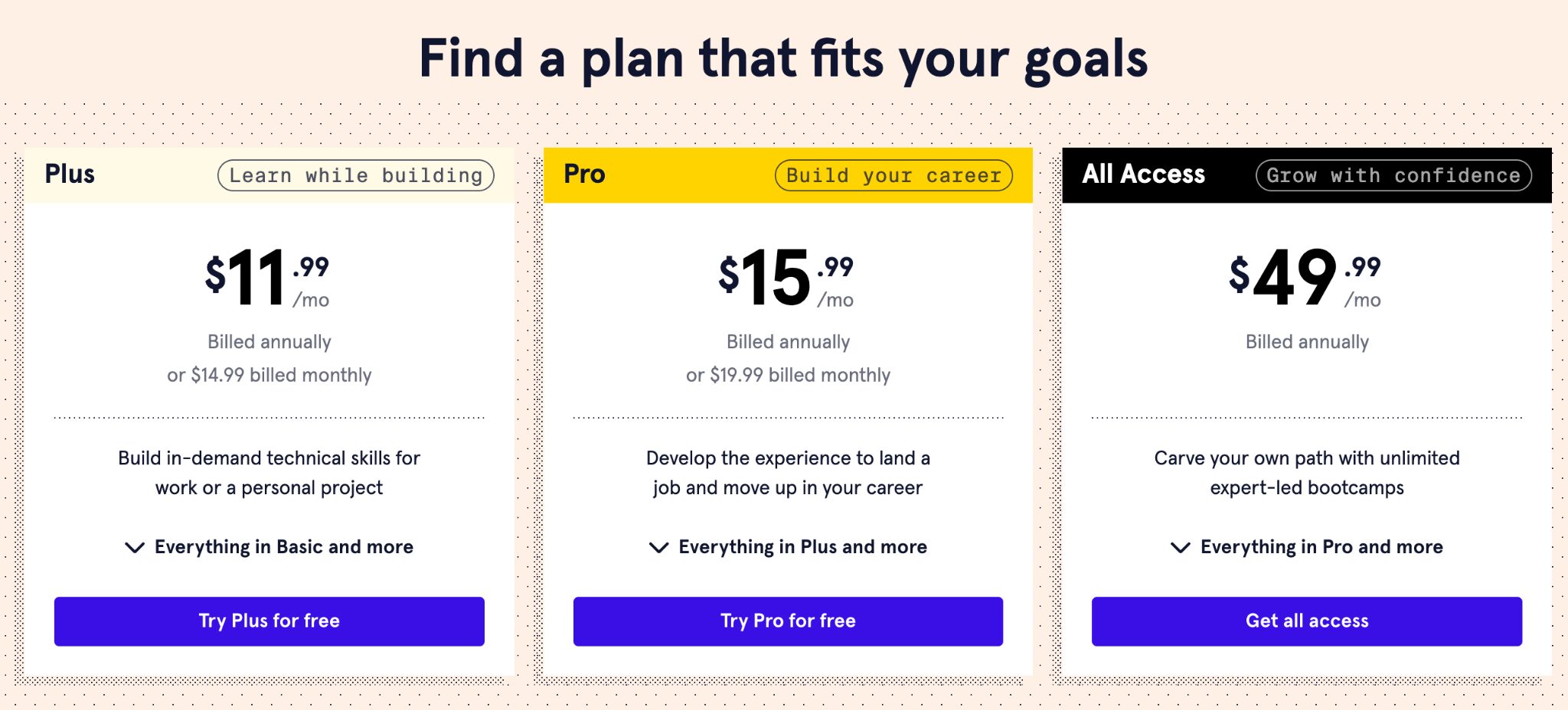
Codecademy offers a free Basic plan that lets you access introductory lessons and explore the platform before paying.
Paid plans unlock full courses, skill paths, career paths, projects, and certificates. There are different subscription tiers, so you can choose between general learning, career-focused features, or full access that includes live bootcamps.
| Plan type | Codecademy | DataCamp |
|---|---|---|
| Free plan | Yes (Basic plan) | Yes (limited free tier) |
| Monthly subscription |
Plus: \$14.99 Pro: \$19.99 |
$21 |
| Annual subscription |
Plus: \$144 Pro: \$192 |
$132 |
| Higher-tier plan | All Access: $600 | Not offered |
Both Plus and Pro plans come with free trials. So you can try the platform first and cancel if it does not feel right.
Topics
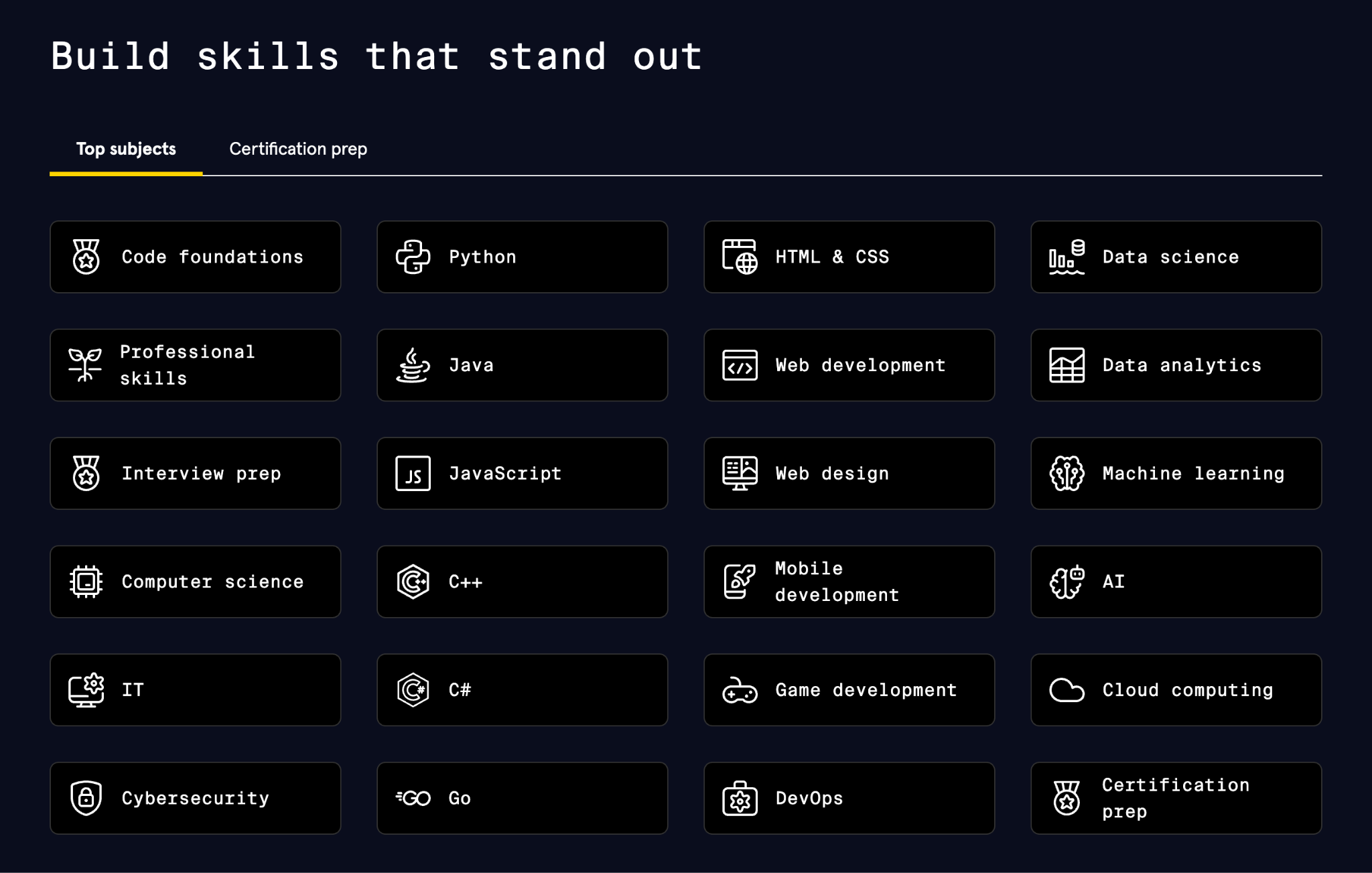
Codecademy’s catalog centers on programming. You will find Python, SQL, JavaScript, Java, C++, and C#, along with web development courses in HTML, CSS, and frameworks like React. Computer science fundamentals like algorithms and data structures are also part of the platform.
Data science and analytics are included, too. These cover data manipulation, visualization, and introductory machine learning. However, the data catalog is smaller than on platforms dedicated fully to data careers.
Codecademy is especially helpful for beginners who want to learn how to code from scratch. It is a good fit for aspiring software developers, web developers, and anyone who wants to build strong programming foundations before moving into data or AI roles.
| Topic | Codecademy | DataCamp |
|---|---|---|
| Python | Yes | Yes |
| SQL | Yes | Yes |
| JavaScript | Yes | Limited |
| Web development | Yes | Not offered |
| Computer science fundamentals | Yes | Not offered |
| Data analysis | Yes | Yes |
| Machine learning | Intro level | Yes |
Teaching style
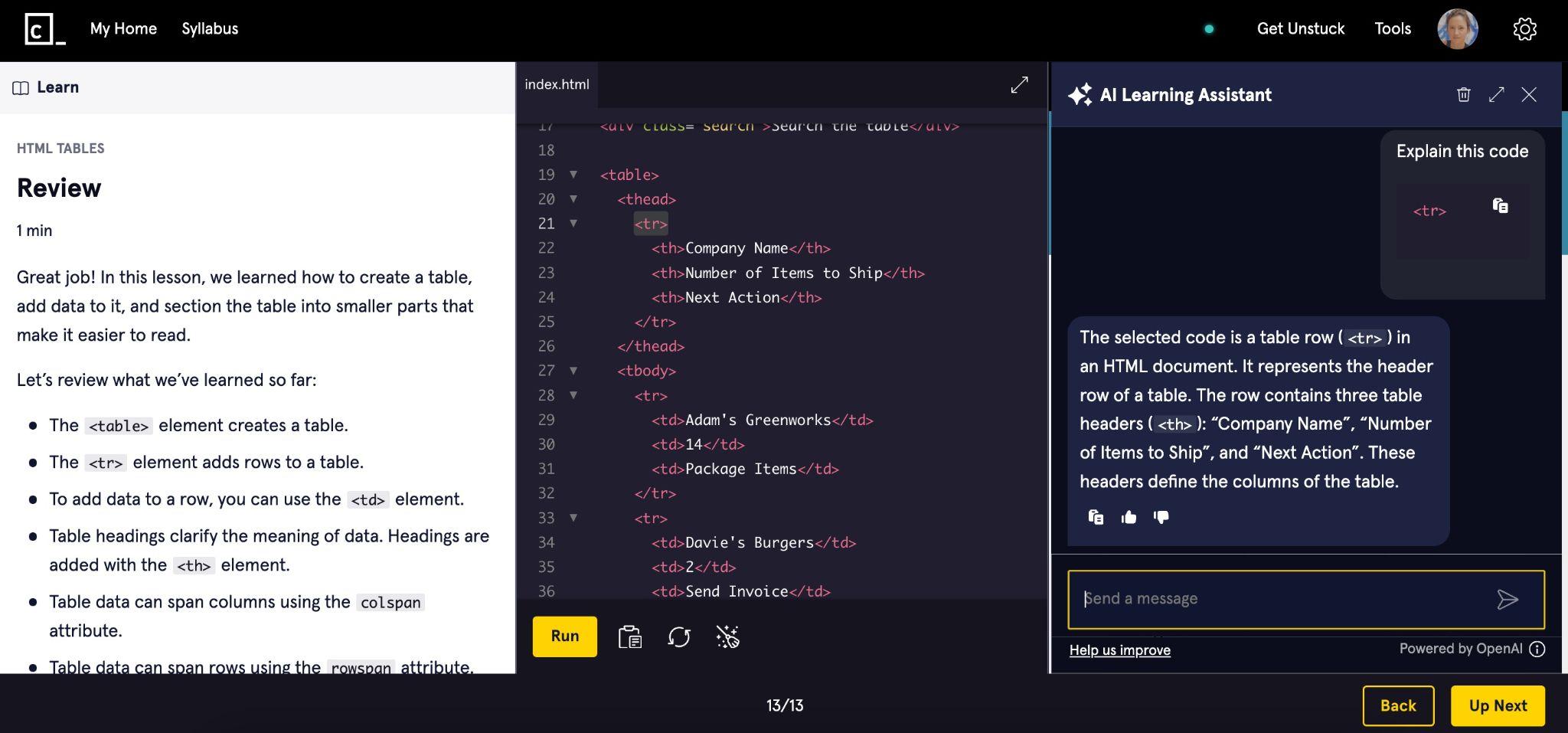
Codecademy is built around learning by writing code. Lessons are short. You read a quick explanation, type code directly in your browser, and get instant feedback.
Most courses feel like guided practice rather than long lectures. You solve small exercises, build simple projects, and slowly gain confidence in the code editor.
There are also quizzes and career paths that bundle courses together. But the core experience stays the same. Open a lesson. Write code. Fix bugs. Repeat.
| If you like… | Better fit |
|---|---|
| Reading instructions then coding | Codecademy |
| Watching short videos then coding | DataCamp |
| Pure coding practice | Codecademy |
| Data-focused examples | DataCamp |
Reviews
Learners usually like the hands-on format and the step-by-step progression. Reviews also mention that the platform can feel a bit paywalled, and some people have issues with billing or refunds, so read the plan details carefully.
I feel like I’ve gained a valuable skill set that looks great on my CV. You don’t have to change careers; you can make your current job better, more efficient, and make your life easier.
— Joshua Lange
I am extremely satisfied and excited about my learning experience on Codecademy. I have taken courses on several online platforms, Udemy, Alison, and Udacity. I found Codecademy's approach the best in terms of value for money.
— Abraham Laleye
5. Coursera

Rating: 1.4/5.
Coursera hosts courses from universities and companies like Google, Duke, and IBM. It's massive. Data science, machine learning, Python, business skills, you name it.
Unlike DataCamp's quick interactive lessons, Coursera gives you full courses with videos, assignments, and certificates that actually say "Stanford" or "Google" on them.
Pricing
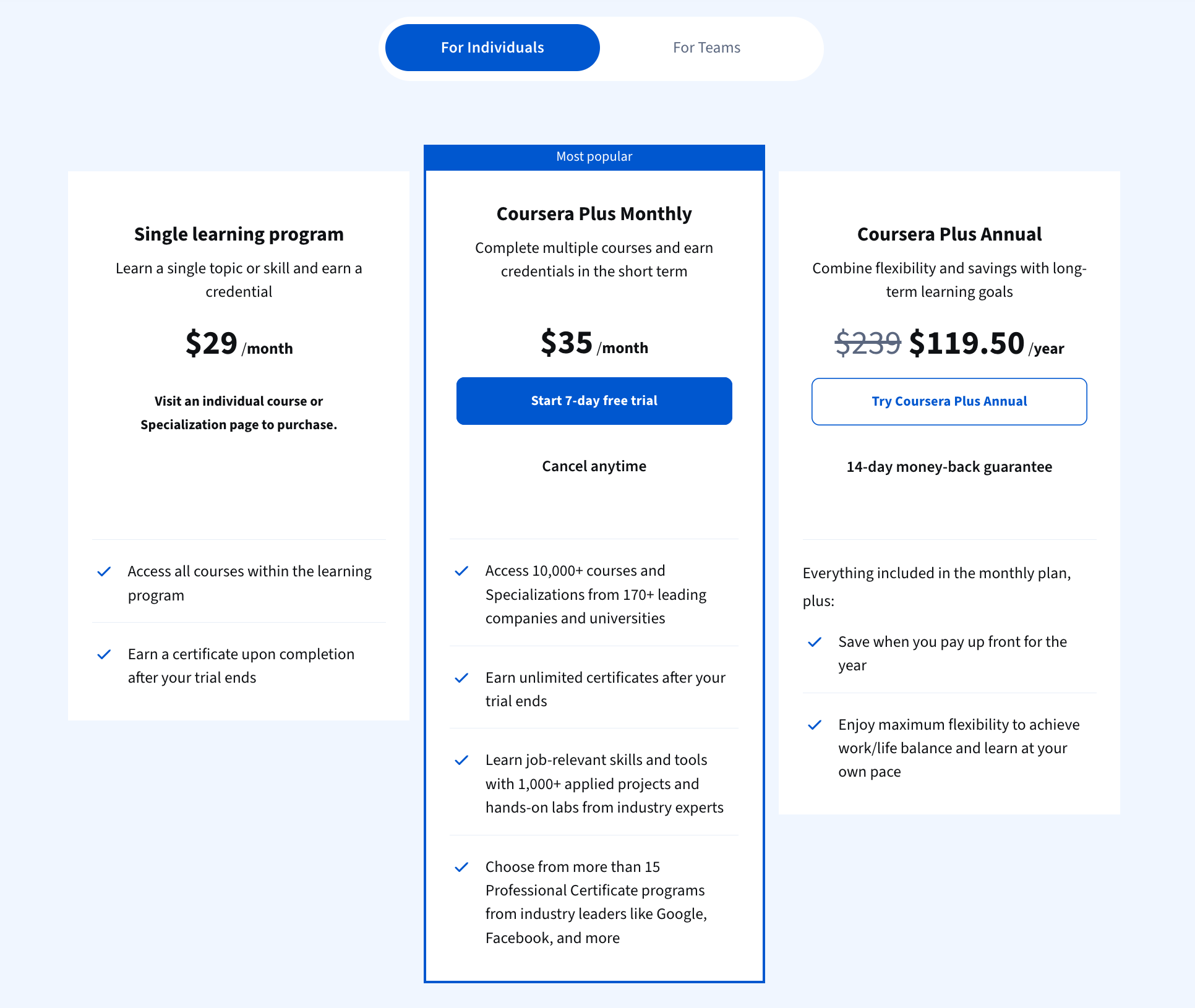
Coursera gives you a few ways to pay, depending on how you want to learn.
You can pay for a single course if you only need one specific certificate. Or you can subscribe to Coursera Plus to unlock thousands of courses at once. The table below shows the main options.
| Plan type | Coursera | DataCamp |
|---|---|---|
| Free access | Audit only | Yes |
| Monthly | $35 | $21 |
| Annual | $119.50 | $132 |
| Lifetime plan | Not offered | Not offered |
| Trial / refund | Trial + money-back | Free tier + cancel anytime |
Both Coursera Plus plans come with a safety net. The monthly plan includes a 7-day free trial. The annual plan includes a 14-day money-back guarantee. So you can try the platform first and back out if it does not feel right.
One thing to note. Coursera does not offer a permanent free plan like some other platforms. You can audit many courses for free, but certificates and full access require payment.
Topics
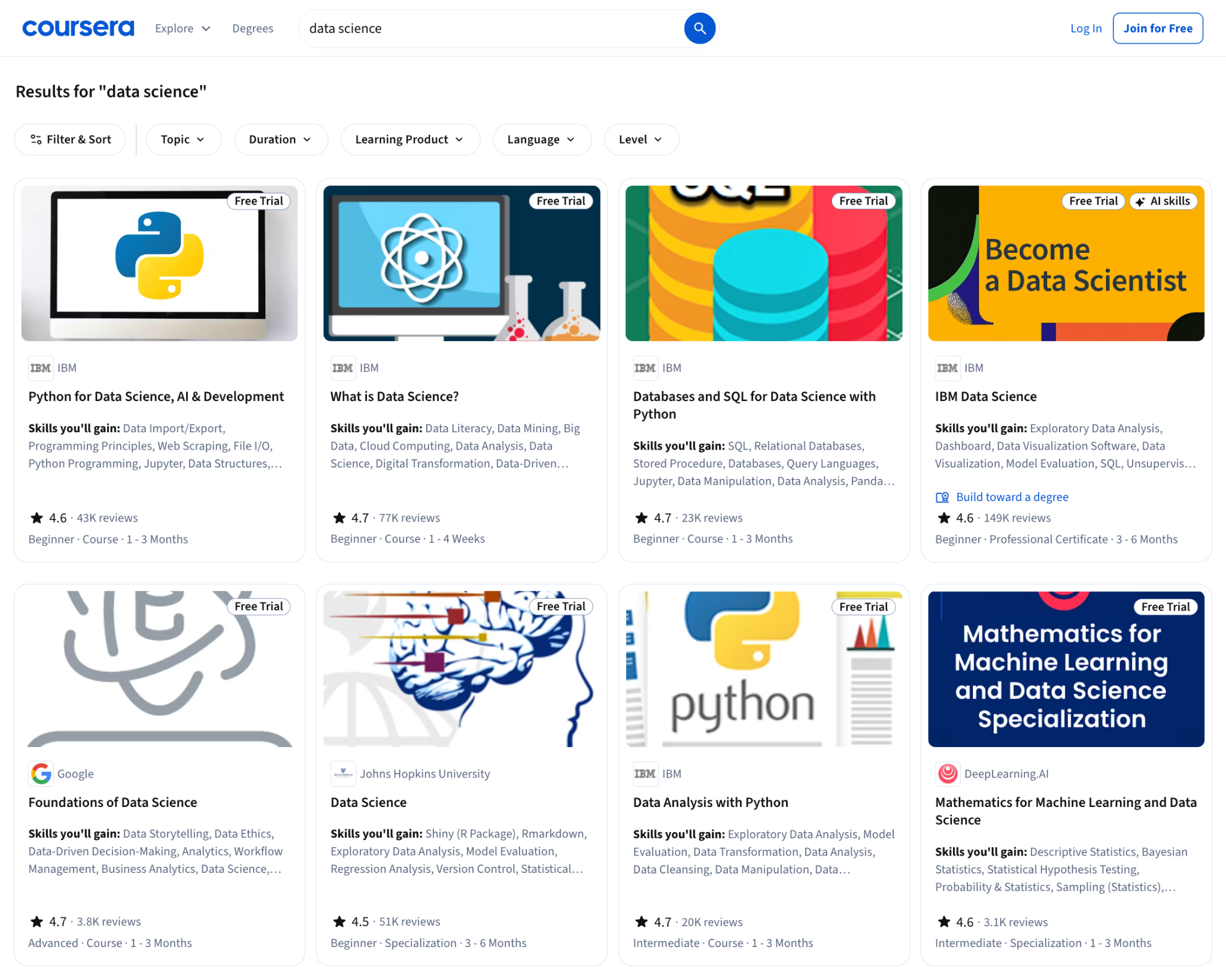
If you have ever wanted to learn anything, Coursera probably has it. Guitar. First aid. Quantum physics. Yes, really.
And of course, it has data science. Not one or two courses. It has entire catalogs. Python, SQL, data analysis, statistics, and machine learning. Each topic comes with dozens of courses to choose from.
For example, if you look up LLM courses, you will find programs from IBM, Google Cloud, Duke University, and more. Lots of big, trustworthy names behind the lessons.
The real problem? You'll spend three hours comparing 47 Python courses instead of actually learning Python. When everything looks like “the best course,” picking one can feel impossible. My advice is simple. Pick one. Start it. Commit to it. If you have a real reason to stop, switch. Otherwise, you will keep browsing forever instead of learning.
| Topic focus | DataCamp | Coursera |
|---|---|---|
| Data science and analytics | Yes | Yes |
| Machine learning and AI | Yes | Yes |
| Programming (Python, SQL, R) | Yes | Yes |
| Business and management | Not offered | Yes |
| Non-tech subjects | Not offered | Yes |
Teaching style
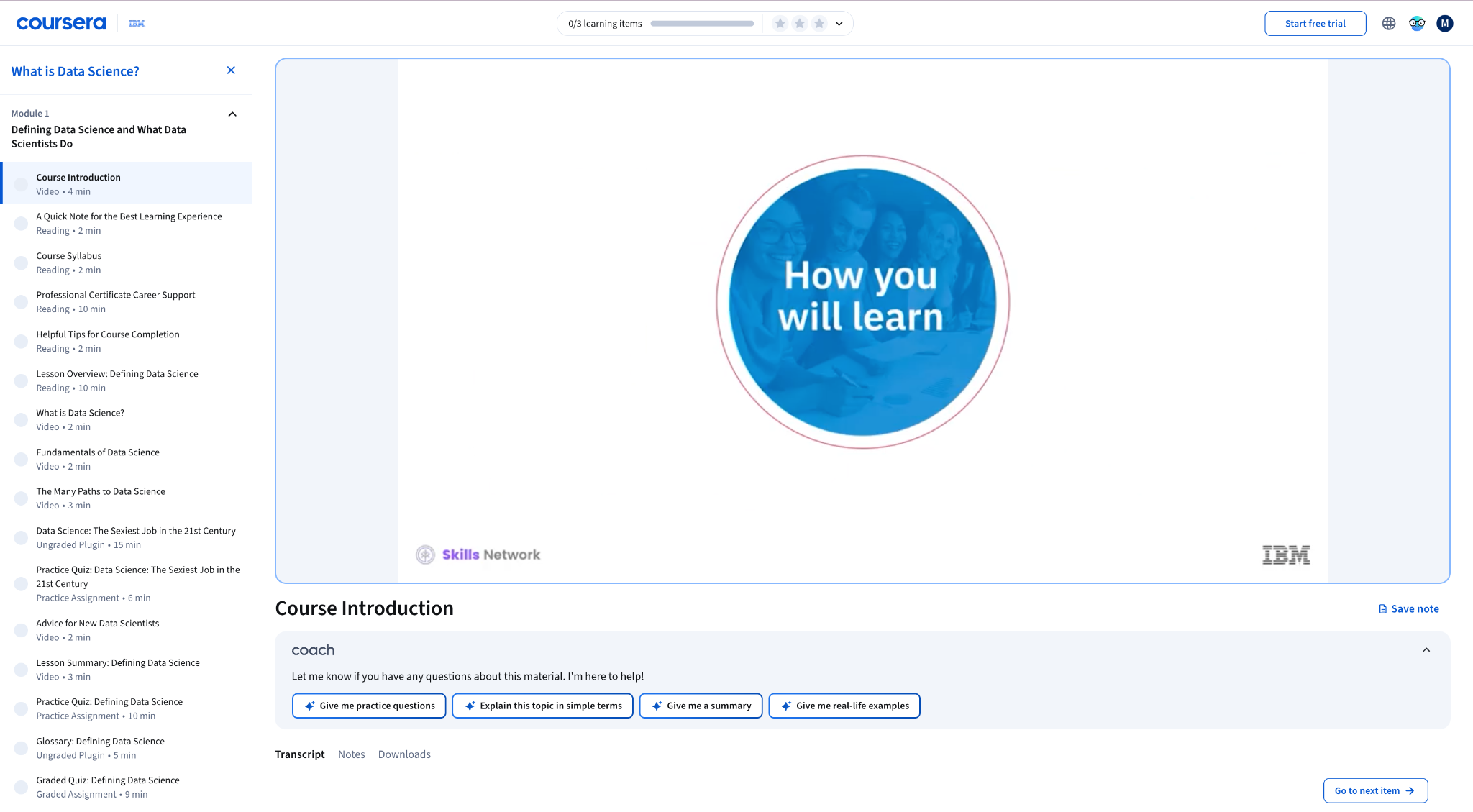
Coursera follows a more traditional online course format. You watch lecture videos, take quizzes, and complete assignments. Some courses also include peer-reviewed projects or final exams. It feels closer to an online university class than an interactive coding platform.
Many courses are self-paced, but some programs run on schedules with weekly deadlines. That structure can help if you like having a clear pace to follow.
| Coursera | DataCamp |
|---|---|
| Lecture-style videos | Short interactive lessons |
| Yes | Yes |
| Sometimes | Yes |
| Self-paced or scheduled | Fully self-paced |
Reviews
People mostly love it. Good instructors, solid material, tons of options. The frustrating parts? Subscriptions that auto-renew, confusing refund processes, and customer support that can be slow. Also, peer-graded assignments are a gamble. Sometimes you get helpful feedback. Sometimes you get someone who barely skimmed your work.
Learning with Coursera has expanded my professional expertise by giving me access to cutting-edge research, practical tools, and global perspectives.
— Anas A.
I really don't understand the negative reviews. I find the website really easy to use. I have used live chat a few times, and my problems have always been solved. I purchased a yearly plus subscription for just over £100, and I have completed many courses now and received my certificates.
— Keiran
6. Udemy

Rating: 1.7/5.
Udemy is the online marketplace of courses. If someone, somewhere, knows how to teach something, there is probably a Udemy course for it.
At first glance, it feels a bit like Coursera. Both offer huge course libraries across almost every subject you can imagine. Data science, programming, business, design, and even how to bake bread. It is all there.
The difference is in structure. Coursera partners with universities and big companies and offers more academic-style programs and certificates. Udemy is driven by independent instructors. Anyone can publish a course. That means more variety, more personality, and often lower prices. But also more variation in course quality.
Pricing
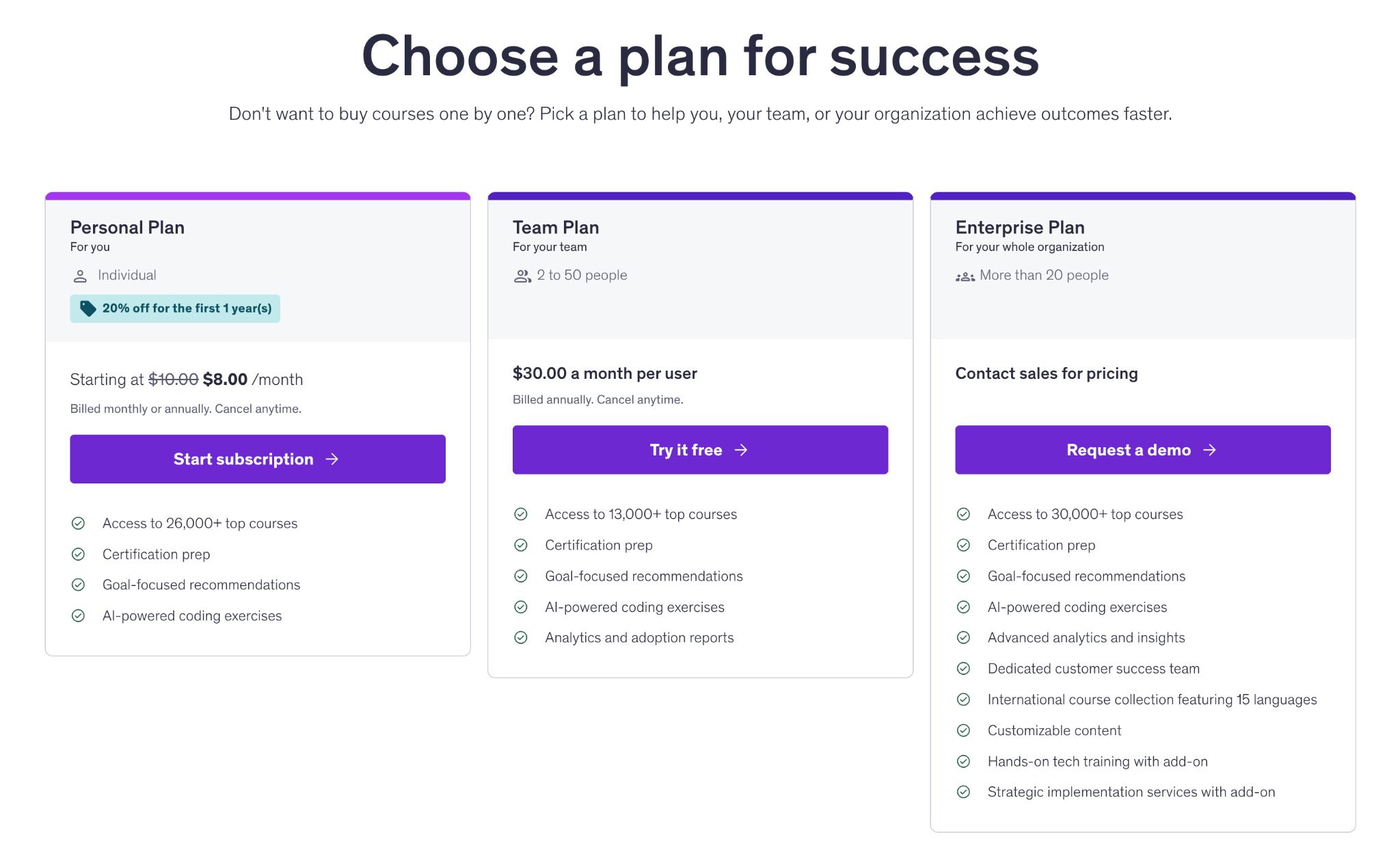
Udemy gives you two ways to pay. You can buy courses one by one and keep them forever. Or you can subscribe to a plan that unlocks a large library of top-rated courses.
The Personal Plan is built for individual learners. It gives you ongoing access to thousands of courses, certification prep, and AI-powered coding exercises. You can pay monthly or annually and cancel anytime.
| Plan type | Udemy | DataCamp |
|---|---|---|
| Free access | Yes (Basic / some free content) | Yes |
| Monthly | $15 | $21 |
| Annual | From $8 | $132 |
| Lifetime plan | Not offered | Not offered |
If you prefer paying once and owning a course forever, Udemy’s marketplace model works well. If you want Netflix-style access to many courses at once, the subscription plan is the better fit.
Honest tip: Udemy has lots of discounts, and I mean LOTS. Don't pay full price if you aren't in a rush. There will be a sale in a few days for sure.
Topics
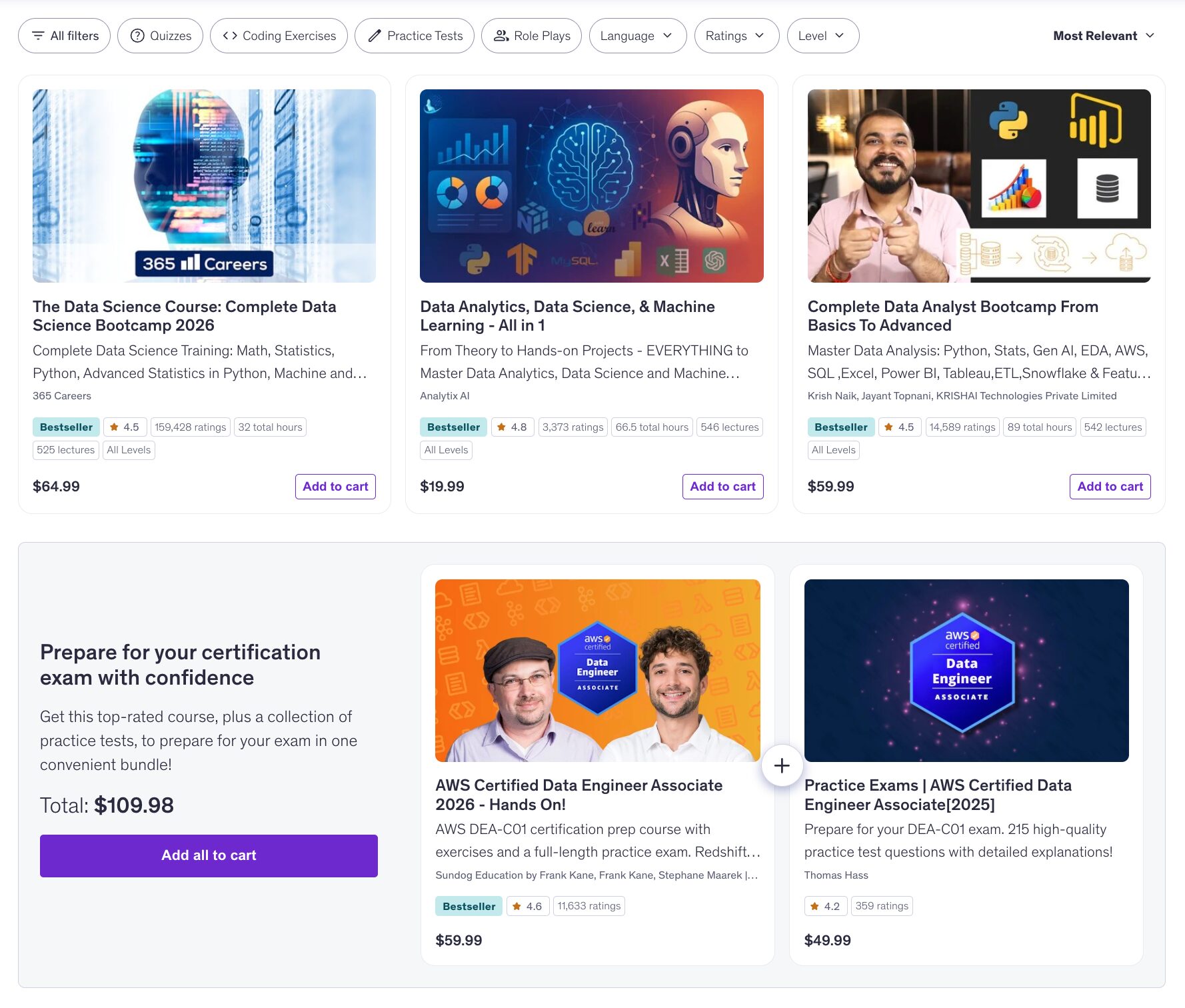
Udemy’s topic list is massive. Programming, data science, AI, business, marketing, design, photography, music, fitness. If it can be taught through a screen, it probably lives on Udemy.
For data learners, you will find Python, SQL, data analysis, statistics, machine learning, and AI. There are beginner courses, advanced courses, and everything in between.
| Topic focus | Udemy | DataCamp |
|---|---|---|
| Data science and analytics | Yes | Yes |
| Programming and web development | Yes | Limited |
| Business and marketing | Yes | Not offered |
| Creative and lifestyle topics | Yes | Not offered |
| Non-tech subjects | Yes | Not offered |
Because courses are created by independent instructors, topic depth can vary. Some courses feel like polished mini-bootcamps. Others feel more casual. That variety is part of Udemy's charm, but also why you need to pick carefully.
Teaching style
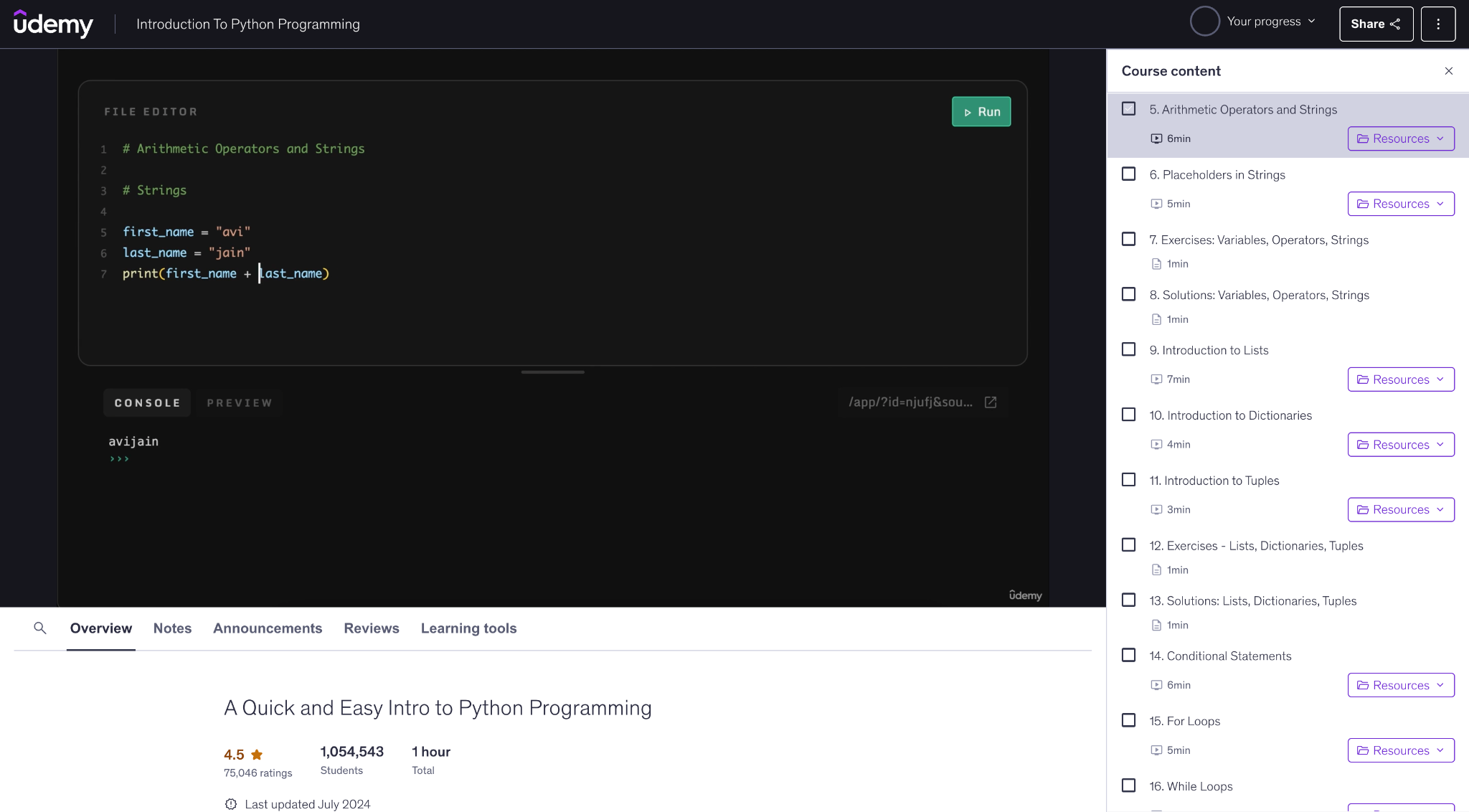
Udemy courses are mostly video-based. You watch recorded lessons, follow along, and complete exercises or small projects when included.
There is no fixed structure across the platform. Each instructor designs their own course. Some feel polished and well-paced. Others feel more casual. So the learning experience depends heavily on the person teaching.
You learn fully at your own pace. No schedules. No deadlines. Just press play when you feel like learning.
| If you like… | Better fit |
|---|---|
| Choosing your own instructor | Udemy |
| Consistent lesson structure | DataCamp |
| Long-form video courses | Udemy |
| Short interactive practice | DataCamp |
Reviews
In reviews, people love Udemy for two things: choice and price, especially when there is a sale. The main complaints are also consistent. Since courses are made by different instructors, quality can feel hit or miss. That is why Udemy can rate lower than more curated platforms. The fix is simple: choose wisely.
Udemy gives you the ability to be persistent. I learned exactly what I needed to know in the real world. It helped me sell myself to get a new role.
— William A. Wachlin
I have done a number of courses on Udemy. Every one of them has been very satisfying, and I have learned a lot. It's been in the comfort of my home, at my own pace, and because I started the courses to really get everything out of it - I feel the service has been very useful.
— Esther Sonneveld
7. LinkedIn Learning
Rating: 4.6/5.
LinkedIn Learning is a professional course library with thousands of short classes. You will find data and programming courses, but it is also strong in “career skills” like Excel, presentations, leadership, and communication.
One standout feature is the LinkedIn integration. Completed courses can show up on your profile, so it can help you show recruiters that you are actively learning.
Pricing
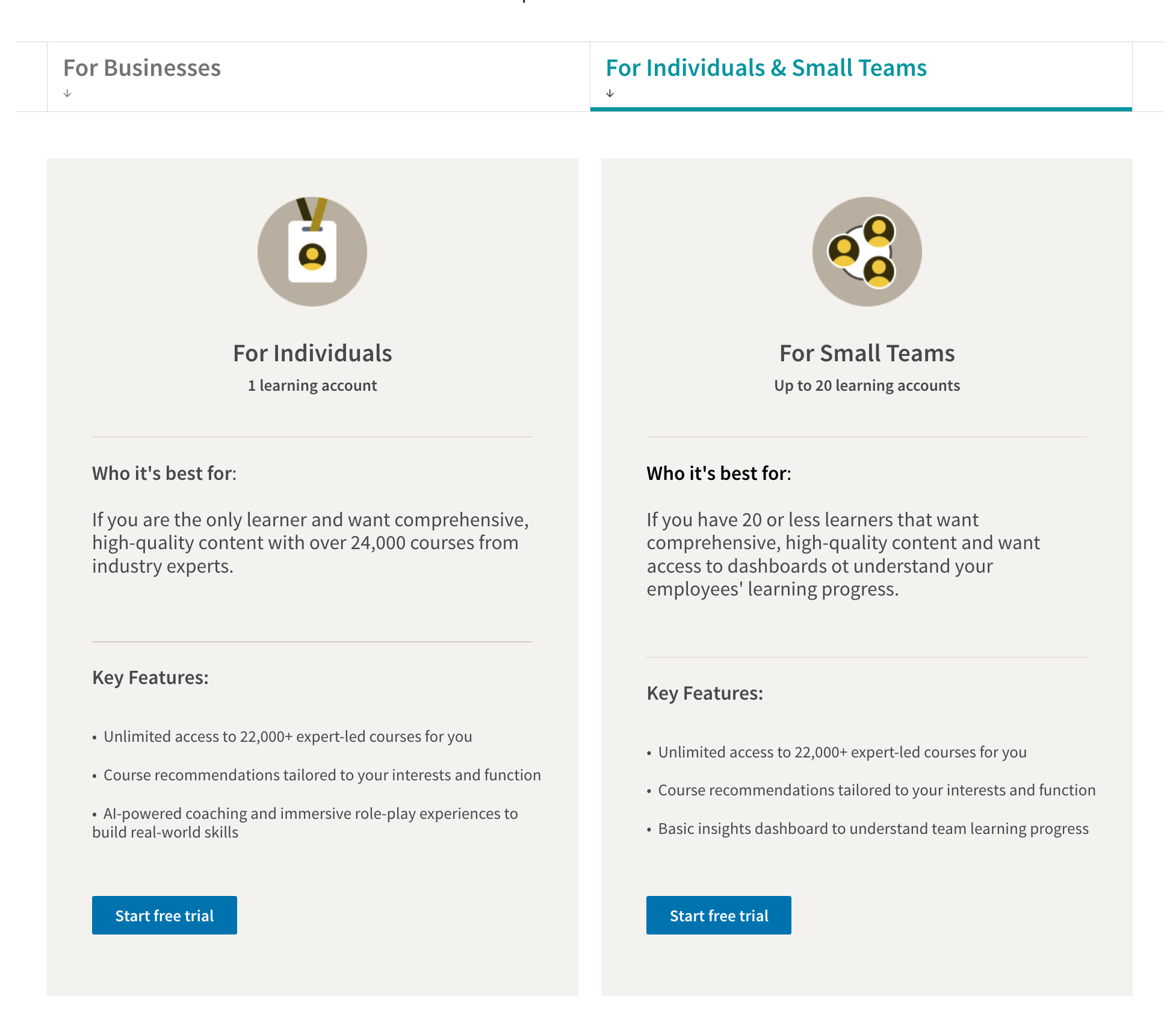
LinkedIn Learning runs on a subscription model. Individual plans give you unlimited access to thousands of courses, personalized recommendations, and AI-powered coaching tools. You can pay monthly or save with an annual plan, and there is a free trial to test everything first.
| Plan | LinkedIn Learning | DataCamp |
|---|---|---|
| Monthly | $40 | $21 |
| Annual | $240 | $132 |
| Free access | Free trial | Free tier |
| Business plans | Yes | Yes |
Topics
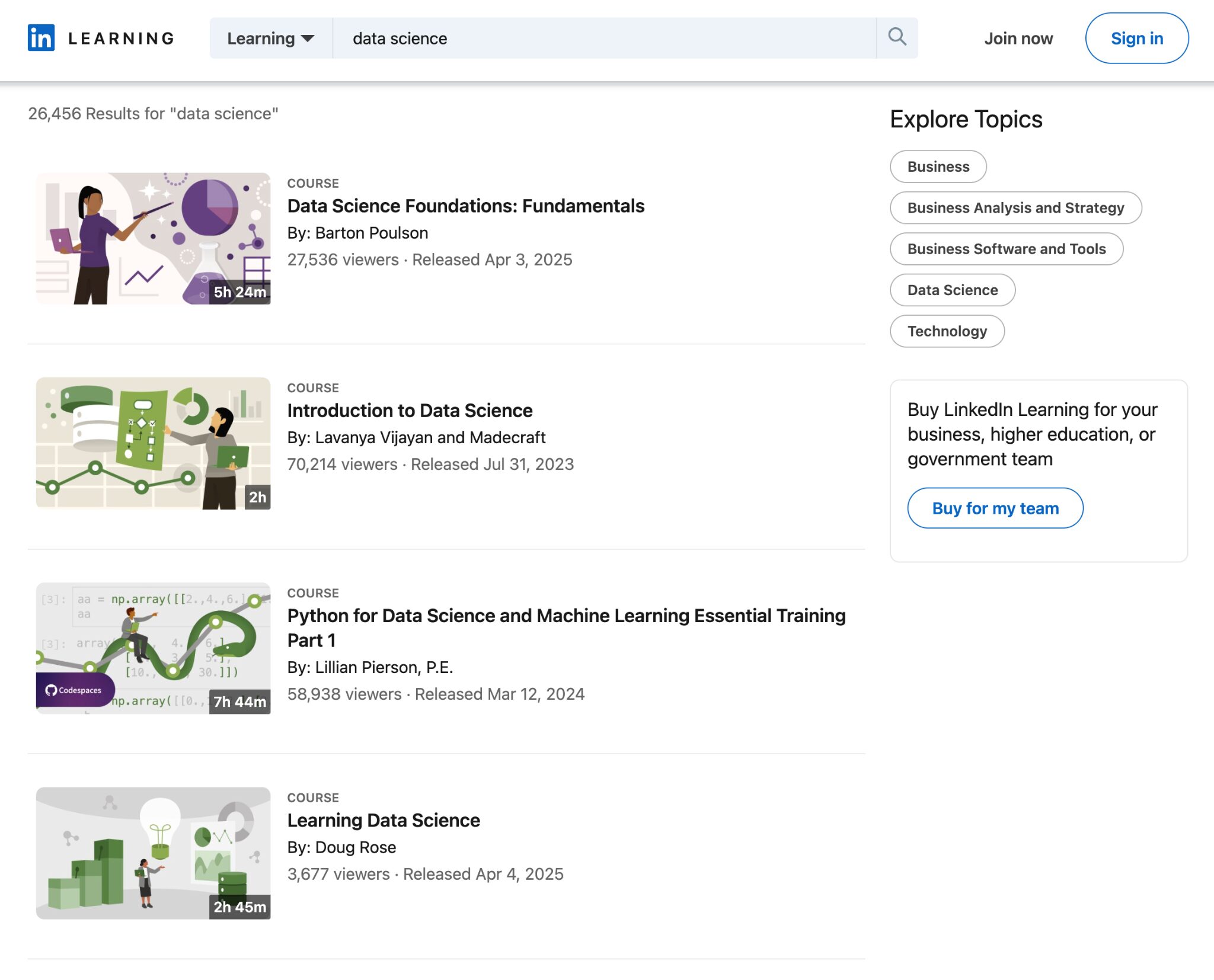
LinkedIn Learning is not just about code and data. It is about work skills in general.
You will find data topics like Python, SQL, analytics, and machine learning. Right next to them are courses on leadership, public speaking, Excel, project management, and even how to run better meetings. Very on brand for LinkedIn.
It is a good fit if you want to level up technically and professionally at the same time.
| Topic focus | LinkedIn Learning | DataCamp |
|---|---|---|
| Core data skills | Yes | Yes |
| Machine learning & AI | Yes | Yes |
| Business & leadership | Yes | Not offered |
| Marketing & soft skills | Yes | Not offered |
| Non-tech subjects | Yes | Not offered |
Teaching style
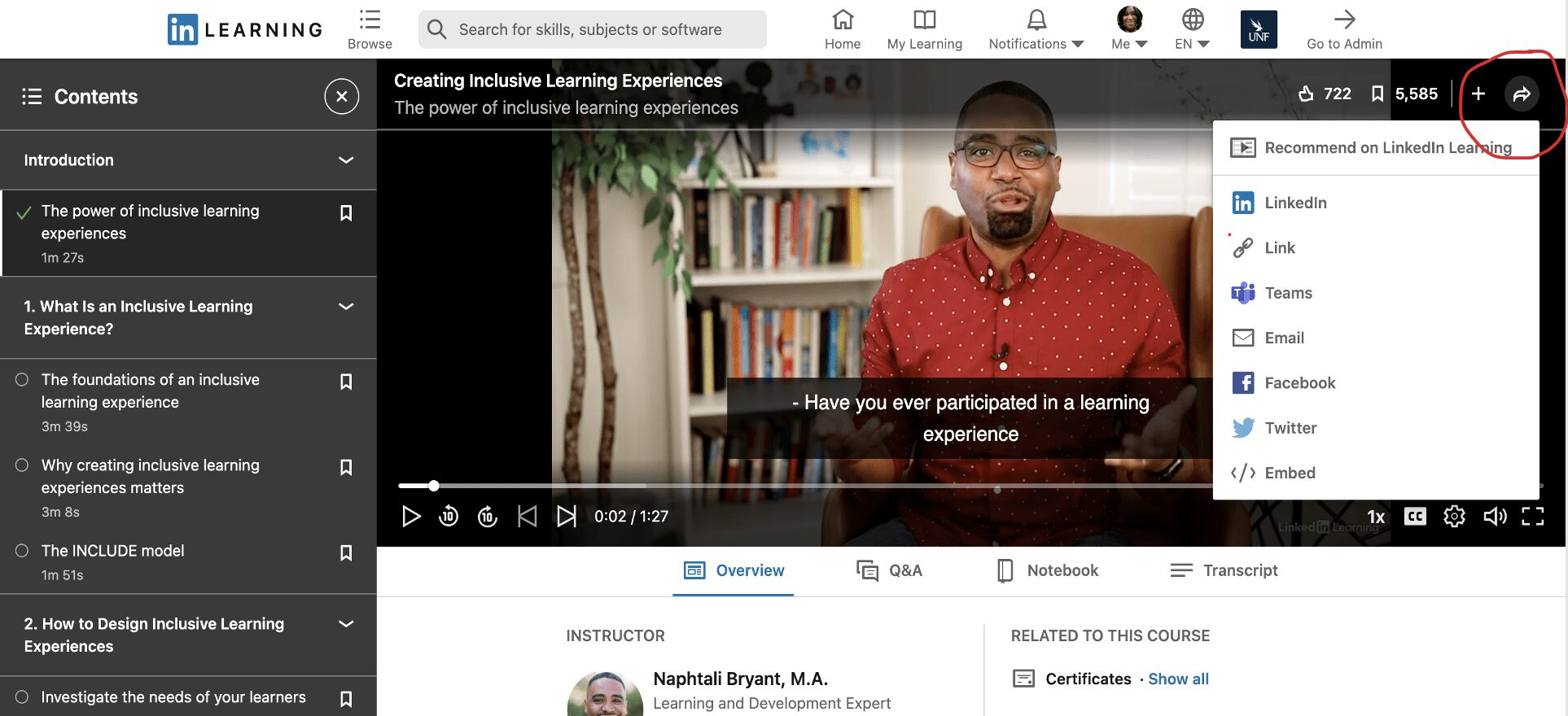
LinkedIn Learning follows a traditional online course format. You watch short video lessons, follow demonstrations, and complete occasional quizzes or practice files.
Courses are fully self-paced. You can start, pause, or revisit lessons anytime. Most instructors focus on practical workplace examples rather than academic theory.
It is a comfortable format if you like watching and listening rather than typing code in every lesson.
| If you like… | Better fit |
|---|---|
| Video-based instruction | LinkedIn Learning |
| Interactive coding lessons | DataCamp |
| Workplace-focused examples | LinkedIn Learning |
| Data-focused practice | DataCamp |
Reviews
Review feedback is usually positive about ease of use and the size of the catalog. The most common negatives are uneven depth between courses and occasional frustration with subscription management and billing.
Great, it has a lot to offer, and can really help to upskill a workforce at their point of need. It's very easy to navigate.
— Heather S.
My overall experience with LinkedIn Learning is just incredible. I recommend it to all of my friends and colleagues. It's awesome that you can set learning goals and the platform will track them for you.
— Janessa R.
8. Zero to Mastery

Rating: 4.8/5.
Zero to Mastery is a subscription learning platform built for people who want a clear roadmap into tech. It focuses on full learning paths and longer courses, not tiny bite-sized lessons.
It is especially popular with career changers who want structure, projects, and a “just tell me what to do next” plan.
Pricing
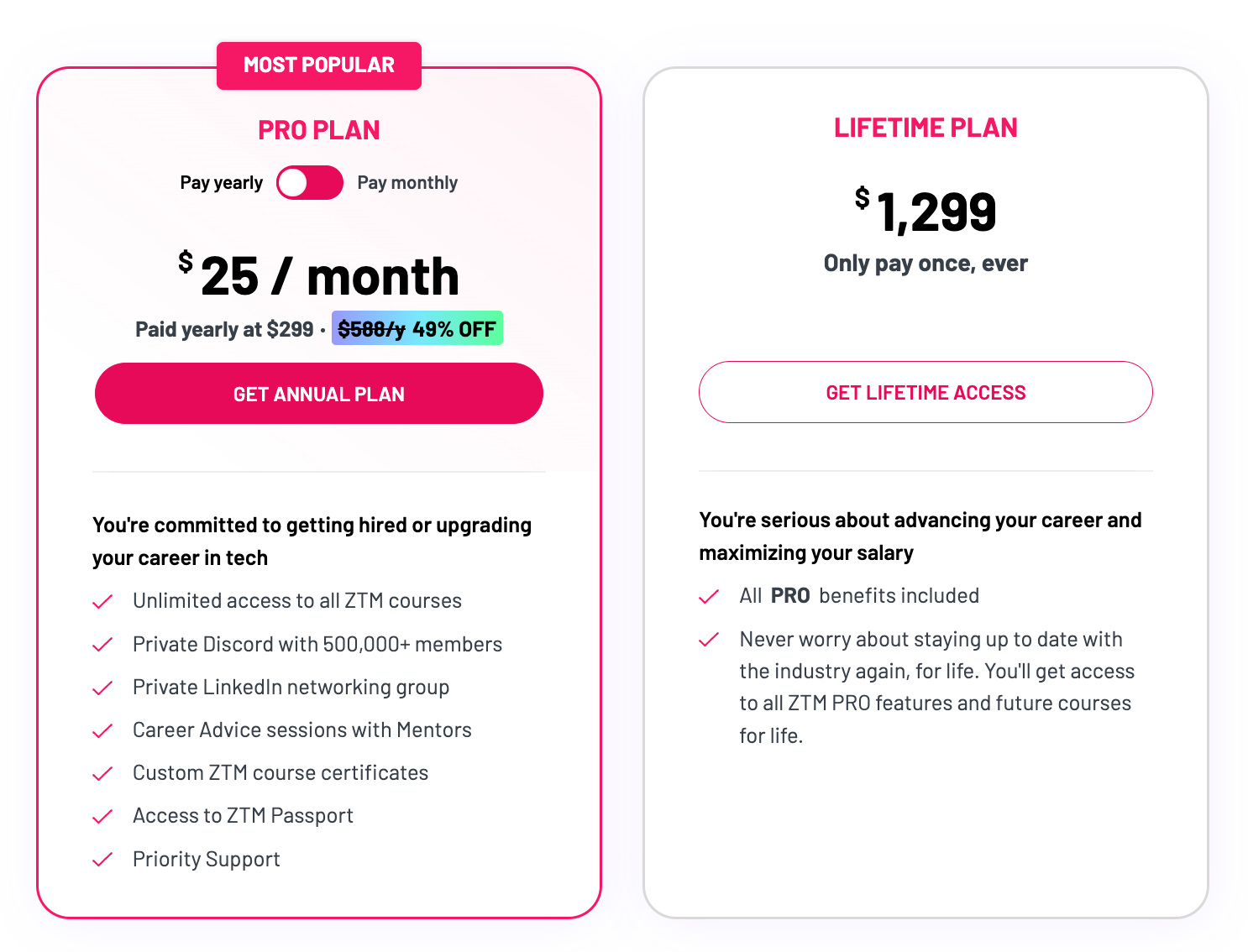
Zero to Mastery uses a subscription model. You pay for access to the full course library instead of buying courses one by one.
The subscription includes long-form programs, hands-on projects, and community support. You can preview courses before committing, which makes it easy to check the teaching style and curriculum first.
| Plan type | Zero to Mastery | DataCamp |
|---|---|---|
| Free access | No free tier (money-back guarantee) | Yes (free limited access) |
| Monthly | $49 | $21 |
| Annual | $299 | $132 |
| Lifetime | $1,299 | Not offered |
Topics
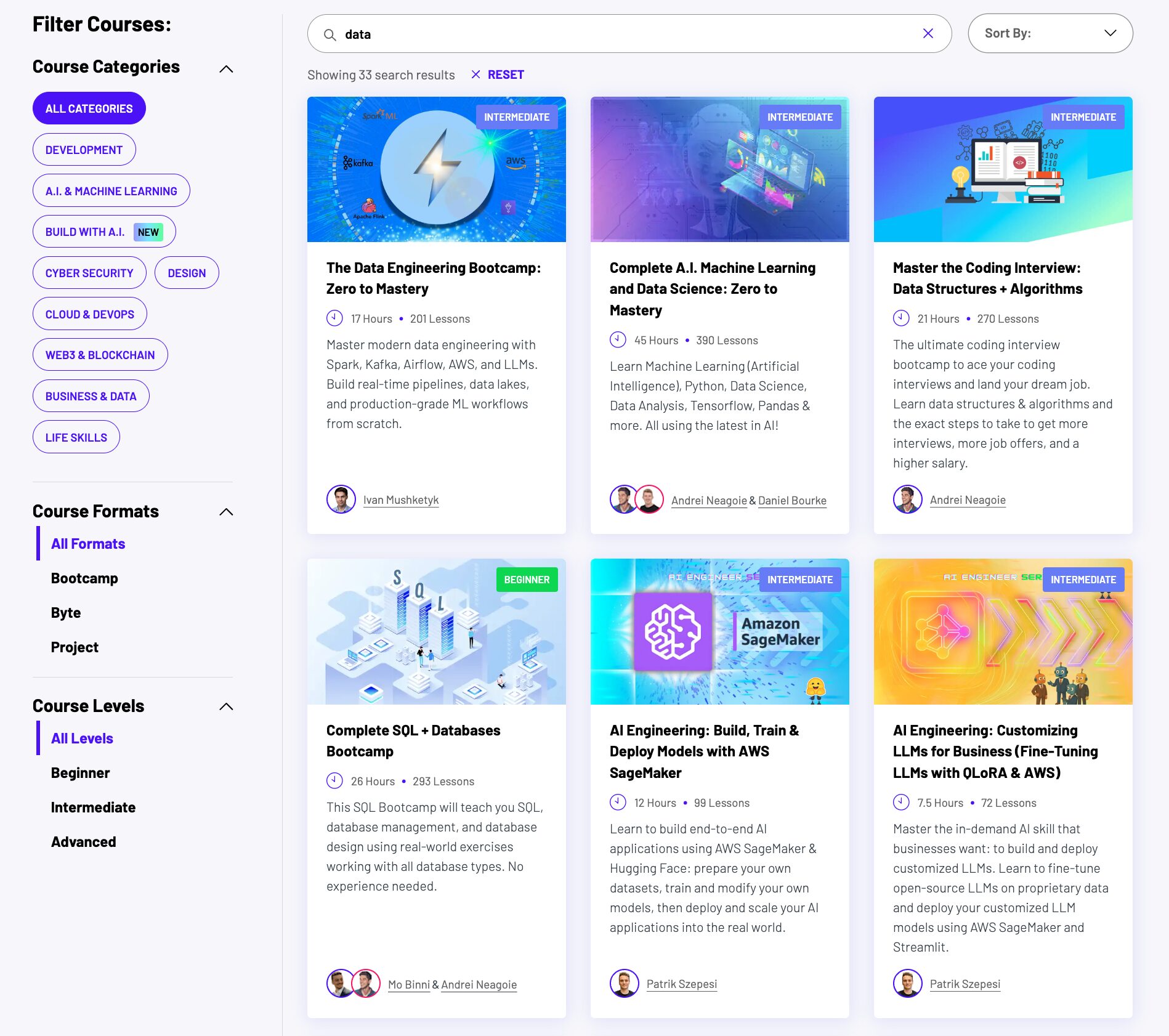
Zero to Mastery focuses on programming and tech career skills. The core topics include Python, JavaScript, web development, software engineering, and computer science fundamentals.
There are also data-related programs. You will find courses in Python for data, machine learning, AI basics, and data science. But data is not the main focus. The platform leans more toward building strong programming foundations.
Many courses are designed around career paths like web developer, software engineer, or machine learning engineer. It is best suited for learners who want to move into tech roles, not just learn one isolated tool.
| Topic area | Zero to Mastery | DataCamp |
|---|---|---|
| Programming fundamentals | Yes | Programming for data |
| Web development | Yes | Not offered |
| Core data skills | Yes | Yes |
| Machine learning & AI | Yes | Yes |
| Data engineering | Yes | Yes |
| Business intelligence tools | Limited | Yes |
Teaching style
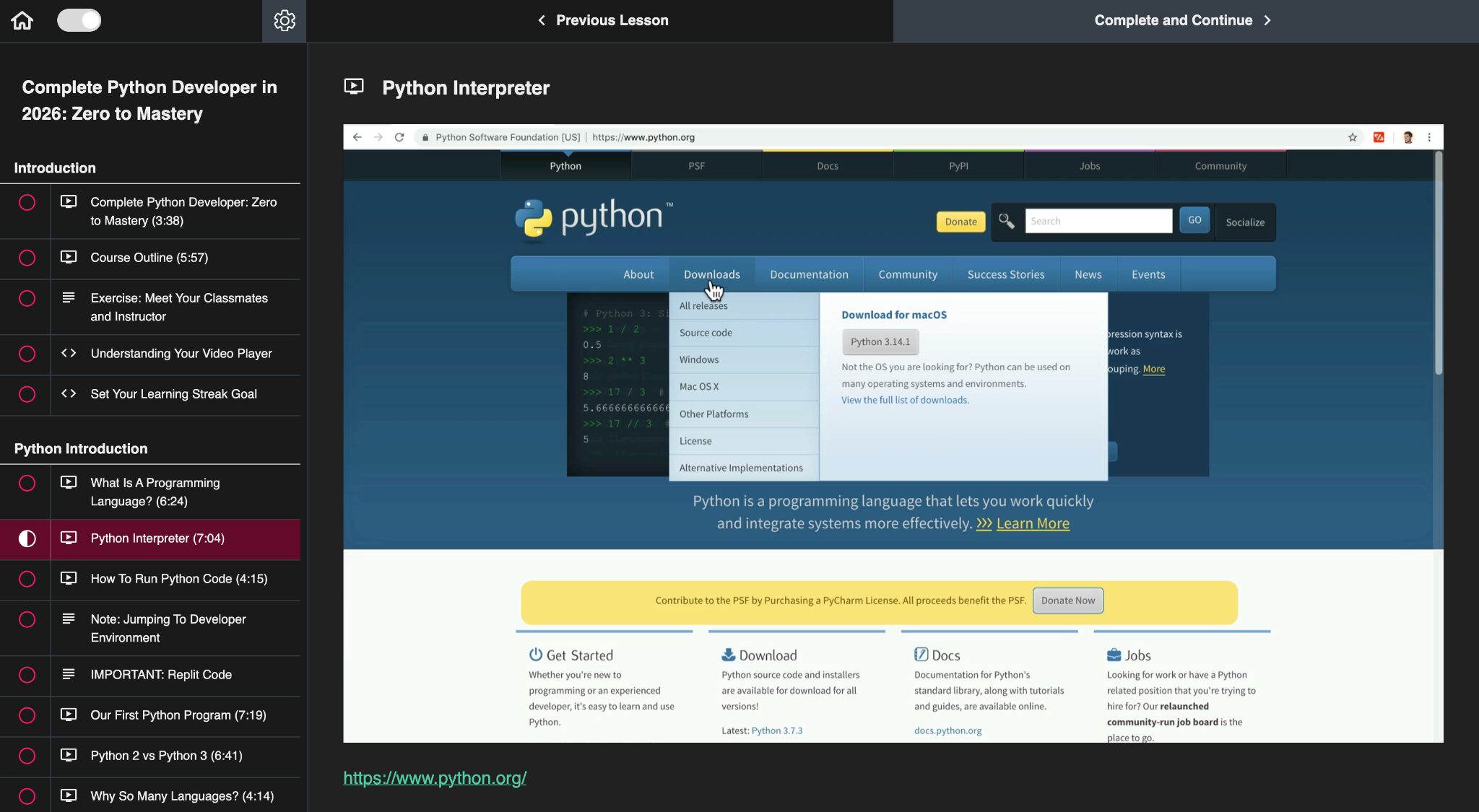
Zero to Mastery is built around long-form courses and bootcamps. Lessons are video-based, but most of your time is spent coding, building projects, and following guided assignments.
Courses are structured as complete learning paths. You move from fundamentals to advanced topics with projects along the way. Some programs, like the data engineering bootcamp, walk you through real tools and workflows used in industry.
It is designed for learners who want clear structure and practical project experience, not just short topic-based lessons.
| If you like… | Better fit |
|---|---|
| Long guided programs | Zero to Mastery |
| Quick interactive lessons | DataCamp |
| Portfolio-focused learning | Zero to Mastery |
| Immediate coding feedback | DataCamp |
Reviews
In reviews, people love the clarity and the step by step feel. A lot of learners also mention that the community helps them stay consistent. The main criticism is that course quality can vary by topic, and some people say a few courses do not get updated as fast as they expected.
The courses are well structured and very well explained, all you have to do is make time for what you need to learn, and there you go…
— Florin Adrian
Great learning experience Andrei and Daniel are superb teachers, I can't recommend ZTM more, it is great. I finished the machine learning and data science bootcamp yesterday and can't wait to learn more.
— James Hook
9. Udacity

Rating: 4.7/5.
Udacity focuses on structured tech career programs rather than short individual courses. The platform is built around Nanodegrees, which are multi-week learning tracks with hands-on projects and mentor support.
It's best suited for learners looking for job-ready training in data, AI, or software development.
Pricing
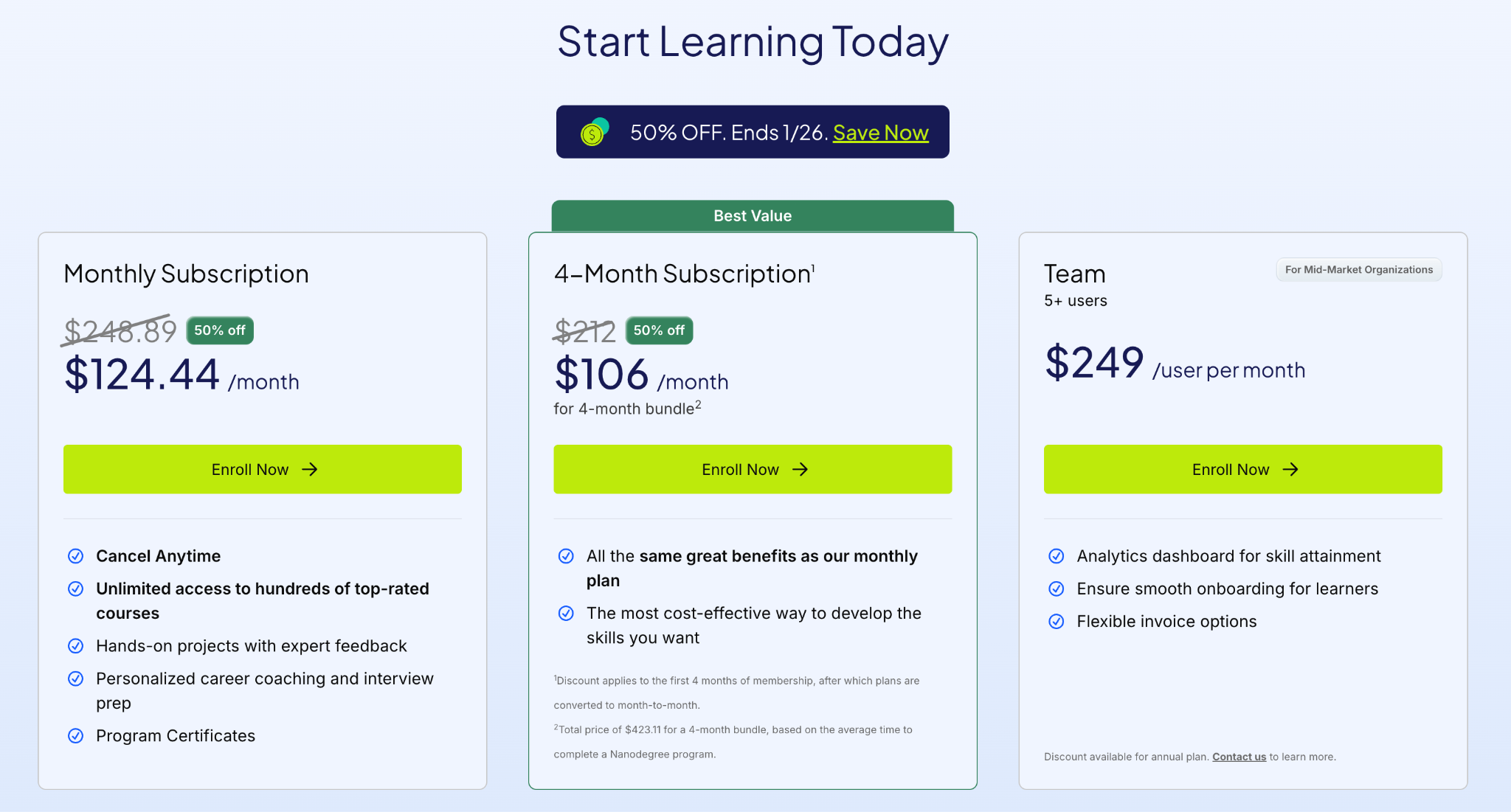
Udacity is more expensive than most platforms mentioned in this guide. It uses a subscription model, so you pay for access to all programs and courses instead of buying them one by one.
Individual plans include unlimited course access, hands-on projects, expert feedback, and career support features. Team and business plans add learner management and progress tracking for organizations.
| Plan type | Udacity | DataCamp |
|---|---|---|
| Free access | No | Yes |
| Monthly subscription | $249 | $21 |
| 4-month subscription | $212 | Not offered |
| Annual subscription |
Not typically offered (Udacity uses monthly or program bundles) |
$132 |
| Team / business plans | $249 per user | Yes (team pricing) |
Topics
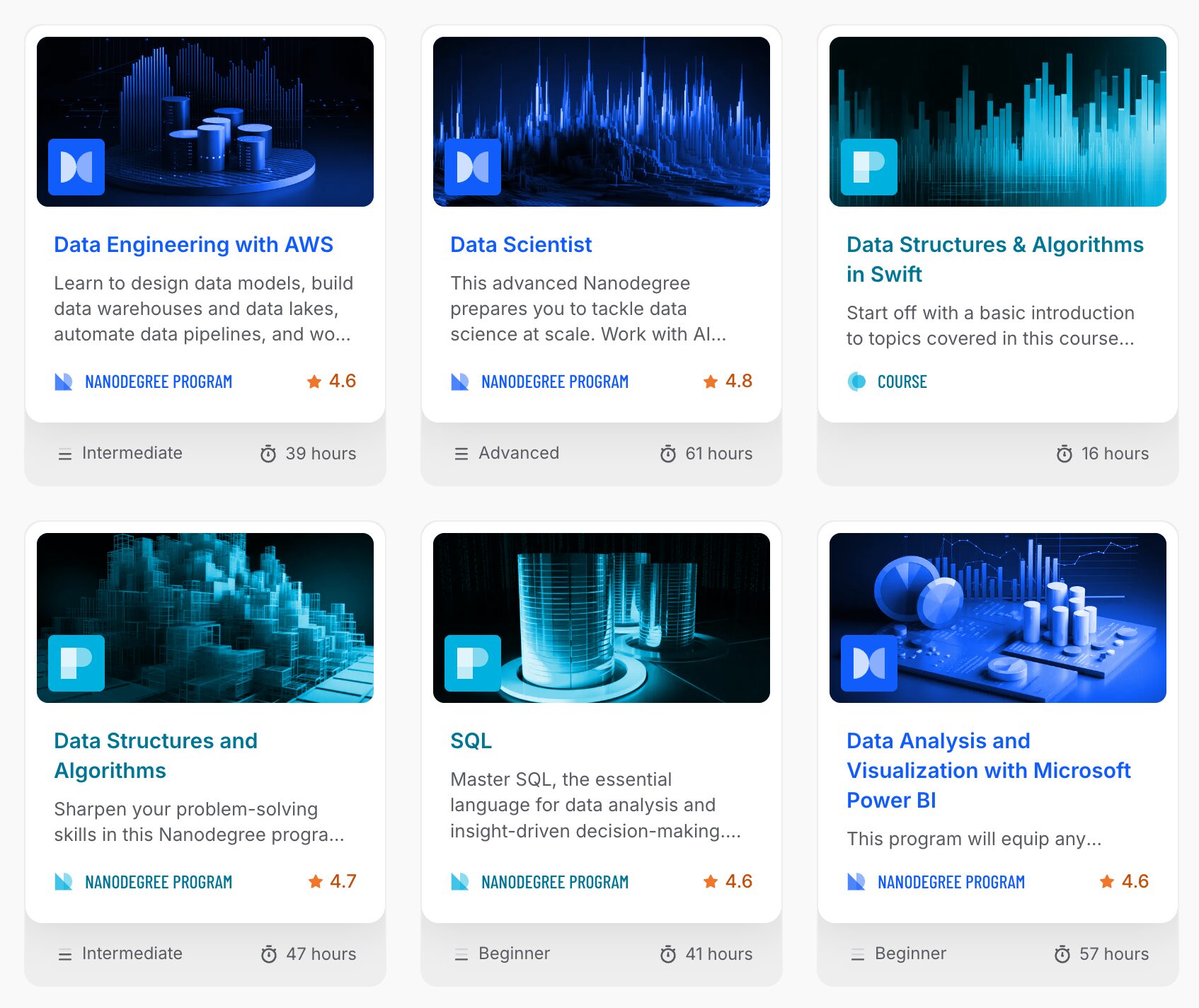
Udacity focuses on career-oriented tech programs. The catalog is built around full learning tracks rather than short individual courses.
Data roles are a major part of the platform. You will find programs in data analysis, data science, data engineering, machine learning, deep learning, and AI. SQL, Python, cloud computing, and analytics tools are covered across many tracks.
| Topic area | Udacity | DataCamp |
|---|---|---|
| Data analysis | Yes | Yes |
| Data science | Yes | Yes |
| Machine learning & AI | Yes | Yes |
| Data engineering | Yes | Yes |
| Software development | Yes | Limited |
| Cloud computing | Yes | Limited |
Teaching Style
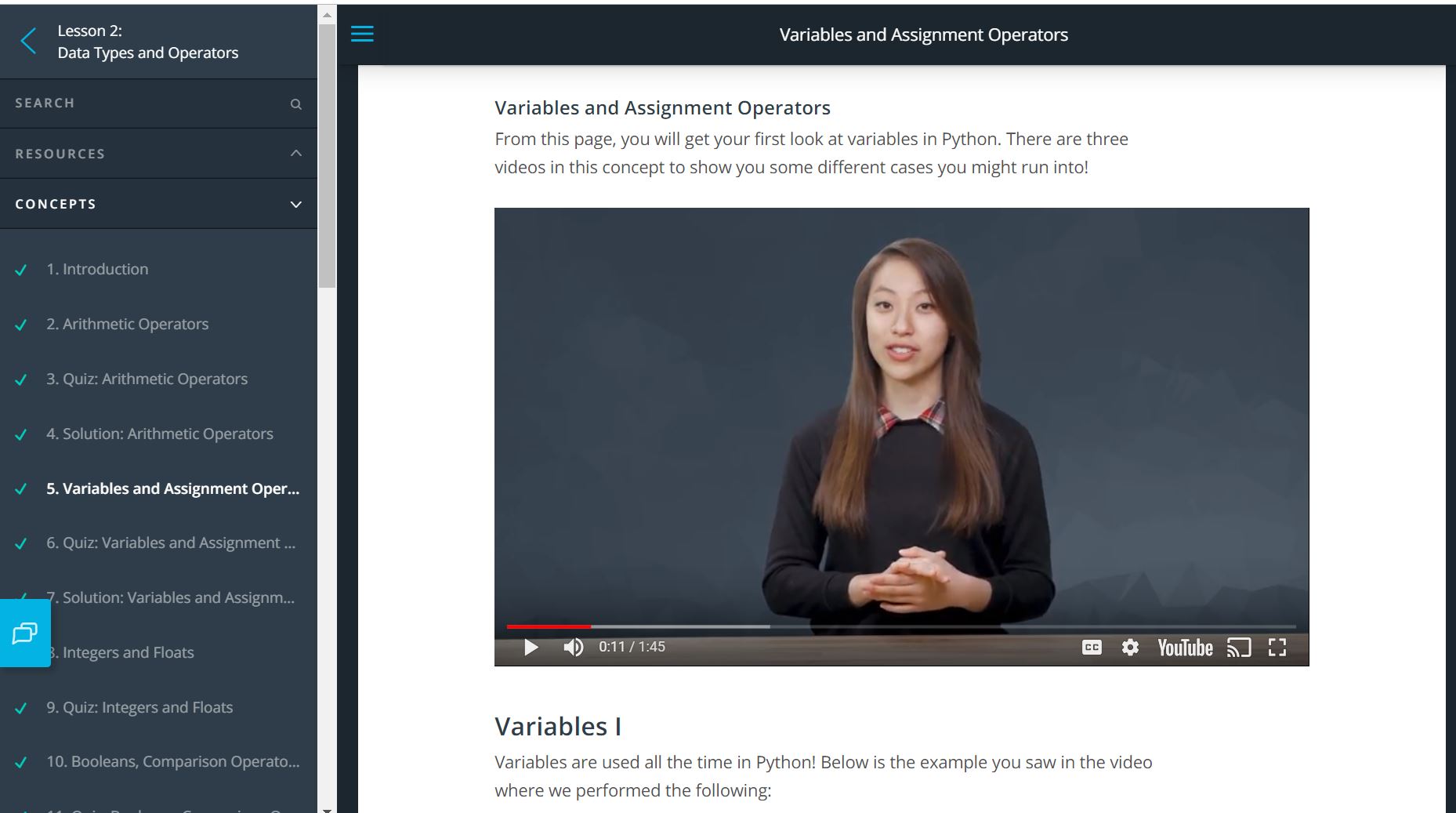
Udacity does not do tiny five-minute lessons you binge in one evening. It works through full programs that guide you step by step.
You watch short videos, answer quick quizzes, then spend most of your time building real projects. Those projects are reviewed by mentors, so you get feedback instead of just ticking boxes.
Lessons are structured to simulate real work. You follow a clear roadmap, apply concepts immediately, and gradually build complete workflows. It feels closer to professional training than casual online learning.
| If you like… | Better fit |
|---|---|
| Long structured programs | Udacity |
| Short flexible lessons | DataCamp |
| Real project reviews | Udacity |
| Instant coding feedback | DataCamp |
Reviews
In reviews, people like Udacity most for the project focus and the feeling of “I’m actually building something real.” The most common complaints are the price, plus some frustration when parts of a program feel outdated or support feels slow.
It's a very nice program, but also challenging. There are useful references and professors who explain well, when I submit the projects I catch what I've been missing out on It was a very wonderful experience with Udacity and I am definitely honored to have a certificate from them.
— Eslam Mustafa
Udacity helped me expand my scope and embrace agentic AI approaches. I now lead digital innovation projects that integrate both classical and gen AI.
— Federico Martini
10. freeCodeCamp

Rating: 3.5/5.
If you've ever googled anything about programming, freeCodeCamp probably had an article about it. And it probably actually helped. The name is literal, too. Everything is free.
It is run as a non-profit and backed by a huge community of learners. The platform teaches coding and data skills through hands-on lessons and projects, without asking for your credit card.
If your goal is to learn without spending money, freeCodeCamp is one of the best places to start. Even if you take courses somewhere else, keep this site in your bookmarks. Their tutorials and guides are worth coming back to again and again.
Pricing
freeCodeCamp is completely free. No subscriptions. No hidden costs. No "unlock premium features" upsells.
The platform runs as a nonprofit. It's funded by donations from people who learned to code there and want to give back. You can donate if you want to support them, but it's never required.
Topics
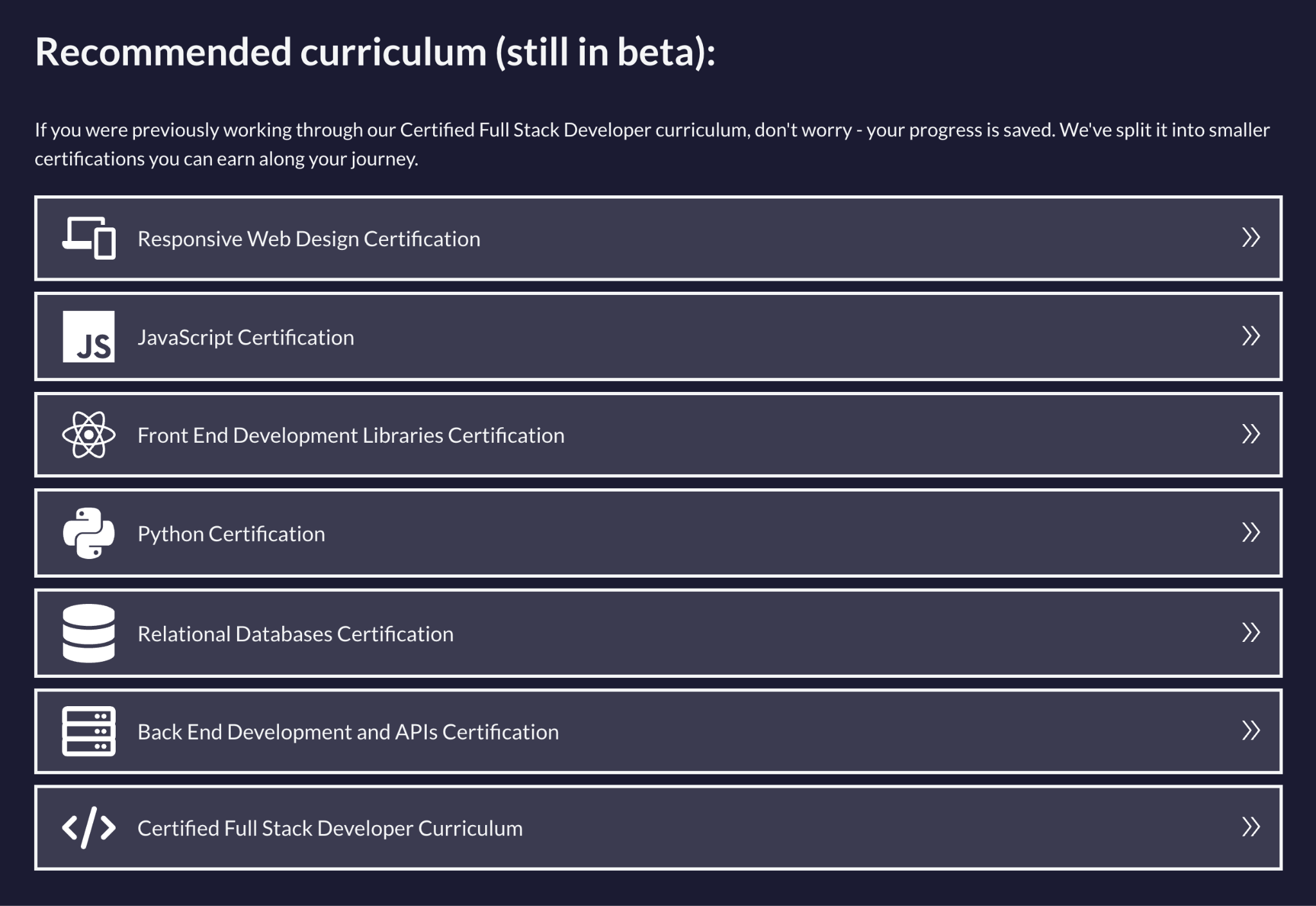
freeCodeCamp focuses on programming and web development. The catalog includes HTML, CSS, JavaScript, React, Node.js, and full-stack development paths. That's where the platform really shines.
For data learners, you get Python, SQL, data analysis, visualization, and machine learning. The data curriculum is smaller than DataCamp or Dataquest, but it covers the fundamentals well enough to get you started.
| Topic | freeCodeCamp | DataCamp |
|---|---|---|
| Programming & web dev | Yes | Not offered |
| Core data skills | Yes | Yes |
| Machine learning & AI | Basic | Yes |
| Data engineering & BI | Not offered | Yes |
Beyond courses, freeCodeCamp is famous for its long-form tutorials and articles. If you want explanations, coding guides, or problem breakdowns, their blog is often better than the course itself.
It is a great fit for beginners who want to learn coding, build portfolio projects, and practice problem-solving without paying anything.
Teaching style
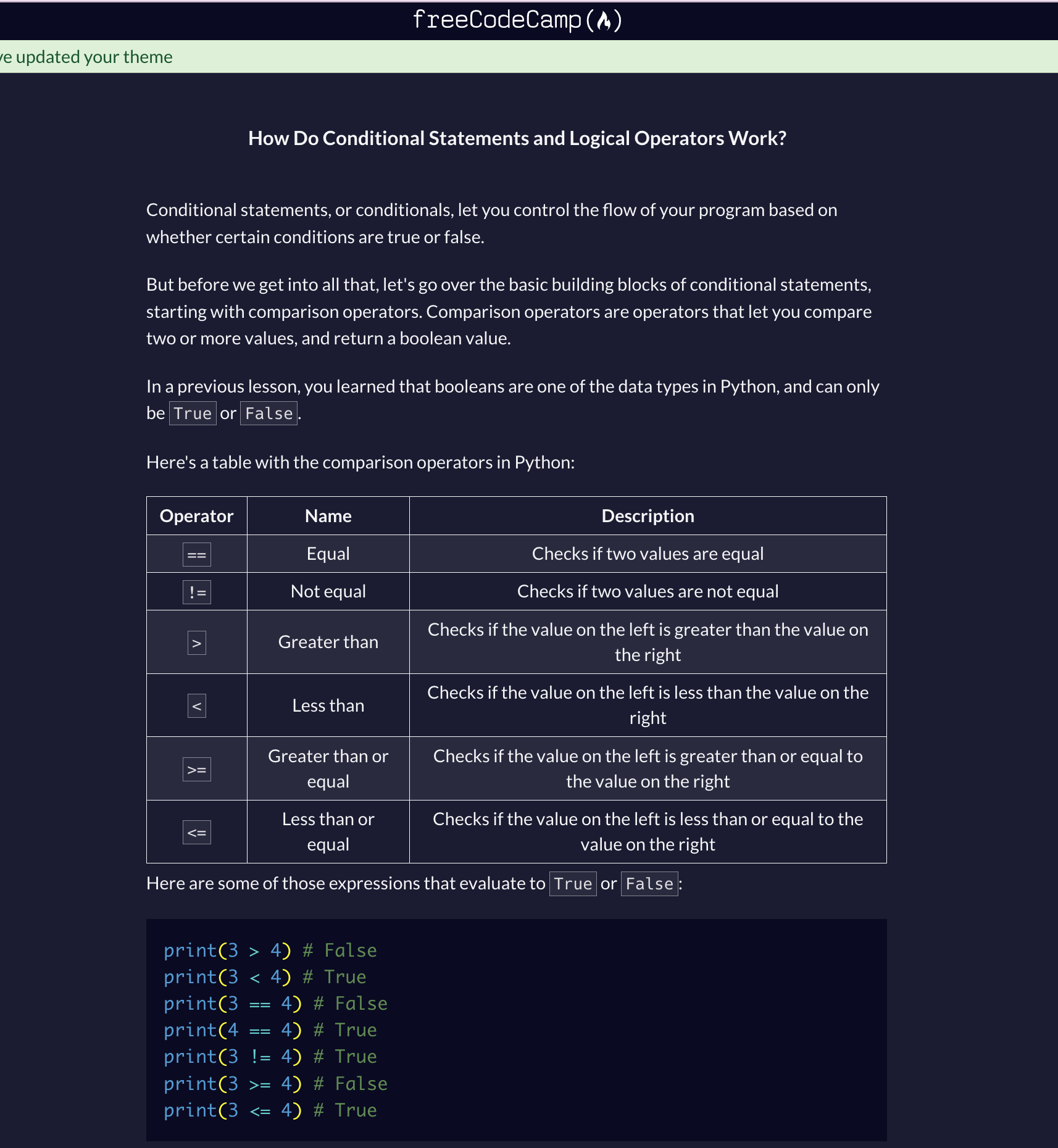
freeCodeCamp teaches by making you write code from the very first lesson. You read a short explanation, complete a coding task in your browser, and move on once it works. No long lectures. No passive watching.
The platform is completely self-paced. Move forward when you're ready. Need help? Use the community forum. Unlike DataCamp's automated hints, you're asking real people for answers. That means waiting sometimes, but the community is genuinely helpful.
Projects are a big part of the experience. You build real websites, scripts, and data projects that can go straight into your portfolio.
Video content exists too, mainly on freeCodeCamp’s YouTube channel. These are long-form tutorials rather than short platform lessons. So if you like watching full walkthroughs, that option is there. But the core platform stays text-first and practice-heavy.
| If you prefer… | Better fit |
|---|---|
| Reading + typing code | freeCodeCamp |
| Short videos + practice | DataCamp |
| Long project cycles | freeCodeCamp |
| Structured career paths | DataCamp |
Reviews
In reviews, people love how much you get without paying anything. They also shout out the community help and the project-based structure. The main downside is that some lessons feel a bit “do this” without enough explanation, so total beginners can get stuck and need to Google or ask the forum.
freeCodeCamp was the gateway to my career as a software developer. The well-structured curriculum took my coding knowledge from a total beginner level to a very confident level. It was everything I needed to land my first dev job at an amazing company.
— Sarah Chima
Lots of fun, free exercises to get beginners started with coding. Their project based curriculum is free of charge, and it helps you build a starting portfolio, too. Great initiative!
— Seth Lynch
11. Brilliant
Rating: 4/5.
Brilliant is an interactive learning app that focuses on math, statistics, logic, and computer science. Instead of long lectures, you learn by solving problems step by step, with hints and instant feedback. It is great if you want the ideas to actually “click,” not just copy code.
Pricing
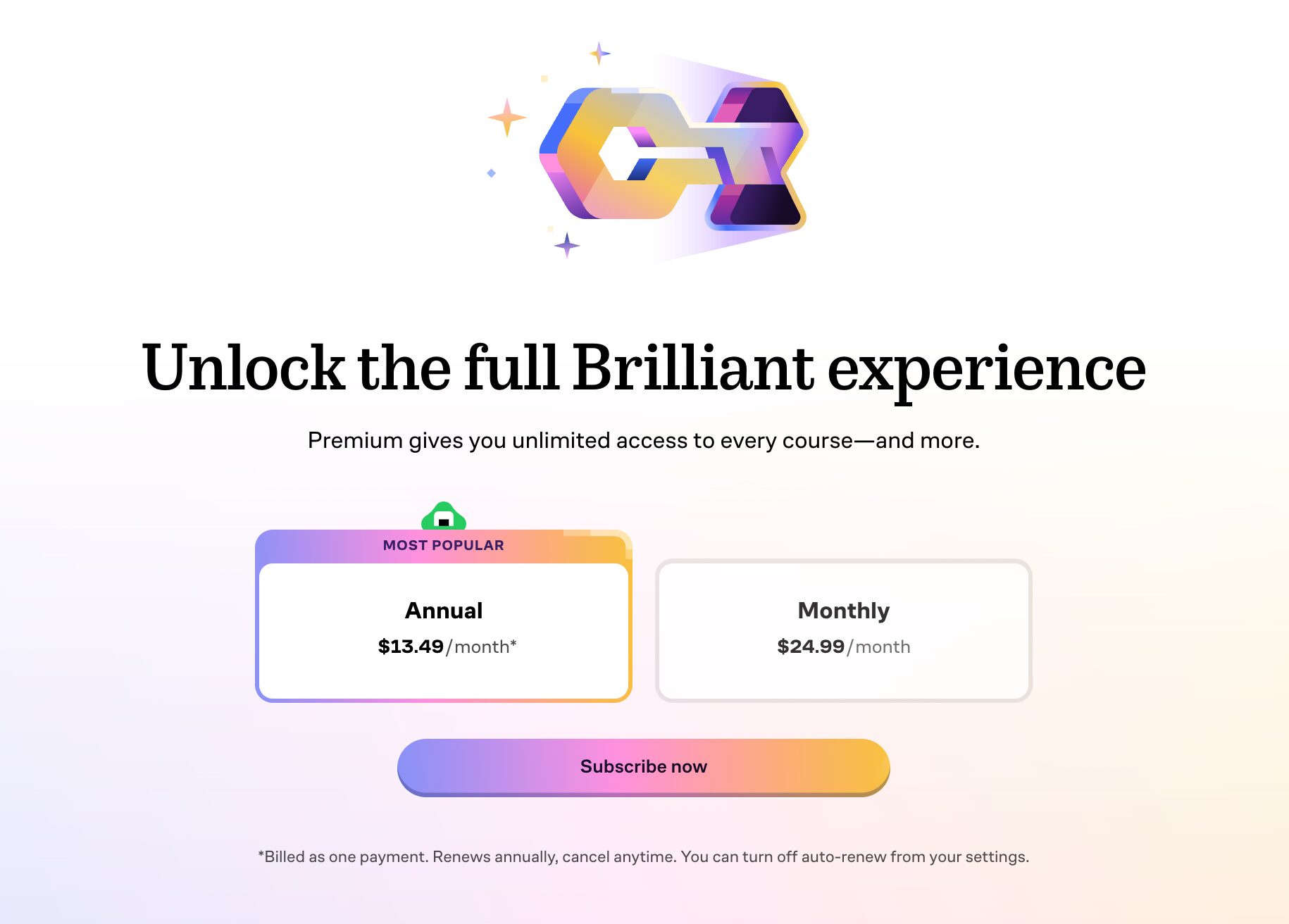
Brilliant offers both free and paid access. The free plan lets you complete a small number of lessons each day. It is enough to explore the platform, but not ideal for consistent learning.
Premium removes limits and unlocks all courses and practice sets. You can pay monthly or yearly, with the yearly plan giving a lower monthly cost. A free trial is available, so you can try everything before committing.
| Plan | Brilliant | DataCamp |
|---|---|---|
| Free plan | Yes (limited lessons per day) | Yes (limited course access) |
| Monthly | $25 | $21 |
| Annual | $162 | $132 |
| Lifetime | Not offered | Not offered |
| Free trial | Yes | Not offered |
Topics
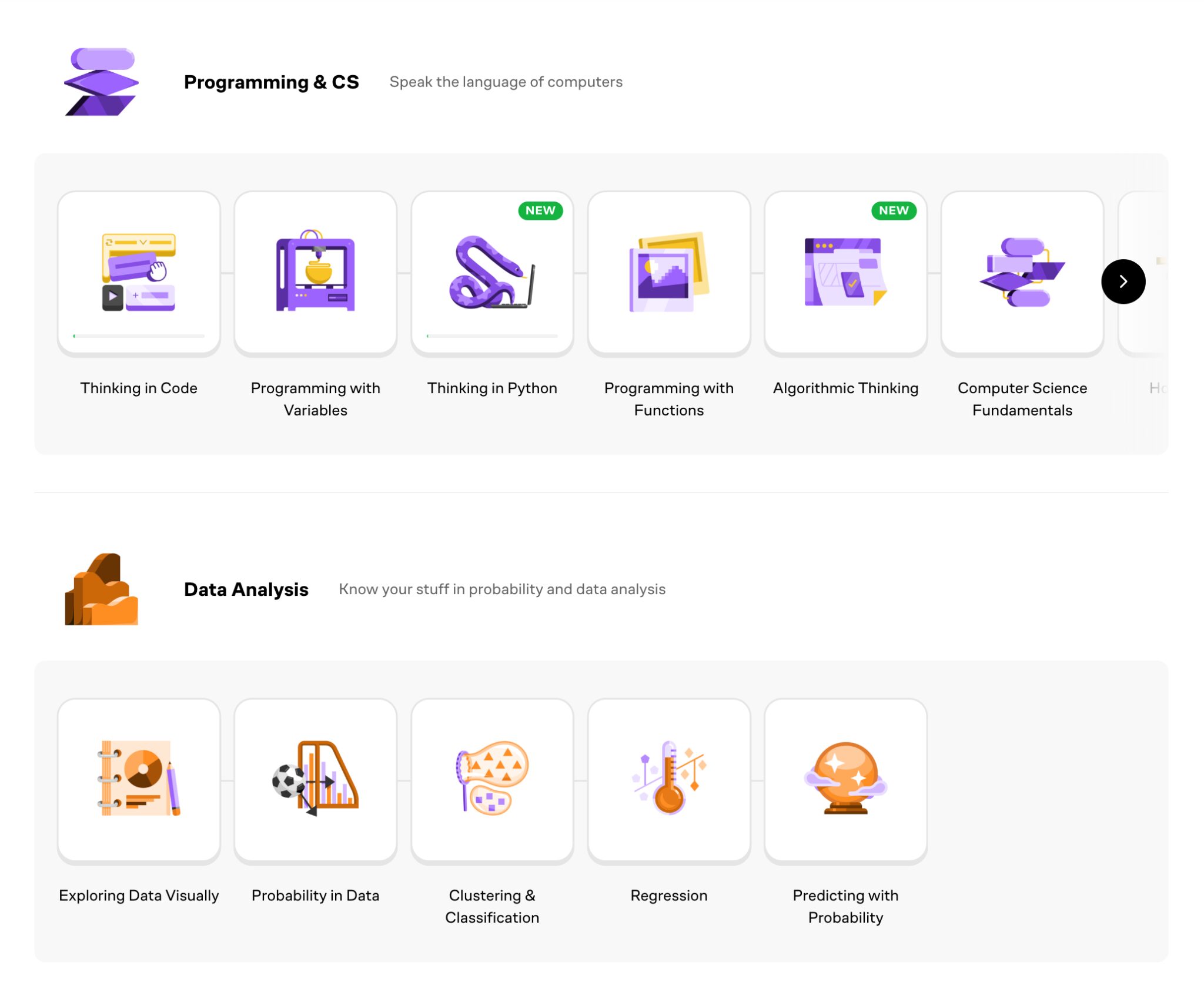
Brilliant focuses on foundational subjects that support data and AI learning. You get math, statistics, probability, logic, and computer science topics. There are also dedicated data science paths covering data analysis, visualization, regression, and classification.
It is less about tools like Python libraries and more about understanding the concepts behind them.
| Topics | Brilliant | DataCamp |
|---|---|---|
| Math & statistics foundations | Yes | Limited |
| Data analysis & visualization | Yes | Yes |
| Python | Basic | Yes |
| Machine learning & AI | Intro | Yes |
| SQL | Not offered | Yes |
Teaching style
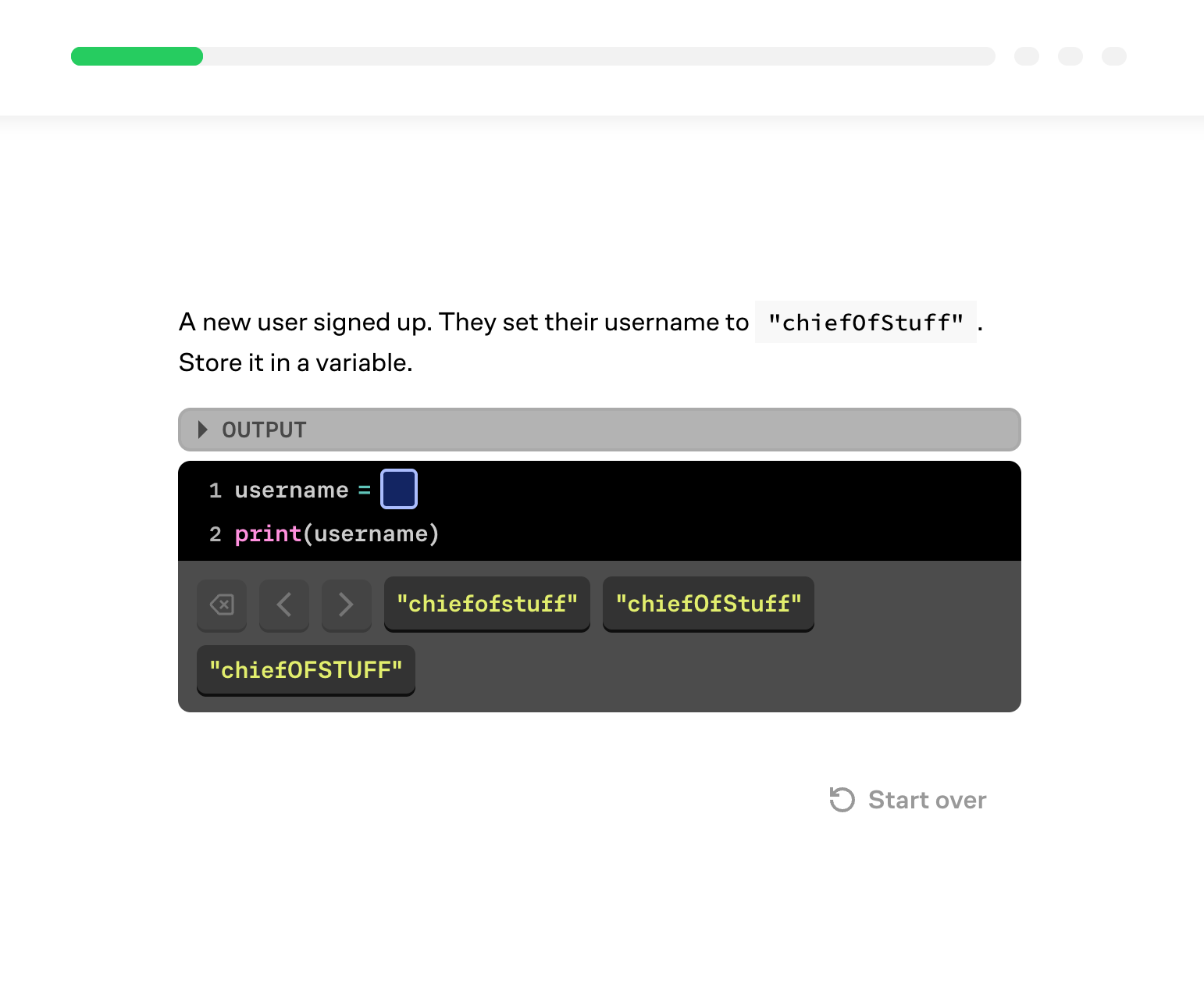
Brilliant teaches through interactive problem-solving. Lessons give you a short explanation, then ask you to solve puzzles and questions step by step. You get instant feedback when you make mistakes, so you learn by fixing your thinking in real time.
There are no long video lectures. The focus is on understanding concepts deeply rather than memorizing formulas or copying code.
| Style focus | Brilliant | DataCamp |
|---|---|---|
| Problem-solving lessons | Yes | Limited |
| Video lessons | Not offered | Yes |
| Concept-first learning | Yes | Some |
| Tool-first learning | Limited | Yes |
Reviews
In reviews, people love how fun and visual it feels, and how it helps them understand concepts they used to avoid. The most common complaints are about pricing and billing, plus frustration when the platform feels more like puzzles than practical job training.
I love the brilliant app. So well presented. As someone with ADHD, I’ve struggled to get my head around so many concepts. Now I can take advantage of so many avenues that have been closed off. Thank you so much!
— Andrew
I liked the app, super useful for the math part, haven’t tried the other sections yet. I had a technical issue with the subscription cancellation (hope they fix this sooner), but a HUGE applause for the support team who responded to my emails very FAST and solved my issue in a short time.
— Dream
More Specialized Platforms Worth Checking Out
If you want options that are more focused than DataCamp, these platforms can be really useful. They are not all direct replacements, but they shine in specific areas like BI tools, cloud platforms, data engineering, and university-style courses.
1. Microsoft Learn
- Best for: Power BI, Microsoft Fabric, and Azure data skills
- Cost: Free training modules; official certification exams cost separately
Why not DataCamp: DataCamp focuses on general data skills, while Microsoft Learn gives official, product‑specific training directly from the maker of Power BI and Azure. It’s ideal if your role lists Microsoft tools or certifications.
2. Google Cloud Skills Boost
- Best for: BigQuery and hands-on Google Cloud Labs
- Cost: Free tier available; paid annual subscription (~\$299/year with extra credits and benefits) for full access
Why not DataCamp: DataCamp teaches SQL/analytics fundamentals, but Skills Boost gives you real cloud labs and badges in the Google Cloud environment, which matters if you’ll use BigQuery or other GCP tools in a job.
3. AWS Skill Builder
- Best for: AWS training and certification prep
- Cost: Free foundational content; team subscription ~\$449/year per seat for full Skill Builder access.
Why not DataCamp: DataCamp doesn’t deeply cover AWS, whereas Skill Builder teaches actual AWS services and workflows you’ll encounter in real data roles and helps prep for AWS certifications.
4. IBM SkillsBuild
- Best for: Beginner-friendly fundamentals
- Cost: Free access to courses and digital credentials
Why not DataCamp: DataCamp is interactive‑first and assumes some coding familiarity; SkillsBuild offers a gentler ramp‑up with foundational tech and workplace skills — a good choice if you’re brand‑new to tech.
5. Maven Analytics
- Best for: Excel, Power BI, Tableau, and portfolio projects
- Cost: Starter plan free; Maven Pro ~\$49/month or ~\$399/year
Why not DataCamp: DataCamp focuses on exercises and skill drills, but Maven Analytics emphasizes portfolio projects and real dashboards. It’s great if you want tangible work to show employers.
6. Databricks Training
- Best for: data engineering workflows
- Cost: Free learning modules available; paid certifications and workshops vary
Why not DataCamp: DataCamp teaches data engineering concepts at a high level, whereas Databricks Training is tool‑specific and aligned with enterprise pipelines, so it’s a better pick for engineering roles.
7. Snowflake University
- Best for: Learning Snowflake properly
- Cost: Free introductory training; certifications and advanced badges may have fees
Why not DataCamp: DataCamp doesn’t teach Snowflake in depth, but Snowflake University gives official, platform‑specific training used in modern analytics and engineering stacks.
8. edX
- Best for: University-style data science courses
- Cost: Free to access most courses; pay only if you want a verified certificate
Why not DataCamp: DataCamp is interactive and practice‑oriented; edX provides academic, lecture‑style courses from universities and institutions — ideal if you want deep theory or an academic credential.
These platforms are worth exploring if you need something specific. If your target job lists Power BI, Snowflake, or AWS in the requirements, the official training will get you there faster than a general platform. If you want university-style courses, try edX. If you need portfolio projects for analytics roles, check out Maven Analytics. Most offer free access or trials, so you can test them risk-free. They might become your main platform or just fill a gap in your learning.
Final Tips Before You Pick Your First Platform
Start with your goal, not the platform. If you want a data job, focus on skills that show up in job posts: SQL, basic stats, and either Python or a BI tool. If you are learning for curiosity, pick whatever keeps you consistent.
You will probably use more than one platform over time, and that's normal. No single platform teaches everything. You might start with one platform for core data skills, then jump to official vendor training when you need a specific tool like Snowflake or Power BI. The key is picking one platform to start with, not trying to use three at once.
Do not over-optimize the choice. Most platforms teach the same foundations. The real difference is whether you will actually use it. If you quit after two weeks, it does not matter how "good" the platform is.
Do one thing that proves progress. Finish a small project. Write a short case study. Build one dashboard. When you have something real to show, motivation gets easier, and you learn faster.
Also, do not try to learn everything at once. A simple stack beats a messy one. Start with SQL. Add Excel or Python. Then expand based on what you enjoy.
Want a Clear Next Step?
If you like learning by doing, check out our data science projects. They are a simple way to practice with real datasets and build work you can actually show.
If you are not sure what you want yet, check out our skill paths. You can pick one topic and see if it clicks. Something might catch your eye. If you do not want to commit to a full path, you can also take individual courses.